Contact GCafe Portal support
Need help? Chat with the GCafe support team right inside Portal — even from the client chat screen — or call the hotline.
Classic layout
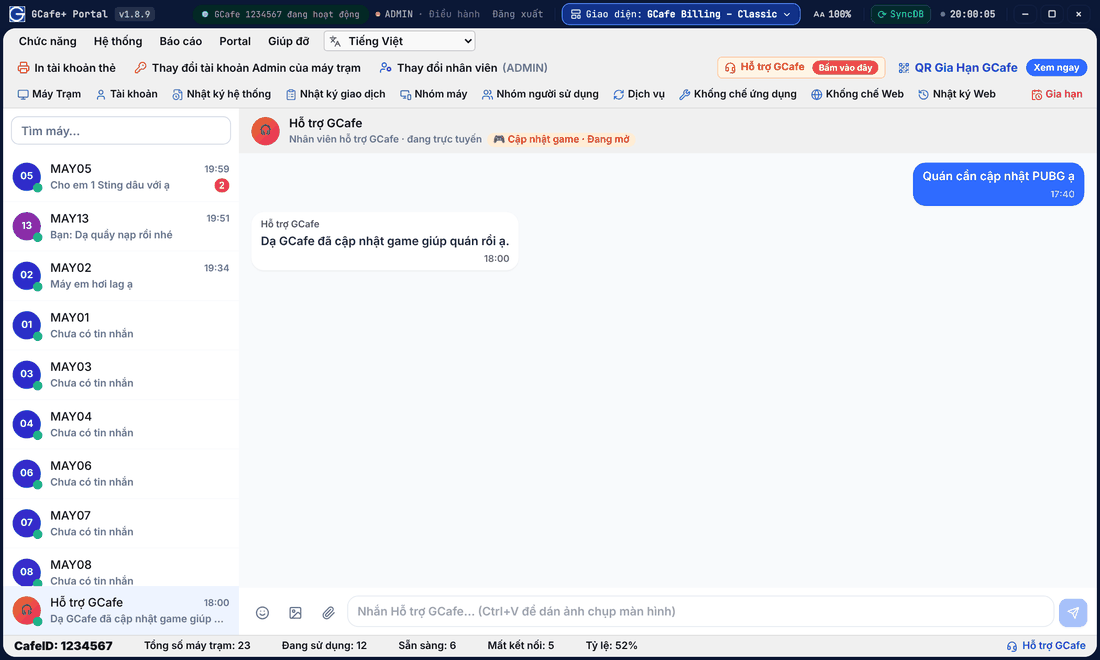
Portal layout
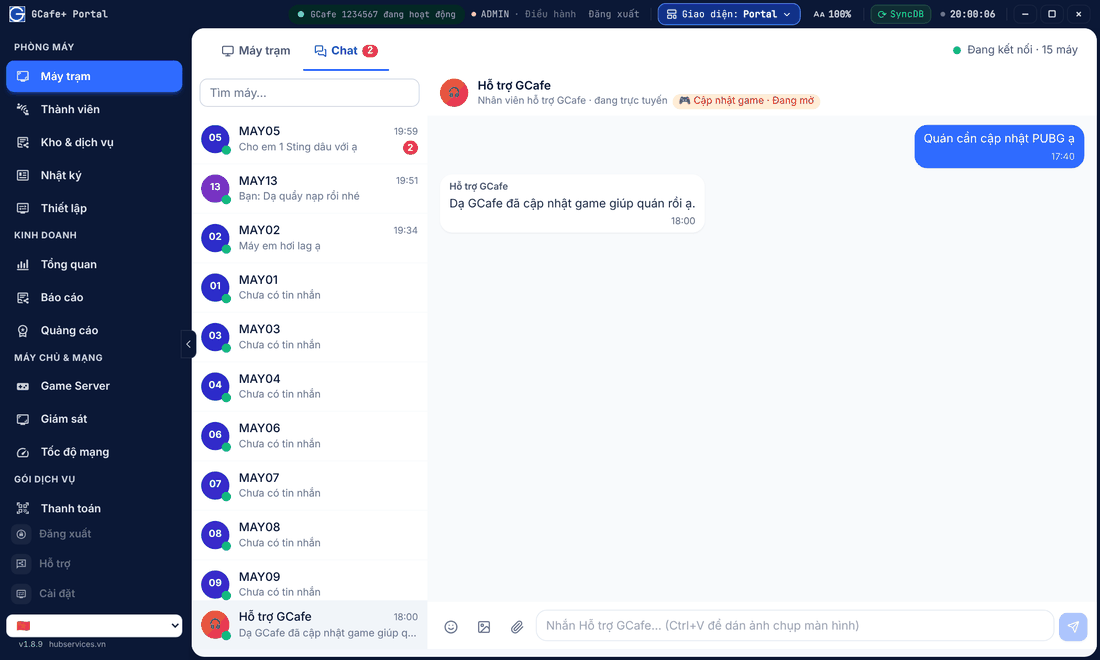
Chat with GCafe Support
- Click Hỗ trợ at the bottom of the left menu, or pick Hỗ trợ GCafe at the bottom of the Chat list.
- Choose a topic: Hạn sử dụng (Subscription), Cập nhật game (Game update), Lỗi game (Game error) or Hỗ trợ khác (Other).
- Describe the problem, attach a screenshot if you have one.
Send images, files and screenshots
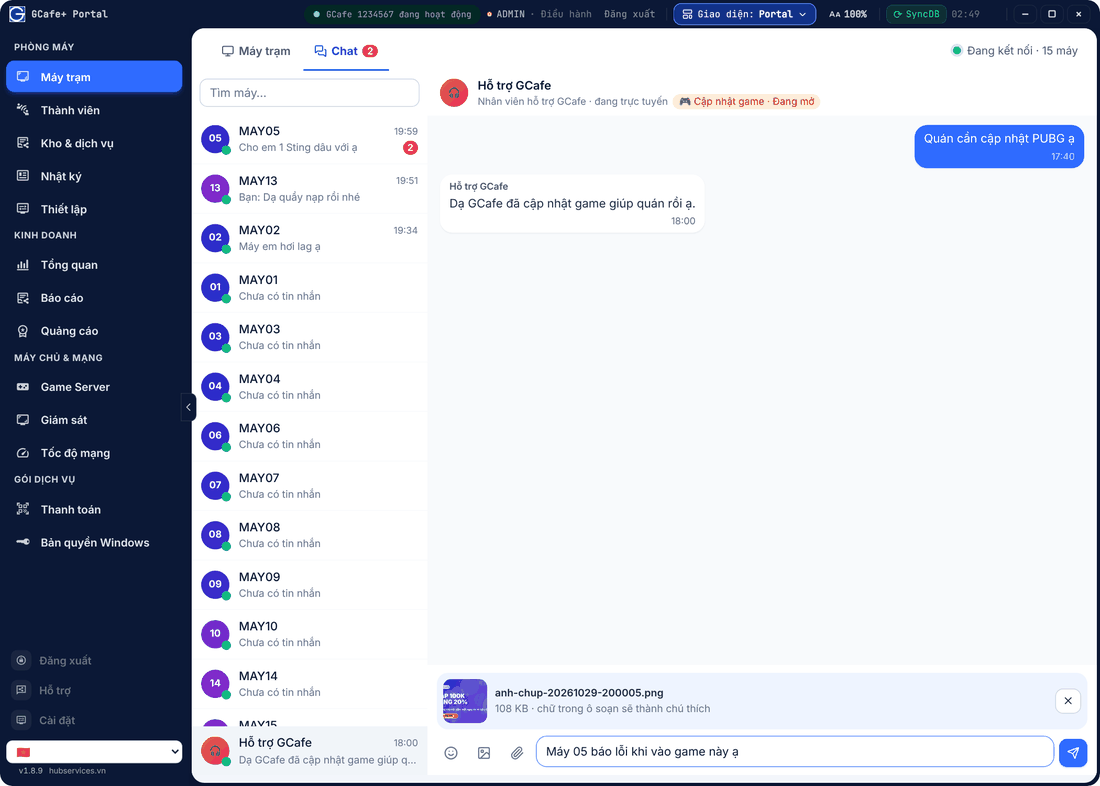
- Click Gửi ảnh (Send image) or Gửi file (Send file) next to the message box, or drag a file into the chat.
- Take a screenshot and press Ctrl+V in the message box to paste it. Text in the box becomes the caption.
- Click the emoji button to add emoji.
Answer a support call
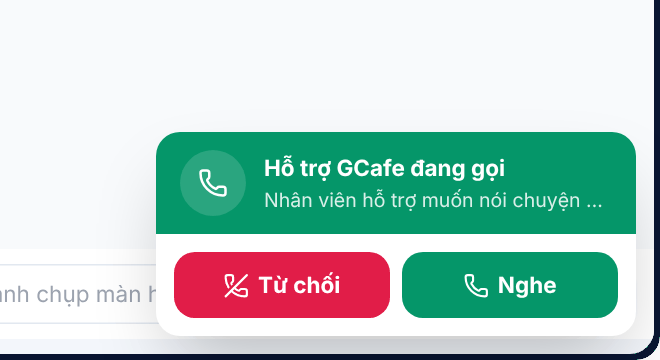
When support calls, Portal shows Hỗ trợ GCafe đang gọi (GCafe Support is calling) with a ring. Click Nghe (Answer) to talk through the counter PC’s microphone / headset, or Từ chối (Reject).
- During the call: Tắt micro / Bật micro (mute / unmute), Kết thúc (hang up).
- Support may ask to see the counter screen. Click Chia sẻ màn hình (Share screen) to agree, Dừng chia sẻ when done. Nobody sees your screen unless you click it.
Support may send back a Phiếu hỗ trợ (support ticket to track), a QR gia hạn (renewal QR — click Mở trang gia hạn) or a Thông báo (notice). If the session has ended, pick a topic again to start a new one.
Have this ready
- Your CafeID (in the title bar or on the Payment page).
- Portal version (the v… number at the bottom left).
- The error message and what you just did.
Hotline: 1900 1232.
Common errors
Message / symptom | Cause | What to do |
|---|---|---|
Không mở được micro (cannot open microphone) | No mic / headset on the counter PC, or Windows blocks the mic. | Plug in a headset with a mic, check Windows microphone permission and call again. |
File quá lớn (file too large) | The file exceeds the size limit. | Compress it or send a screenshot instead of a video. |