Group chats and virtual LAN with other cafés
A group chat brings friends at several GCafe cafés into one room to message, call as a group and use virtual LAN to play LAN games together.
With LAN ảo (virtual LAN), members' PCs see each other as if on the same network; games with a LAN mode find the lobby on their own.
Before you start
You are signed in to Global Chat (Global Chat). Virtual LAN only works when the café has enabled it; if you see Quán chưa bật LAN ảo. (not enabled at this café), tell the counter.
Create a group chat and invite friends
- In Phòng chat, click + next to Nhóm chat (Group chats) and enter a Tên phòng (room name).
- In the room, click + Mời (Invite) and pick friends or players online.
- Invited players click Vào phòng (Join) or Từ chối (Decline).
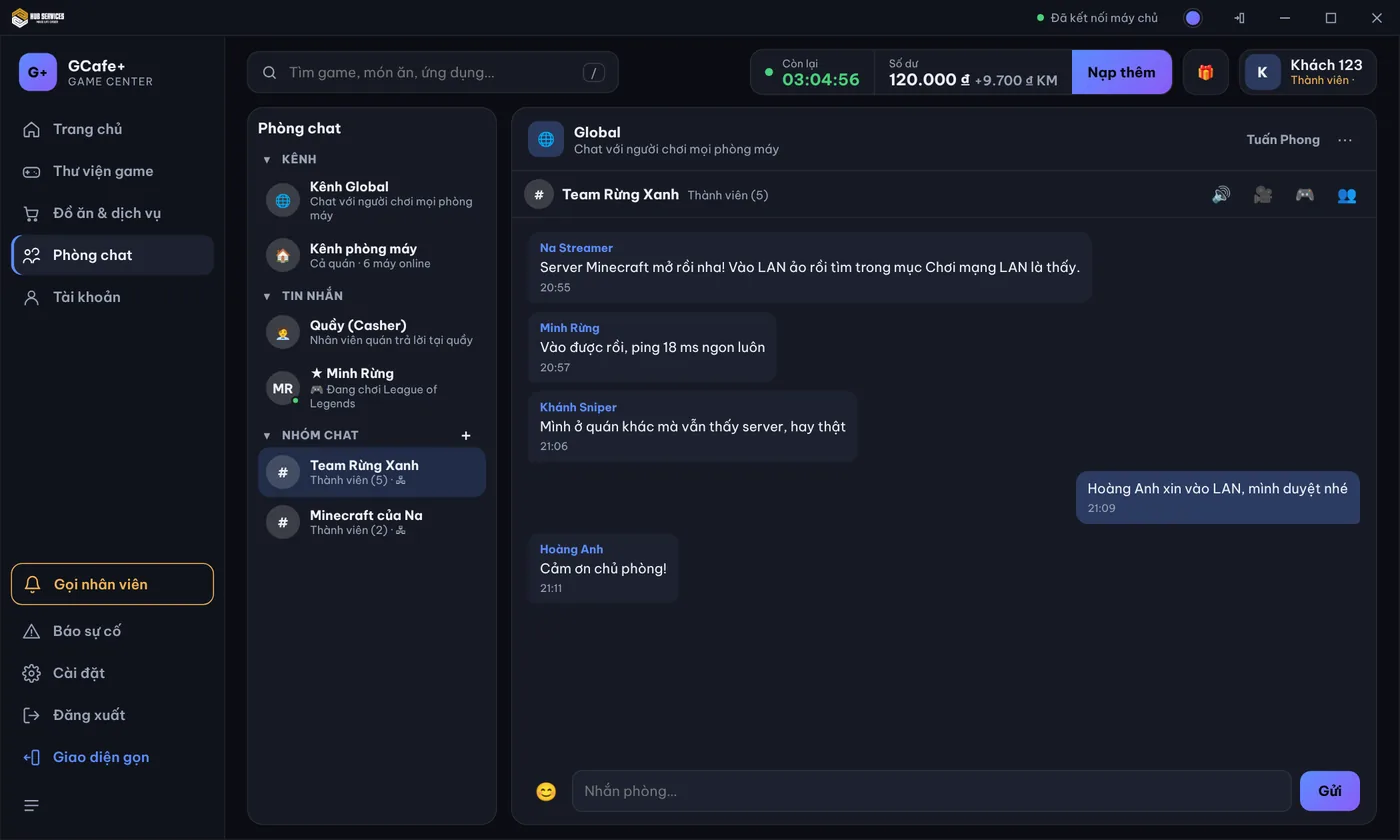
In the room, click 🔊 Thoại nhóm (Group voice) or 🎥 Video nhóm (Group video) to call everyone. The owner clicks ✕ next to a name to Mời ra (Remove).
⚠️ Note: When the owner clicks Rời phòng (Leave room), the room is deleted for everyone.
Play LAN games over virtual LAN
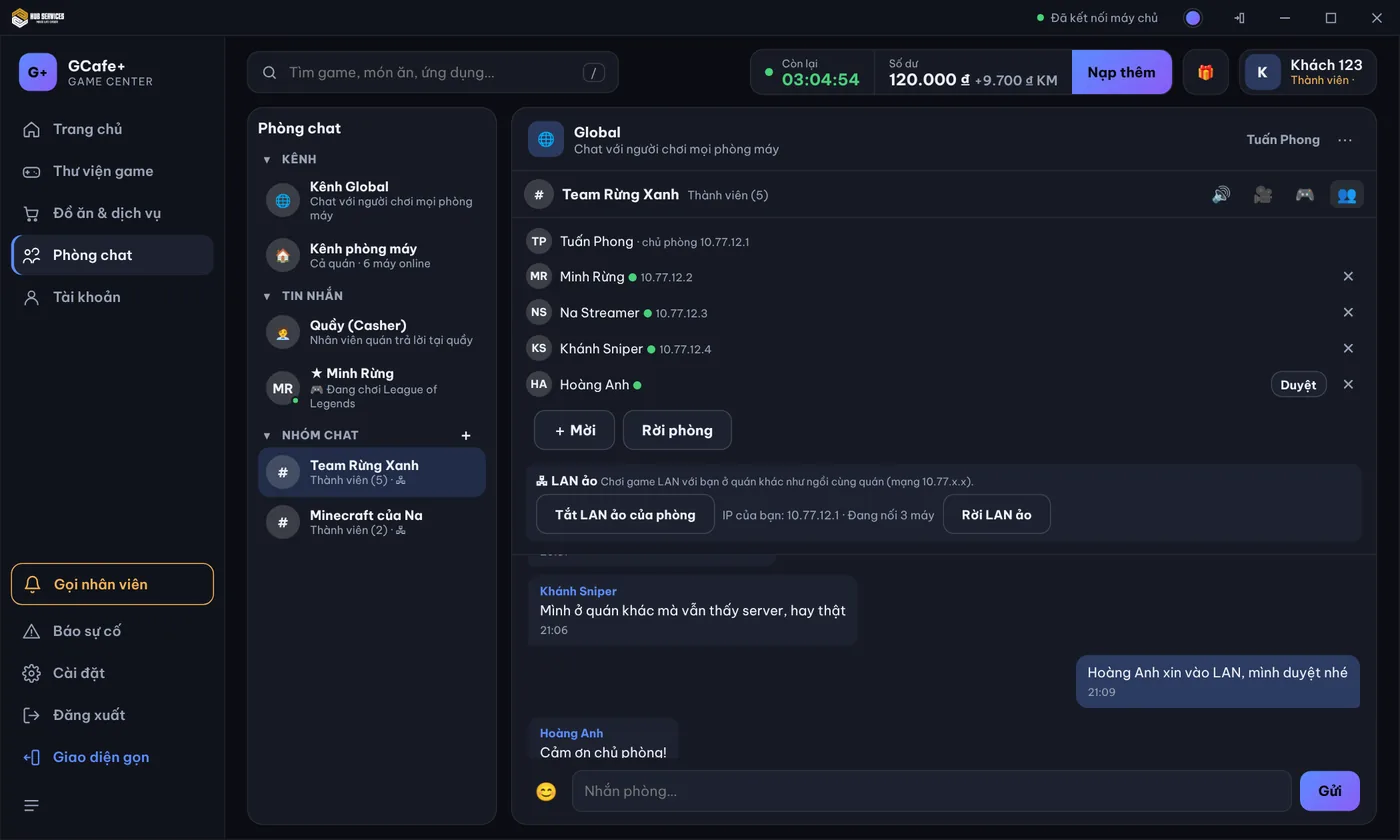
- The owner clicks Bật LAN ảo cho phòng (Enable virtual LAN).
- Members click Xin vào LAN ảo (Request virtual LAN); the owner clicks Duyệt (Approve) next to their name.
- Click Vào LAN ảo (Join virtual LAN). The PC shows IP của bạn (your IP) and Đang nối … máy (connected PCs).
- Start the game and choose LAN mode: your friends' lobby appears as if they were in the same café.
Click Rời LAN ảo (Leave virtual LAN) when you are done. Leaving the room or ending your session also disconnects the virtual LAN.
💡 Tip: Example: two GCafe cafés run an inter-café tournament — each team stays at its own café, joins one room, turns on virtual LAN and uses group voice to talk tactics.
Common errors
Message / symptom | Cause | What to do |
|---|---|---|
Quán chưa bật LAN ảo. | The café has virtual LAN off (it is off by default). | Ask the counter to turn it on in Setup › Client PCs › Global Chat. |
Đang chờ chủ phòng duyệt… | The owner has not clicked Approve yet. | Message the owner in the group. |
The game does not find your lobby | The game has no LAN mode, or one side has not joined the virtual LAN. | Check that both PCs have joined the virtual LAN (they show IP của bạn); use LAN mode or enter the host's IP in the game. |
Cuộc gọi đã đủ người. | Group calls take up to 8 people (voice) / 6 (video). | Move some people to voice or call later. |