CafeServer settings
The Settings page holds CafeServer's main options. Remember to click Save after changing them.
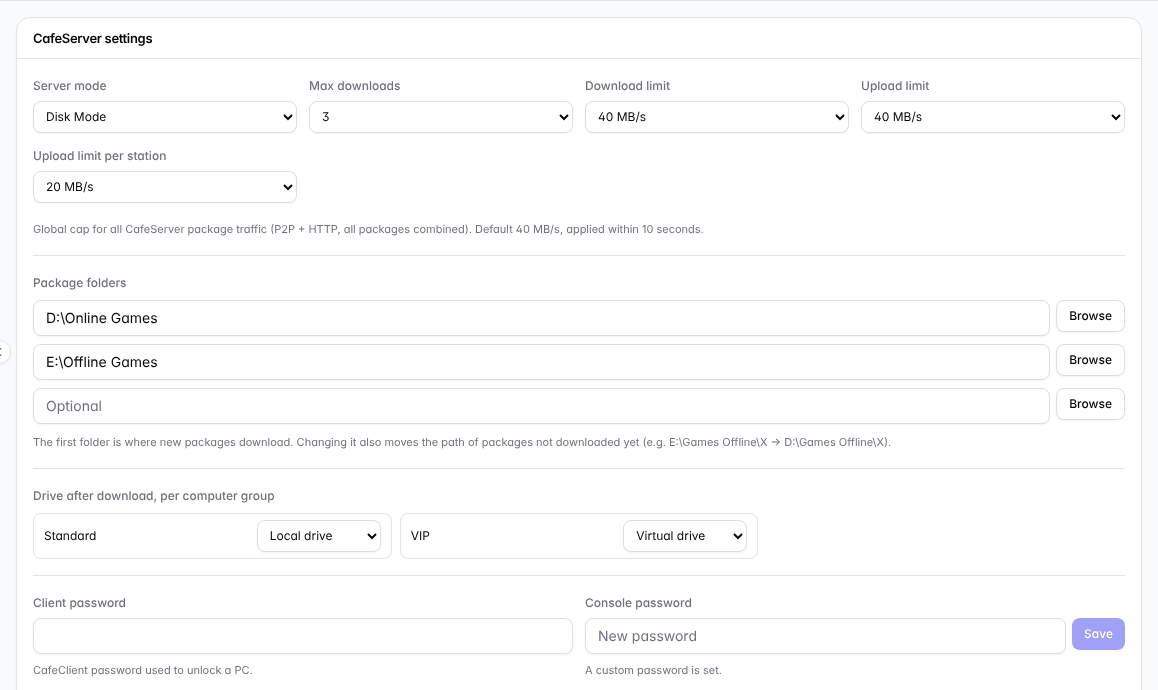
CafeServer settings.
Option | Explanation |
|---|---|
Server mode | Disk Mode for workstations with their own drives; Diskless Mode for diskless workstations (network boot). |
Max downloads | How many games download / update at the same time. Raise it on a fast connection, lower it on slow drives. Default 3. |
Download / upload limit | The maximum speed CafeServer uses for game data over the Internet (all games combined). Default 40 MB/s, applied within 10 seconds. Lower it if online players lag while the server updates. |
Upload limit per station | The maximum speed each workstation running GCafe+ Client App shares games with other workstations in the café. Default 20 MB/s. See Station downloads. |
Package folders | Up to 3 folders. The first folder is where new games download. Changing it also moves the path of games not downloaded yet. |
Drive after download, per computer group | For each group: run games from the workstation's local drive or from a virtual drive (read directly from the server). |
Client password | The password that unlocks a workstation (client software). |
Console password | The web password for signing in to the Console. Required if you want to open the Console from other devices. |
💡 Tip: Network slow at peak hours? Lower the Download limit to 10–20 MB/s, and raise it again late at night so games update quickly.