Disk cleanup
A full drive slows the server and stops game updates. Disk cleanup (Tools page, or the broom button on the Drives card in Overview) finds and safely removes leftover files.
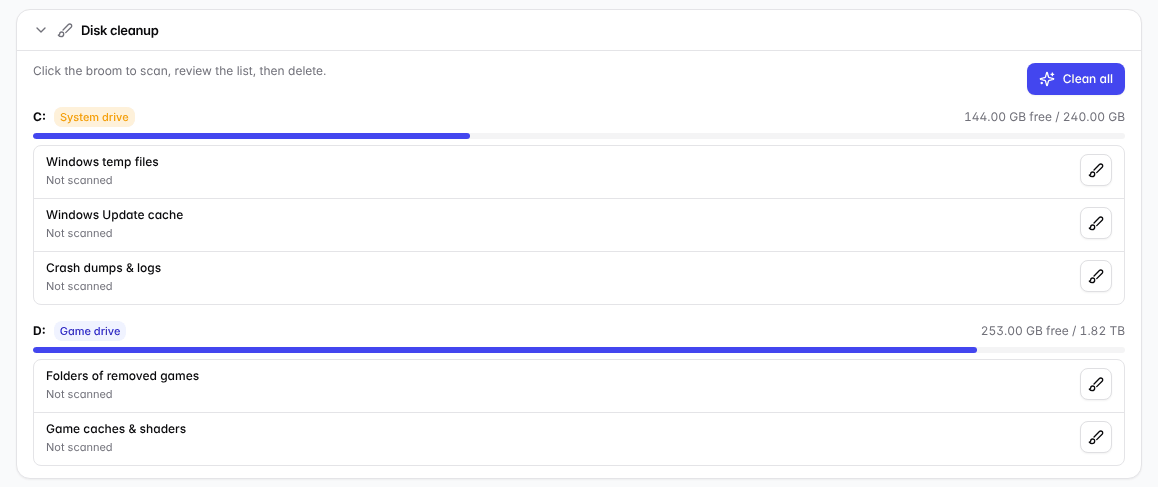
Disk cleanup: each drive has a list of items that can be cleaned.
How to use it
- Click the broom next to an item to scan it (nothing is deleted yet), or click Clean all to scan everything.
- Review what was found and how much space will be freed. Untick anything you want to keep.
- Click Delete. Items in use by other programs are skipped automatically.
What can be cleaned
- System drive: Windows temp files, Windows Update cache, crash dumps and old logs.
- Game drive: folders of games removed from the library, old game caches / shaders.
⚠️ Note: Always review the list before clicking Delete. Folders of removed games are deleted permanently — if you need the game again you will have to download it again.