Sign in to GCafe Portal
GCafe Portal shares accounts with GCafe+ Server: you sign in with the same Điều hành (Manager) or Nhân viên (Staff) account you use at the counter — no extra password to remember.
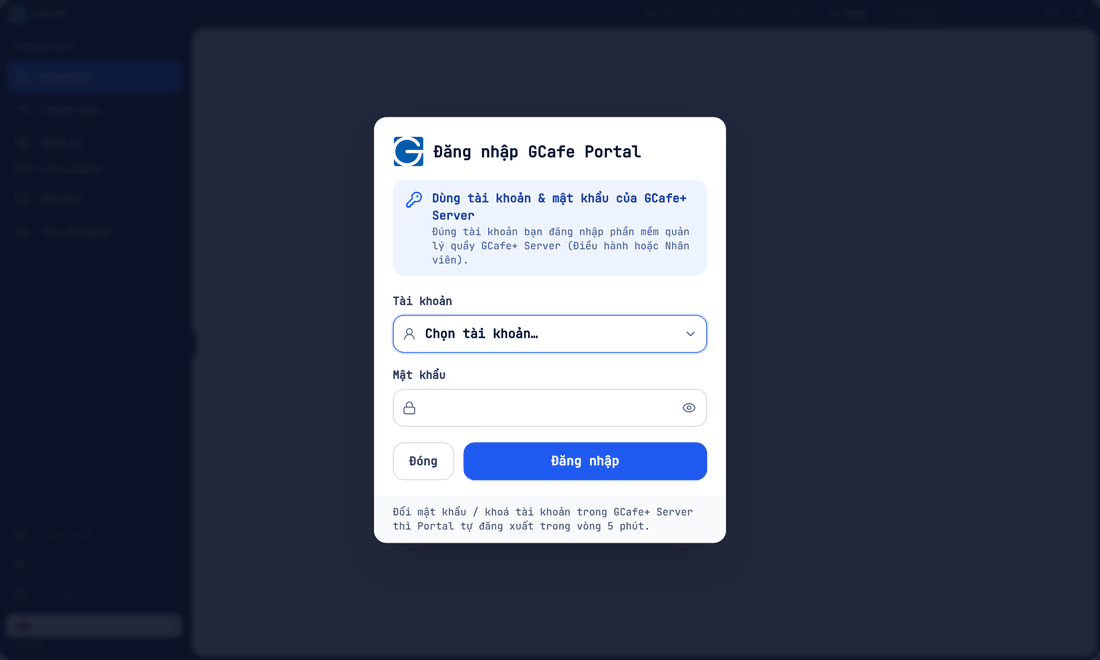
Sign in
- In Tài khoản (Account), click Chọn tài khoản… (Choose account) and pick your name. Not listed? Choose Nhập tài khoản khác… (Enter another account).
- Enter Mật khẩu (Password) — your GCafe+ Server password.
- Click Đăng nhập (Sign in).
Result: the top right shows the account and its role, e.g. ADMIN · Điều hành.
Manager vs Staff
Role | Can do |
|---|---|
Điều hành (Manager) | Everything: pricing, permissions, switching version, remote access, reports. |
Nhân viên (Staff) | Counter work according to granted rights (open PCs, check out, top up, orders…). See staff permissions. |
Sign out and shift change
Click Đăng xuất (Sign out) in the title bar or at the bottom of the left menu. At shift change, the next cashier signs in with their own account so logs record the right person.
⚠️ Note: Changing the password or locking the account in GCafe+ Server signs that account out of Portal within 5 minutes.
Common errors
Message / symptom | Cause | What to do |
|---|---|---|
Nhập tài khoản và mật khẩu | One of the fields is empty. | Pick the account and type the password. |
Wrong account or password | Typo, or the password was just changed in GCafe+ Server. | Retry with the latest GCafe+ Server password. |
Tài khoản nhân viên không dùng được màn này | The screen is for Managers only. | Ask a Manager, or request the right. |
Signed out while working | Password changed or account locked in GCafe+ Server. | Sign in again with the new password. |