Global Chat: talk to players at every GCafe café
Chat Global (Global Chat) lets you message, voice / video call and invite players at every GCafe café to play, right on GameMenu.
You sign in with a GCafe account; the PC signs you out when your session ends.
Before you start
The café must use GCafe Portal with Global Chat running (the café checks it in Turn on Global Chat and virtual LAN). If you see Chat Global chưa sẵn sàng ở quán này. (not available at this café yet), tell the counter.
Sign in with a GCafe account
- Click Phòng chat (Chat rooms) › Kênh Global (Global channel).
- Enter Số điện thoại (phone number) and Mật khẩu (password), click Đăng nhập (Sign in).
- To avoid typing a password on a café PC: click Quét QR › Tạo mã QR, scan with your phone camera, sign in on the page that opens and tap Đồng ý (Agree). The code expires after 2 minutes.
No account yet: click Tạo tài khoản (Create account), enter your phone number, click Gửi mã OTP, enter the code, then set a Tên hiển thị (display name) and a 6–64 character password.
Result: you enter the Kênh Global with GCafe announcements and the list of players online.
Find players
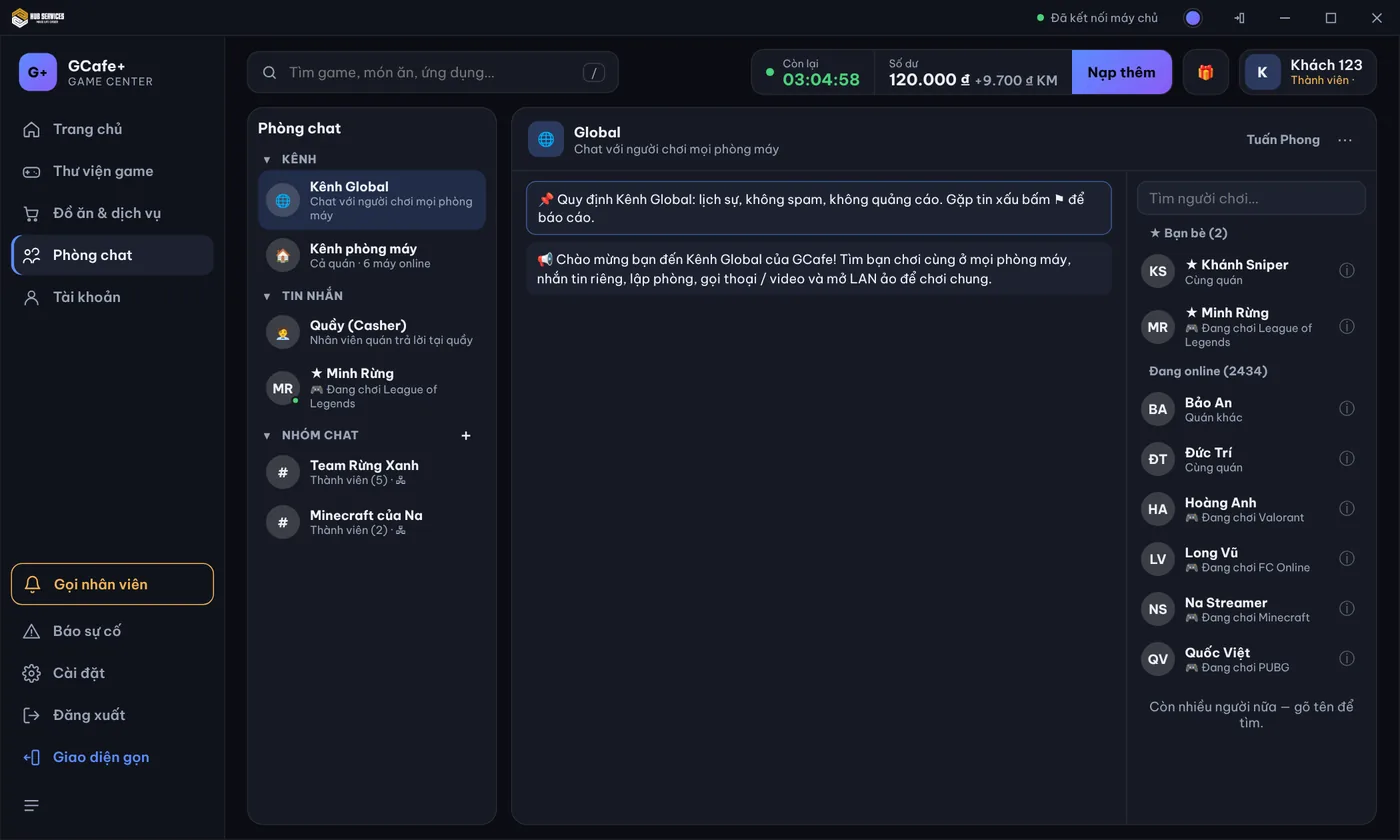
The list on the right shows Bạn bè (Friends) first, then everyone Đang online (Online now). Under each name is the game they are playing, or Cùng quán / Quán khác (same café / another café).
- Type a name in Tìm người chơi… (Search players).
- Click a name to open the profile.
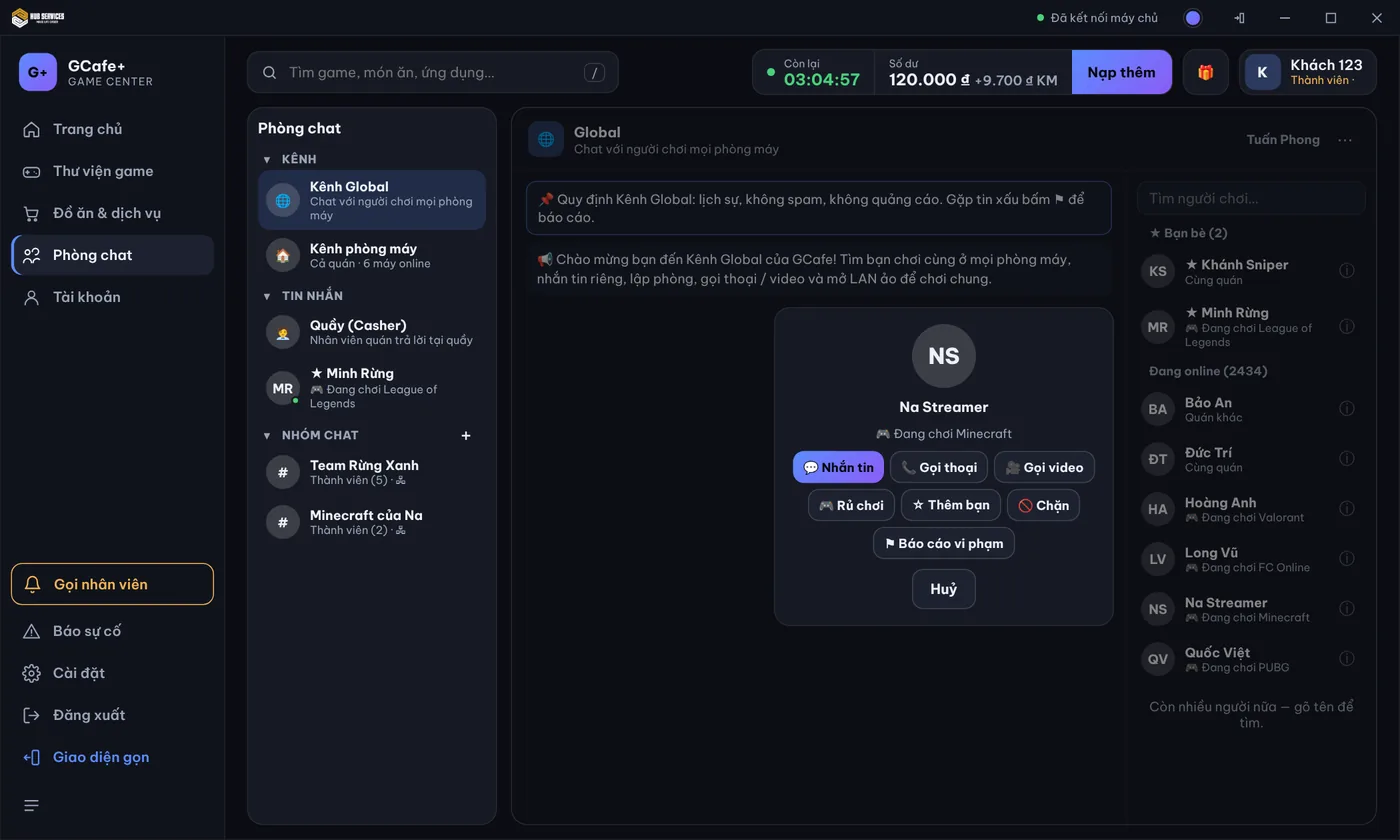
From the profile: Nhắn tin (Message), Gọi thoại / Gọi video (when the player is online), Rủ chơi (Invite to play), Thêm bạn (Add friend), Chặn (Block), Báo cáo vi phạm (Report). Friends belong to your account and follow you to any GCafe café.
Direct messages, images and invites
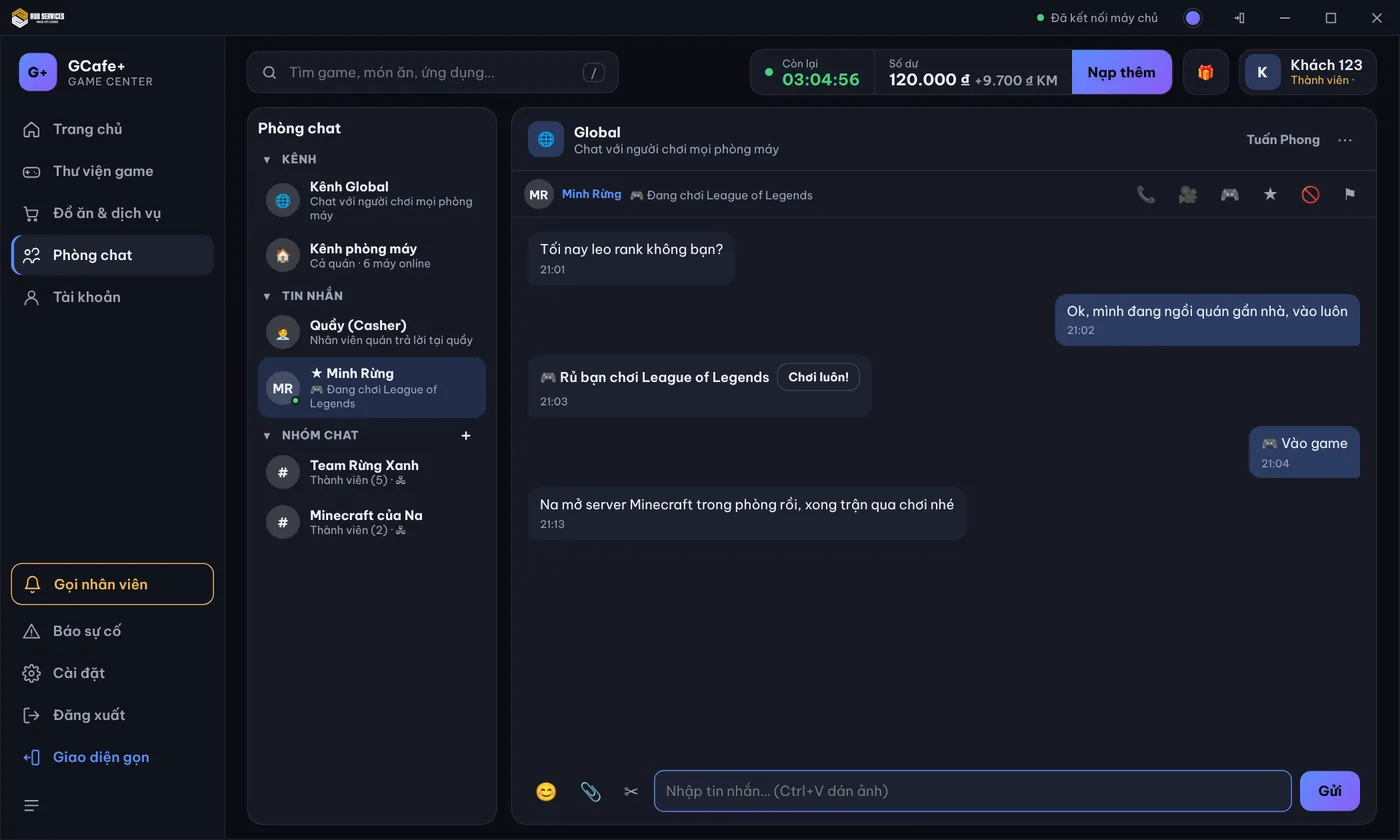
- Type in Nhập tin nhắn… and press Enter. Paste images with Ctrl+V.
- Click 📎 to send a file up to 20 MB; click ✂ Chụp màn hình (Screenshot), select an area, then press Ctrl+V in the chat box to send it.
- Click 🎮 Rủ chơi and pick a game. Your friend clicks Chơi luôn! (Let's play!) to join.
If the other player is offline, the message shows chờ gửi (pending) and arrives when they are back.
Voice and video calls
- In a direct message, click 📞 (voice) or 🎥 (video).
- During the call: toggle Mic and Camera, click Chia sẻ màn hình (Share screen) to show how to play, Thêm người (Add people) for a group call.
- Click Kết thúc (Hang up) to end.
Group calls take up to 8 people (voice) or 6 people (video).
⚠️ Note: Your GCafe account works at every GCafe café. The PC signs you out automatically when your session ends; no need to sign out by hand.
Common errors
Message / symptom | Cause | What to do |
|---|---|---|
Chat Global chưa sẵn sàng ở quán này. | The café does not use GCafe Portal or Global Chat cannot connect. | Tell the counter. The counter checks Setup › Client PCs › Global Chat. |
Kênh Global hiện chỉ GCafe đăng thông báo. | The public channel is in announcements-only mode. | Use direct messages or a group chat; the public channel reopens when GCafe turns it on. |
Không mở được mic / camera | No mic / webcam plugged in, or the device is busy. | Check the mic / webcam; a headset with a mic is enough for voice calls. |
File quá 20 MB. | The file is larger than 20 MB. | Compress the file or send a link. |