Revenue, service and member reports
Kinh doanh (Business) › Báo cáo (Reports) gathers the familiar GCafe Billing reports on one page: revenue by day / week / month / shift, services, per PC, promotions, members and the tax report.
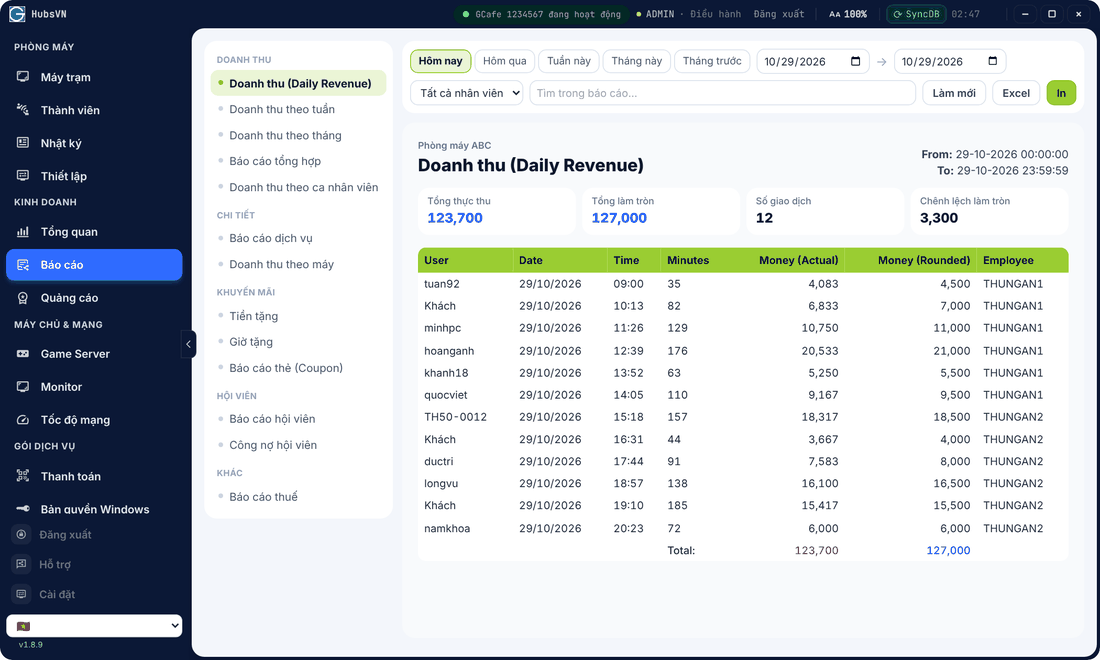
View a report
- Pick a report on the left.
- Choose a period: Hôm nay (Today), Hôm qua, Tuần này, Tháng này, Tháng trước or custom dates.
- Filter by staff if needed; type in Tìm trong báo cáo… to filter rows.
- Click Excel to export or In to print.
Report list
Group | Reports |
|---|---|
Revenue | Daily, weekly, monthly revenue, summary, revenue by staff shift. |
Detail | Service report, revenue by PC. |
Promotions | Gift money, gift time, card (coupon) report. |
Members | Member report, member debts. |
Other | Tax report (S1a-HKD book). |
💡 Tip: The gap between actual and rounded totals comes from the rounding set in Pricing.