GameMenu banners and client wallpapers
In Quảng cáo (Marketing Manager) you set up to 5 banners shown on GameMenu and up to 5 wallpapers for client PCs — to promote offers, events and combos.
Before you start
Client PCs must run GameMenu 2026 or later (the Download GameMenu link is on the page).
Set GameMenu banners
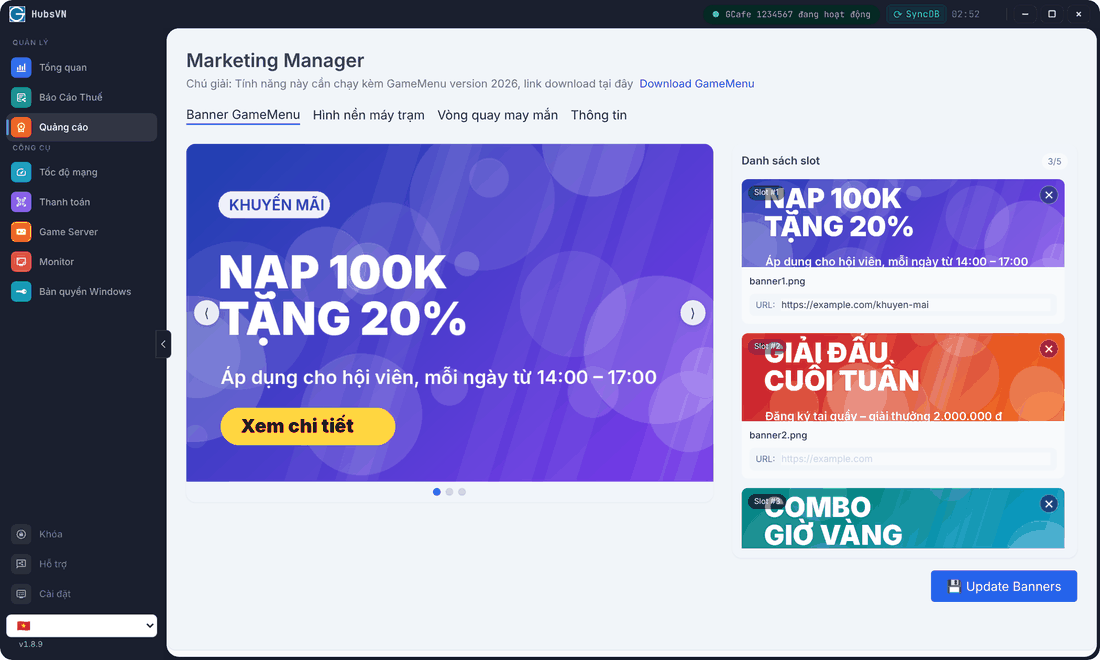
- Click Quảng cáo › Banner GameMenu tab.
- On an empty slot, click Upload and choose an image.
- Enter a URL if clicking the banner should open a web page (leave empty otherwise).
- Click Update Banners.
Result: banners rotate on the client GameMenu. Click ✕ on a slot to remove it.
Set client wallpapers
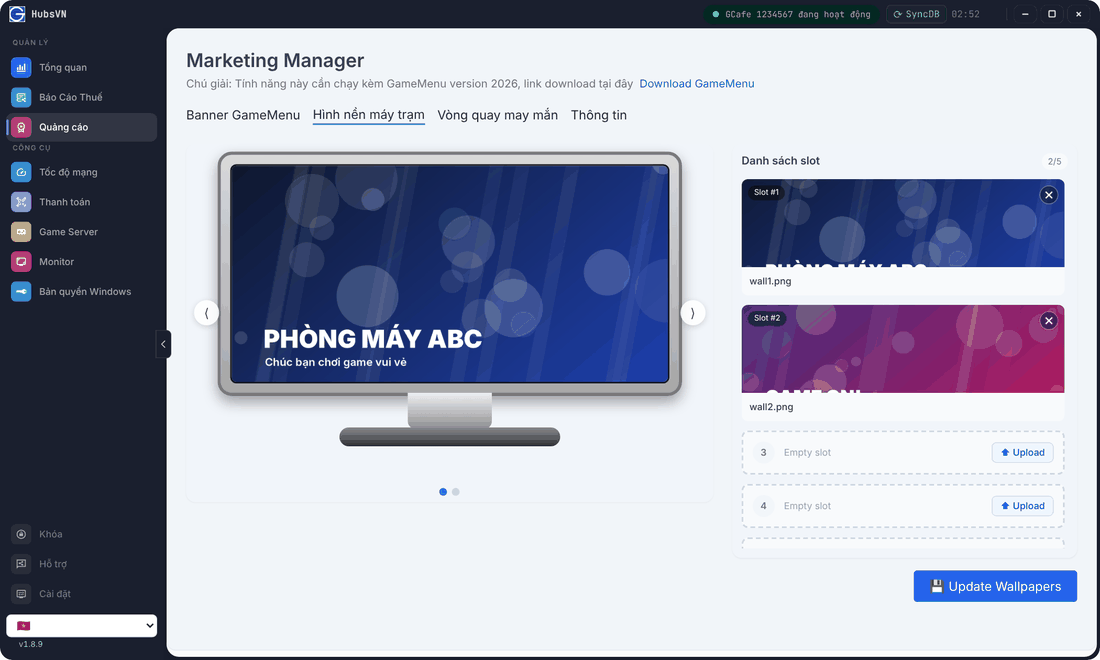
- Open the Hình nền máy trạm (Client wallpaper) tab.
- Click Upload on an empty slot and choose an image (landscape 16:9 works best).
- Click Update Wallpapers.
💡 Tip: The Thông tin (Info) tab has a quick guide and examples for banners, wallpapers and the lucky draw.