GCafe Portal replaces the legacy GCafe Billing
From this version, GCafe Portal is the official GCafe Billing installer: billing, members and client PCs like GCafe+ Server, keeping your data.
Portal includes GCafe Billing-style layouts so staff can start right away without relearning.
What changes?
- New installs: install GCafe Portal on the server (cashier PC); the legacy GCafe+ Server is no longer installed.
- Your data stays: Portal keeps using the GCafe Billing member and staff accounts, price tables, machine groups and history.
- Client PCs: GCafe+ Client already installed keeps connecting to Portal. See GCafe+ Client.
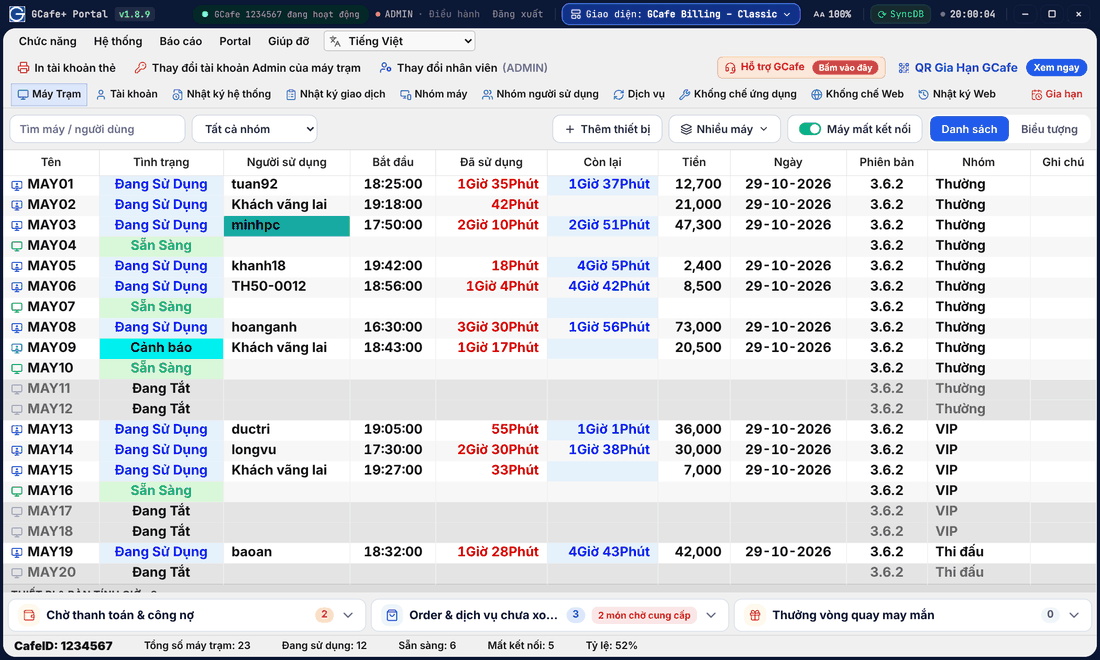
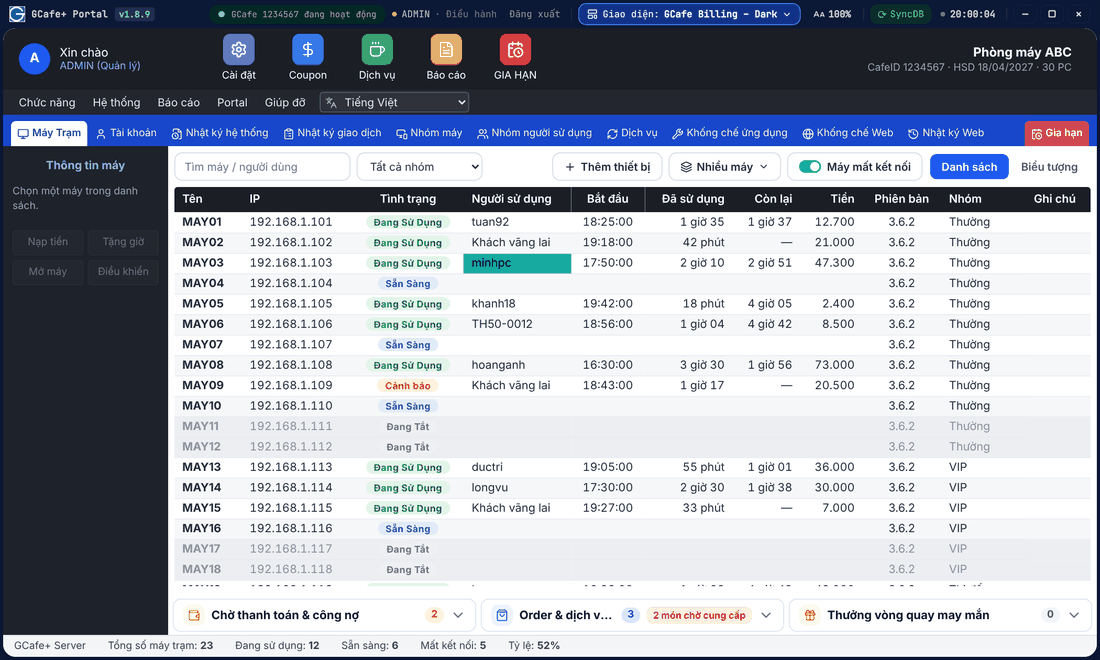
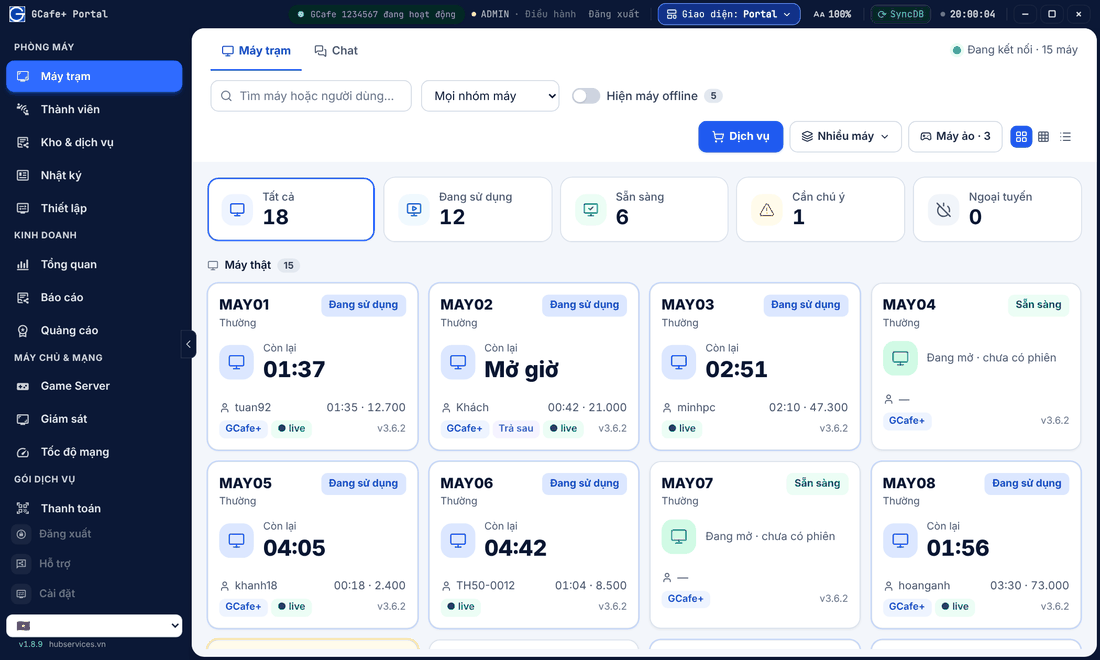
- Layout: choose Classic or Dark for the familiar GCafe Billing screen, or Portal with the left menu. See GCafe Billing-style layouts.
Classic layout
Dark layout
Portal layout
Where did the legacy GCafe Billing guide go?
The legacy GCafe Billing guide stays for reference; how to do each task in Portal is on these pages:
Task | Portal guide page |
|---|---|
Get to know the main screen | |
Members, top-ups, card codes | |
Staff accounts, shifts, permissions | |
Client status, opening PCs, checkout | |
Control, shut down, restart client PCs | |
Machine groups, user groups, hourly price, rounding | |
Block websites and apps, lock Windows settings | |
Revenue reports | |
Services, food, stock | |
Common errors |
Still on the legacy GCafe Billing?
- Update GCafe Portal on the server to the latest version (Software updates).
- Go to Thiết lập (Setup) › Phiên bản (Version) and choose GCafe Portal so Portal bills instead of GCafe+ Server (Two ways to use Portal).
- Pick the layout your staff know: Classic or Dark.
⚠️ Note: Switch when the shop is quiet: client PCs may disconnect for a few seconds while Portal takes over billing.
💡 Tip: Need help switching? Click Hỗ trợ GCafe (GCafe Support) in Portal or call 1900 1232.