Refunds and revoking free money
When you refund a member, Portal reminds you of the bonus given with the last top-up and suggests how much free money to deduct along with it.
Classic layout
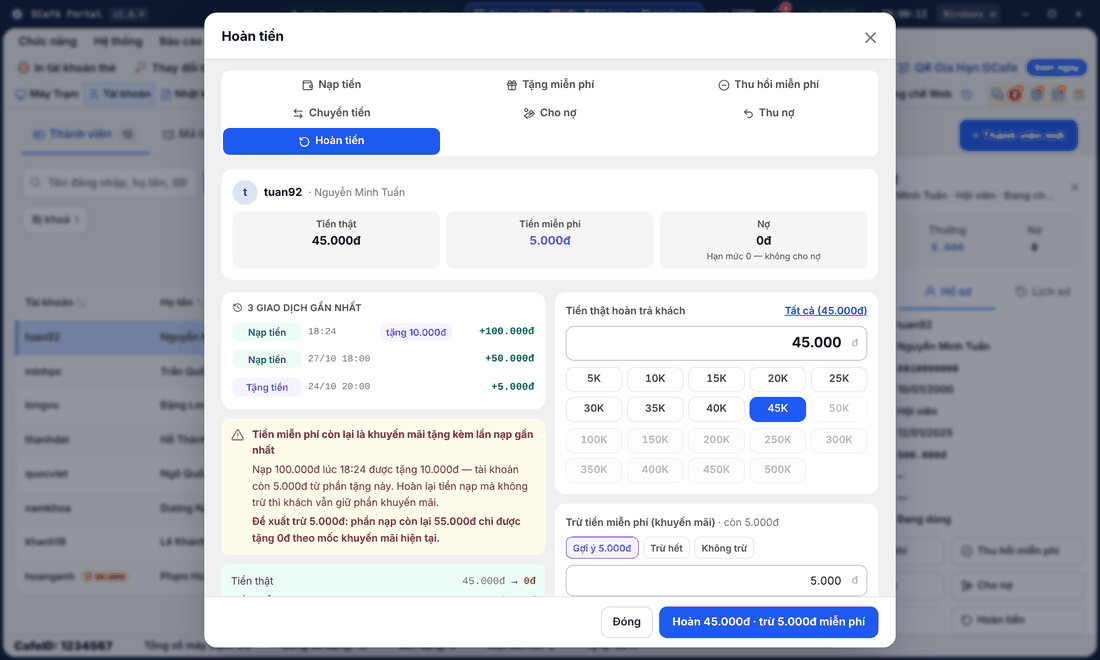
Dark layout
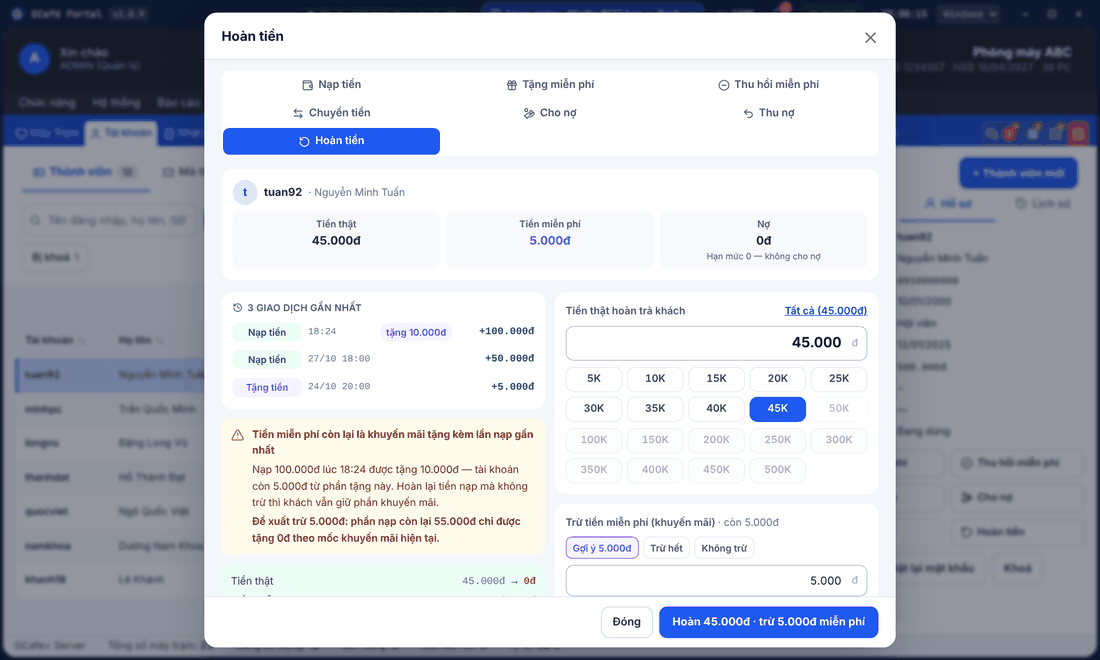
Portal layout
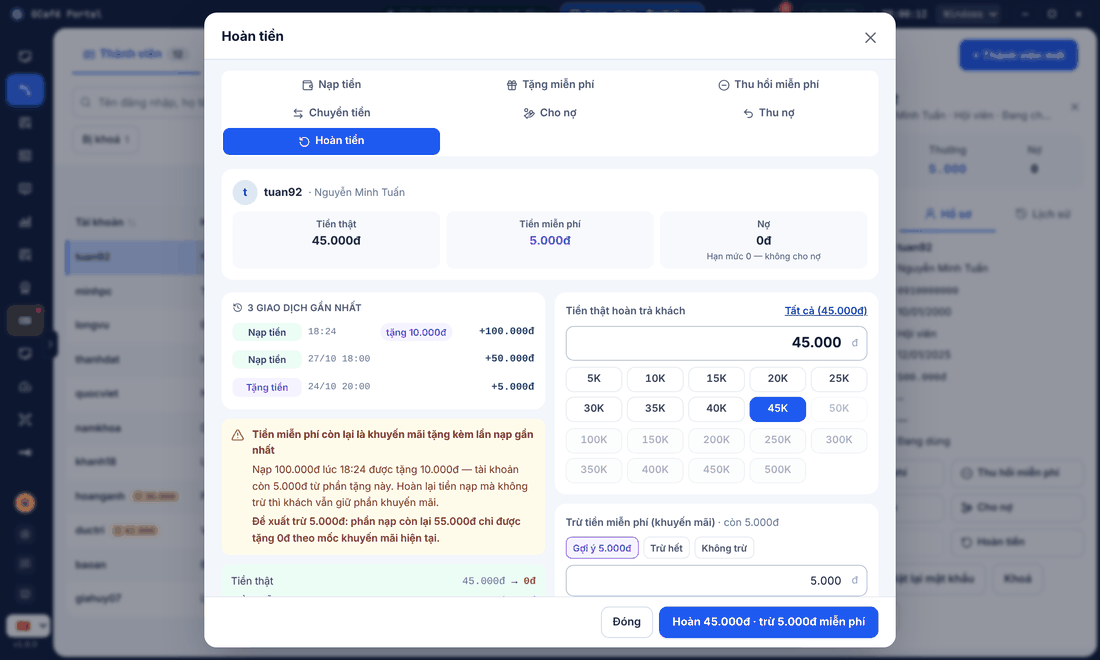
Before you start
- Staff need the right 109|Hoàn tiền (Refund); revoking free money needs 104|Thêm giờ (miễn phí) (Add free time).
- The member is not playing, has no debt and no delivered items left unpaid.
Refund a member
- Open Thành viên (Members), click the member, choose the Hồ sơ (Profile) card and click Hoàn tiền (Refund).
- Check 3 giao dịch gần nhất (Last 3 transactions): each top-up shows the bonus given with it.
- Enter Tiền thật hoàn trả khách (Real money to refund), or click Tất cả (All).
- Under Trừ tiền miễn phí (khuyến mãi) (Deduct free money), keep Portal’s Gợi ý (Suggested) amount, or choose Trừ hết (Deduct all) / Không trừ (Do not deduct).
- Check the balance preview, then click Hoàn … · trừ … miễn phí.
Result: you hand back the real money in cash; the free money is only removed from the account.
When does the bonus warning appear?
The warning Tiền miễn phí còn lại là khuyến mãi tặng kèm lần nạp gần nhất (The remaining free money is the bonus from the last top-up) appears only when the latest money transaction is a top-up with a bonus and that bonus is still in the account. For a partial refund Portal suggests deducting only the bonus the remaining top-up no longer qualifies for.
Refund a prepaid guest
- Open the PC’s action panel (or its right-click menu) and click Hoàn tiền.
- Check Còn lại (Remaining) and Đã chơi (Used), then enter the refund amount.
- Confirm and hand back the unused money in cash.
Revoke free money
- On the member’s Hồ sơ card (or in the edit member dialog), click Thu hồi miễn phí (Revoke free money), next to Tặng miễn phí (Gift free money).
- Enter the amount, or click Tất cả to revoke all remaining free money.
- Click Thu hồi ….
Only free money is deducted; real money is untouched. The transaction log and the free money report record a negative line.
Common errors
Message / symptom | Cause | What to do |
|---|---|---|
Hoàn tiền in the PC menu is greyed out: Hội viên đang chơi… | The member has a session running. | End the session, then refund from the Members tab. |
The refund is rejected | The account has debt, or delivered items not yet paid. | Collect the debt / the items first, then refund. |
Chỉ còn … tiền miễn phí (Only … free money left) | The amount to revoke exceeds the remaining free money. | Enter a smaller amount or click Tất cả. |
Greyed out with Cần quyền 109|Hoàn tiền (Right required) | The staff account lacks the right. | Ask the Manager to grant it in Staff, shift change and permissions. |