Pricing, Top up X get Y and price test
In Phòng máy › Thiết lập › Bảng giá (Pricing) you set hourly prices by machine and customer group, top-up promotions and rounding — and test them before applying.
Prices by machine group
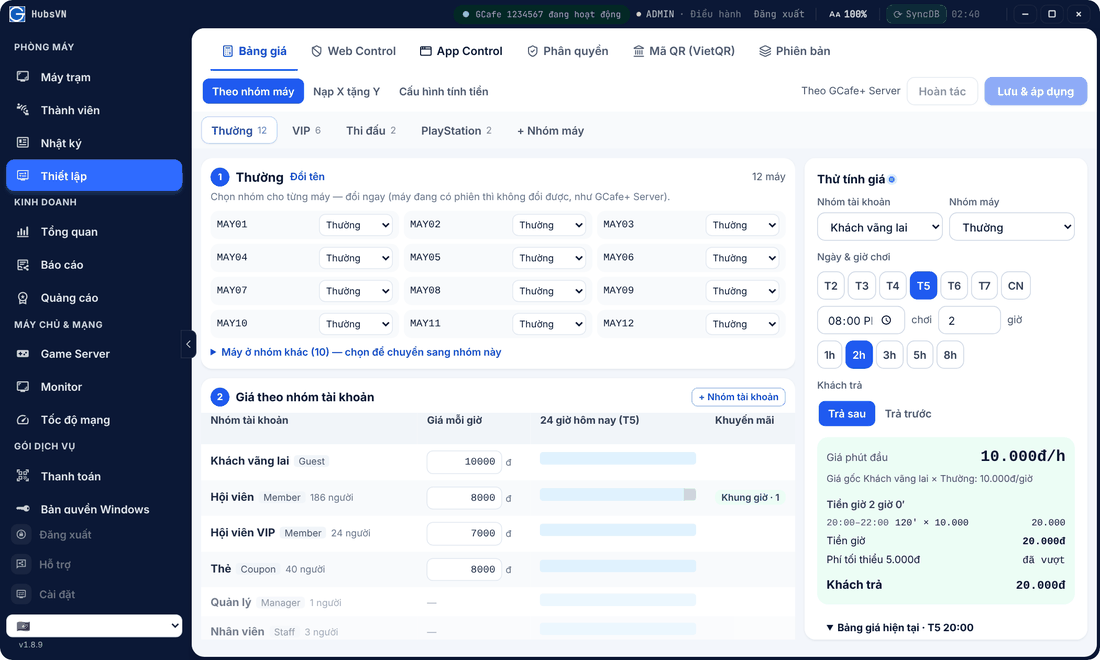
- Open Theo nhóm máy (By machine group), pick a group (Thường, VIP, PlayStation…). + Nhóm máy creates a new one.
- Assign PCs to the group in section 1.
- In section 2 · Giá theo nhóm tài khoản, set the hourly price for walk-ins, members, VIP members, cards… Time bands can have their own price.
- Click Lưu & áp dụng (Save & apply).
Top up X get Y
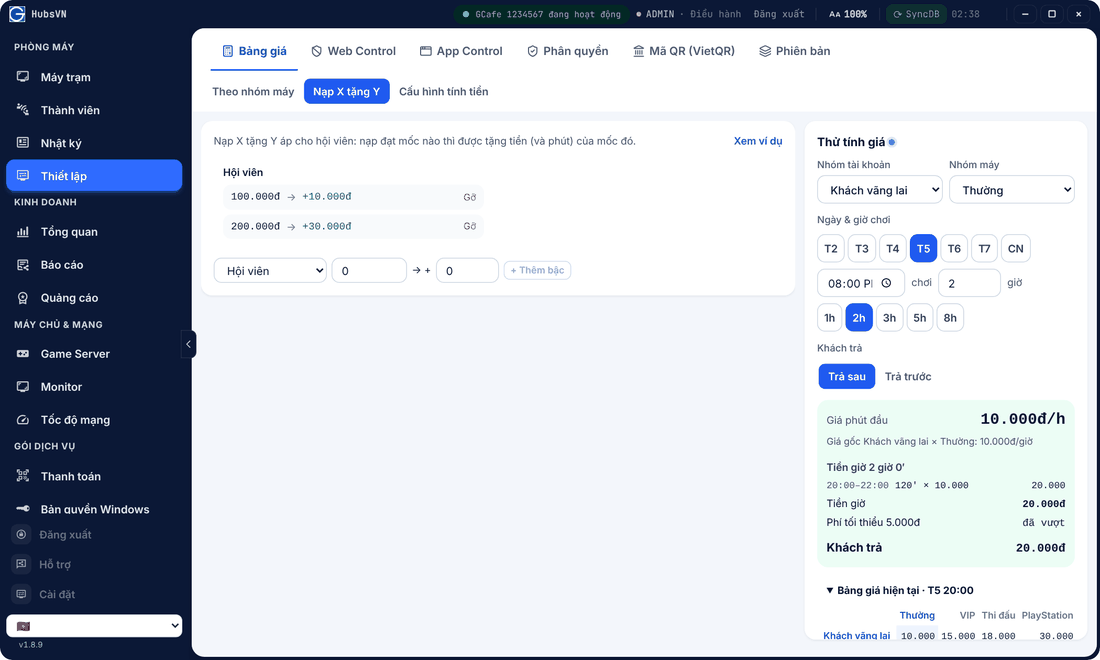
Members who top up to a tier get that tier’s bonus money (and minutes). Pick the customer group, enter the tier and bonus, click + Thêm bậc (Add tier).
Billing settings
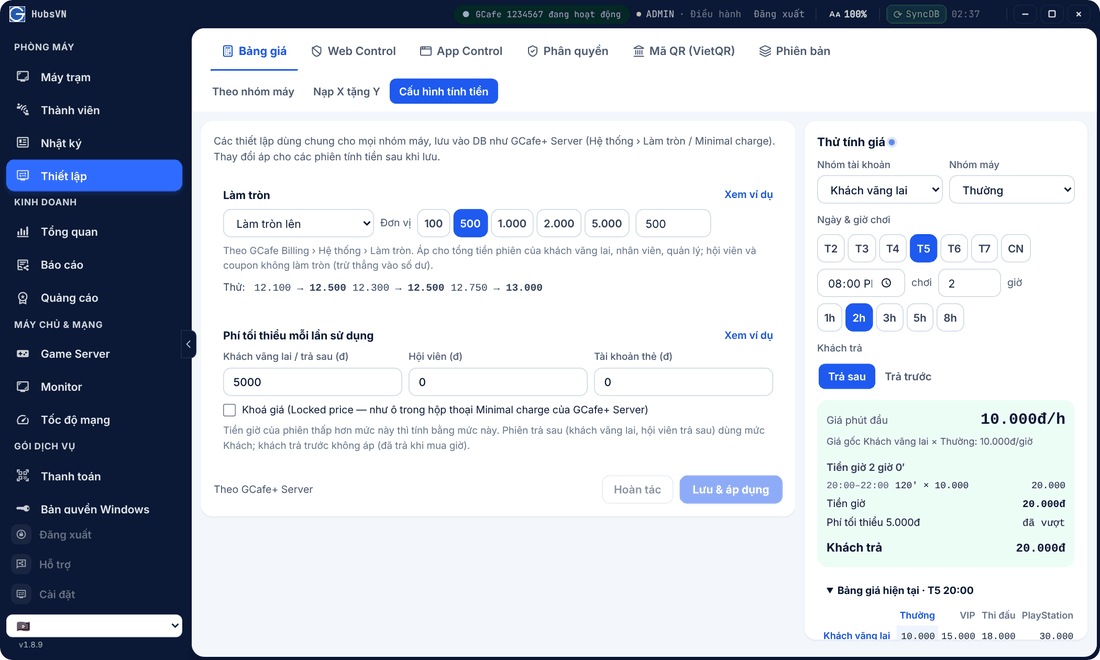
Choose Làm tròn (Rounding, e.g. up to 500 VND) and Phí tối thiểu mỗi lần sử dụng (Minimum fee per use) per customer type.
Price test
The Thử tính giá (Price test) panel: pick a customer group, machine group, day, start time and hours — Portal shows what the guest pays, split by time band. Test before saving to avoid pricing mistakes.
⚠️ Note: New prices apply to sessions started after saving. Change prices when the shop is quiet for easier reconciliation.