Café channel: message the whole café from the counter
The Café channel is a chat shared by every client PC and owned by the counter: one message reaches the whole café.
Use it for tournaments, combos and happy hours without messaging PCs one by one; remove messages and mute spamming PCs right in the Chat tab.
Message the whole café
Classic layout
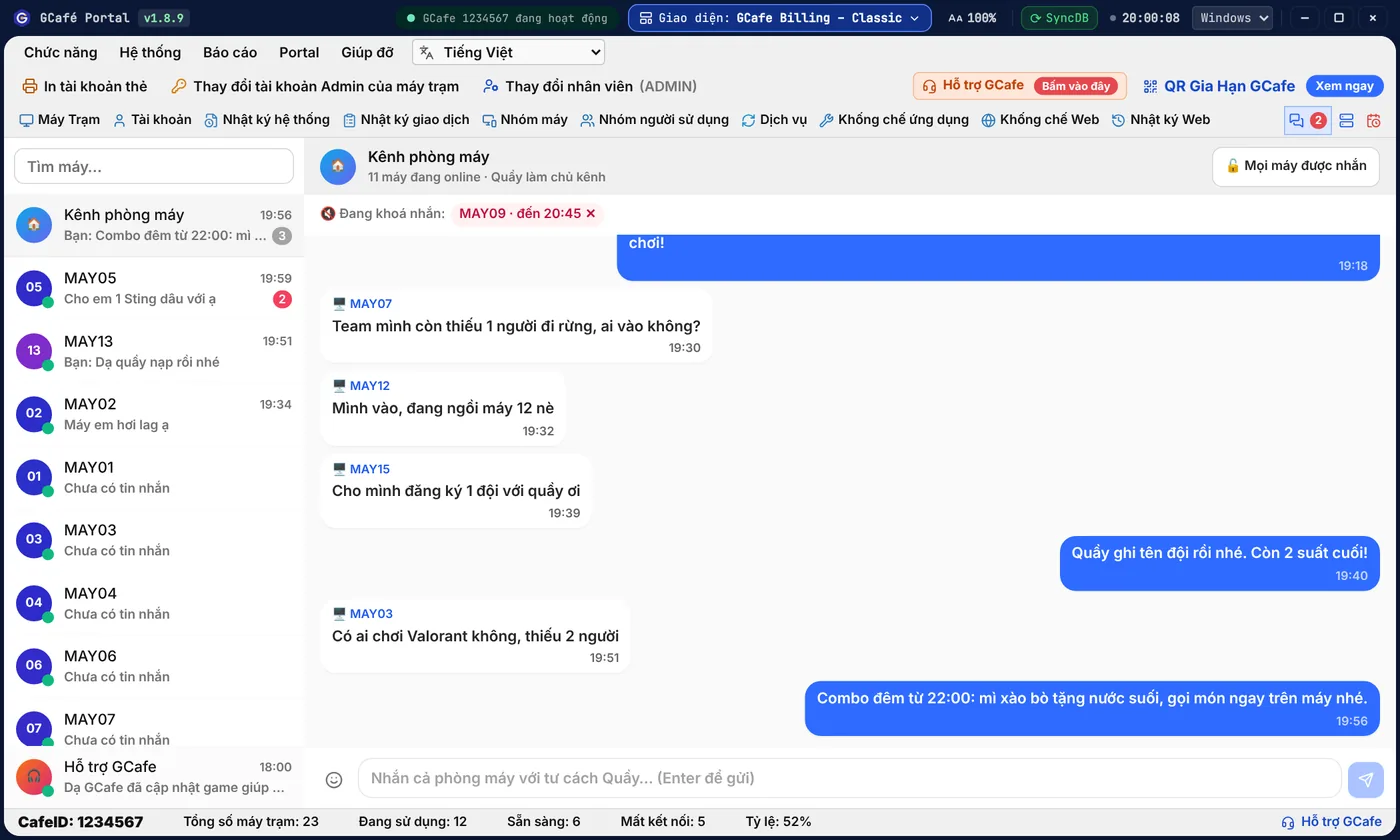
Dark layout
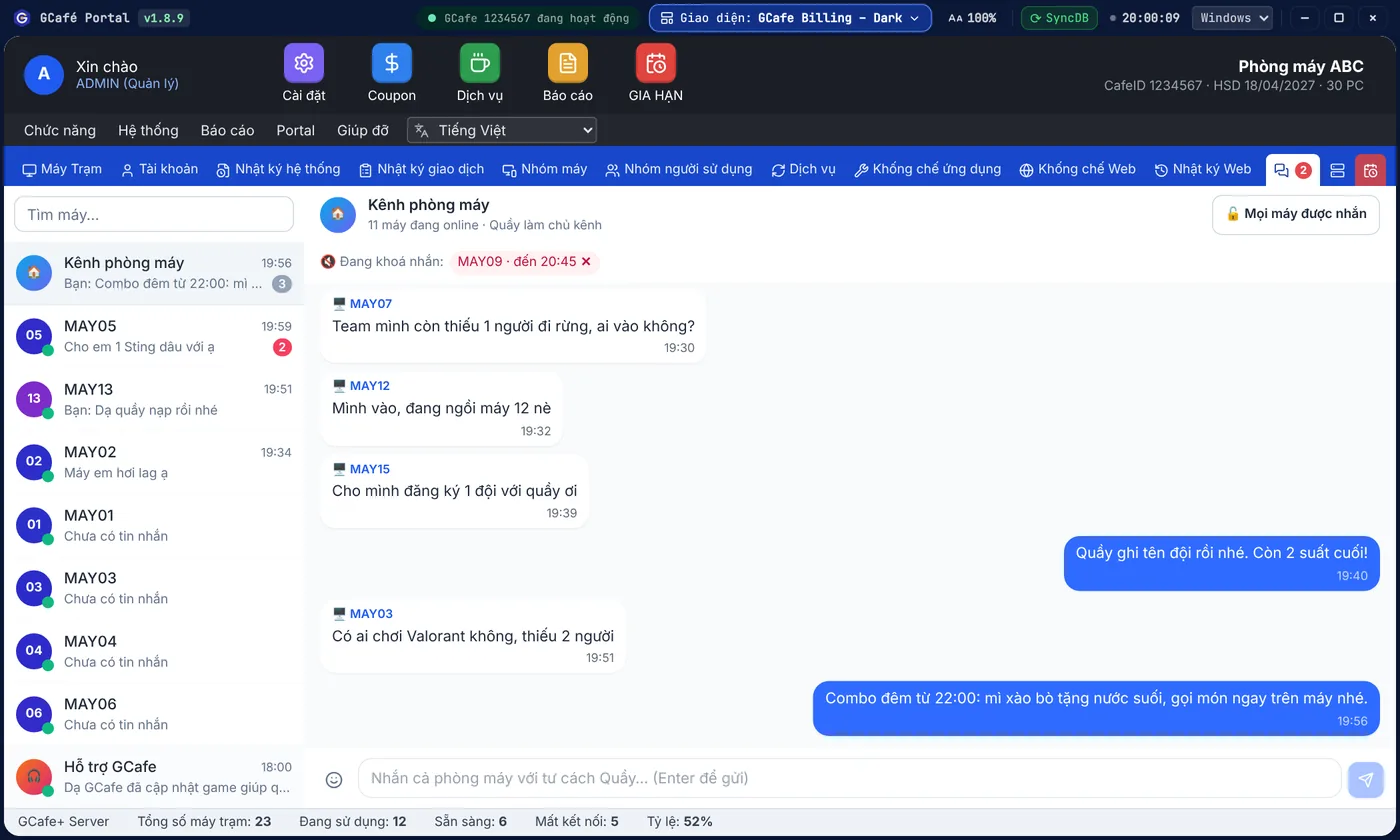
Portal layout
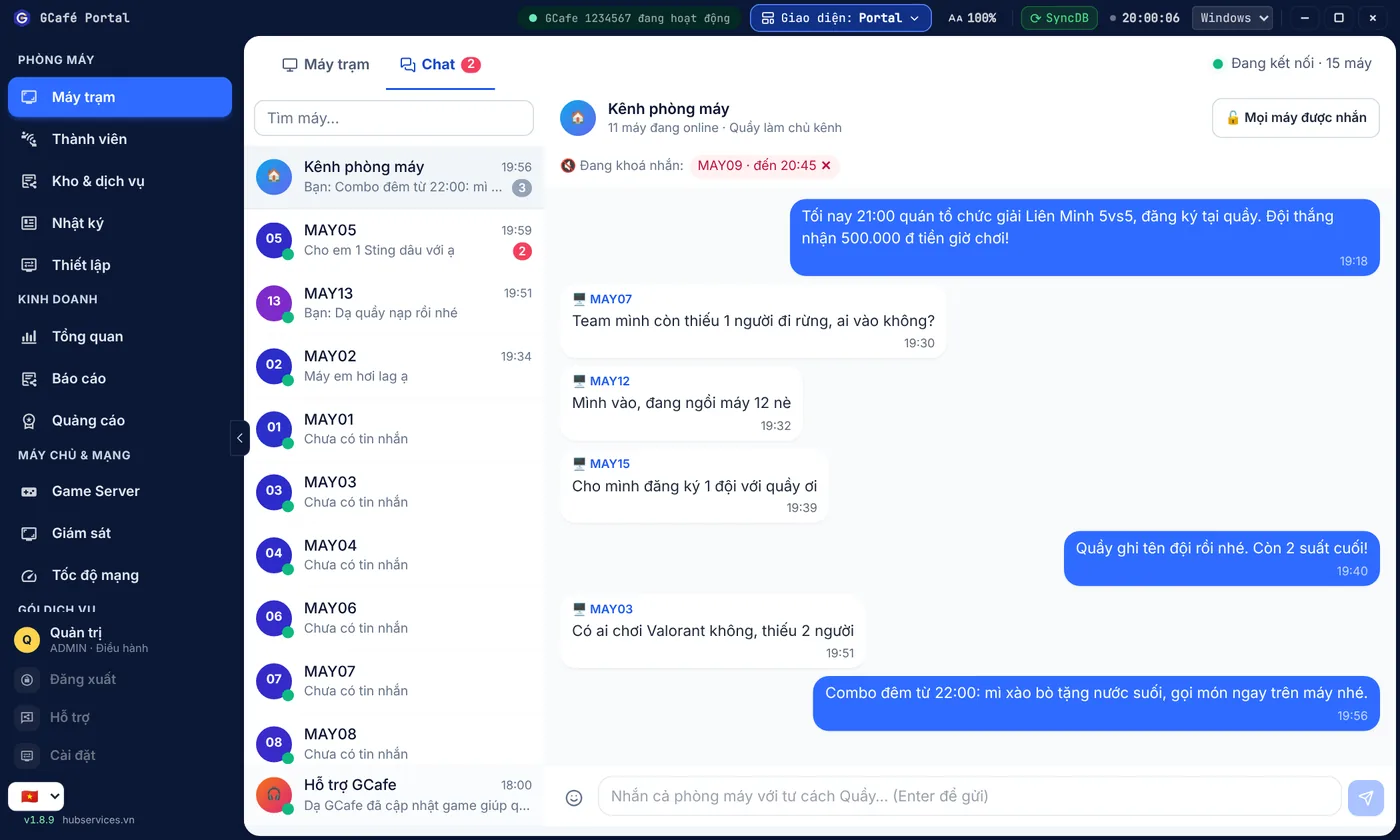
- Open the Chat tab (Portal layout: Máy trạm › Chat).
- Click Kênh phòng máy at the top of the list (it shows how many PCs are online).
- Type in Nhắn cả phòng máy với tư cách Quầy… (Message the whole café as the counter) and press Enter.
Result: every client PC with GameMenu open sees the message at once, labelled Chủ kênh (Channel owner). Unread channel messages are counted on the channel row only, not in the Chat tab's red badge.
Use it as an announcement channel
Click Mọi máy được nhắn (Everyone can chat) at the top of the channel to switch to Chỉ Quầy nhắn (Counter only): guests can read but not post. Click again to reopen it.
Remove messages, mute spamming PCs
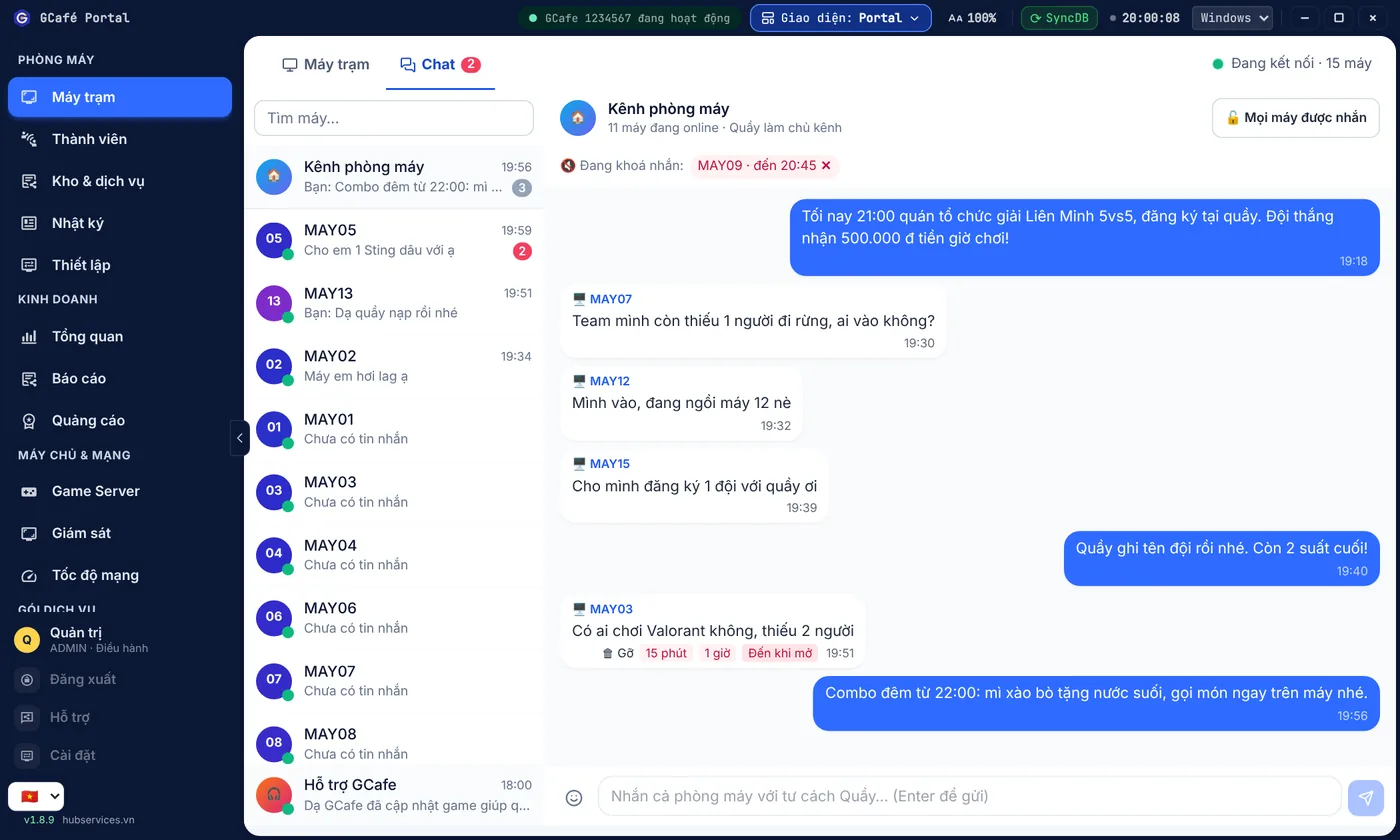
- Hover over the PC's message.
- Click Gỡ (Remove) to delete it from the channel on every PC.
- Or click Khoá nhắn (Mute) and choose 15 phút, 1 giờ or Đến khi mở (until unmuted).
Muted PCs appear in the Đang khoá nhắn (Muted) row at the top; click ✕ next to a PC to unmute it. Muted PCs can still read counter messages.
💡 Tip: At 8:30 pm post "2 slots left for the 9 pm tournament, sign up at the counter", then switch to Chỉ Quầy nhắn during the matches to keep the channel tidy.