GCafe+ Client auto-update and version
GCafe+ Client checks for and installs new versions through the café server (GCafe Update or GCafe Portal). You do not need to rerun the installer on every PC.
How updating works
- The client PC checks for a new version at startup and periodically during the day.
- Only changed files are downloaded; PCs with the GCafe Update game drive take files from there.
- Parts in use by a customer are replaced at a suitable moment, so players are not kicked out and the PC does not restart.
- If an update fails midway, the running version is kept and it retries later.
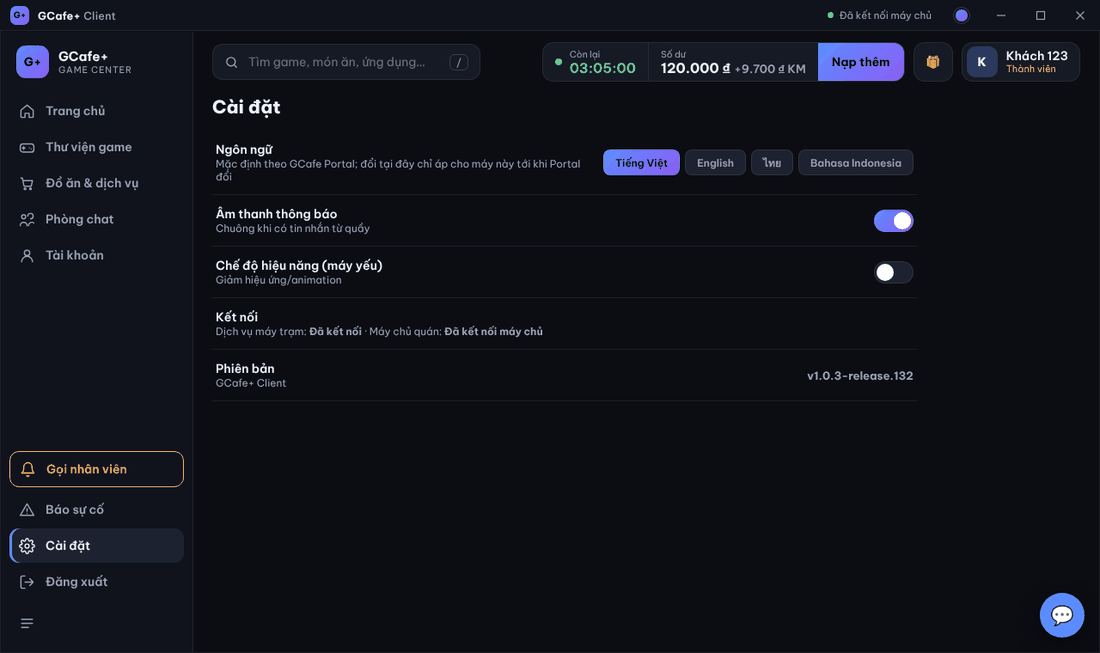
See the running version
- On the lock screen: the version in the bottom-right corner (for example
v1.0.3-release.132). - In the Client App: Cài đặt (Settings) › Phiên bản (Version).
💡 Tip: To get every PC on the new version quickly, leave PCs on the lock screen (no customer) for a few minutes — the update is fully applied then.
Common errors
Message / symptom | Cause | What to do |
|---|---|---|
Some PCs stay on the old version | PC was off, or busy with customers all the time. | Turn it on and leave it on the lock screen a while; restart if it still has not updated. |