Chat with the counter and other client PCs
Phòng chat (Chat rooms) lets customers message the counter; with GCafe Portal they can also message other PCs in the café.
Message the counter
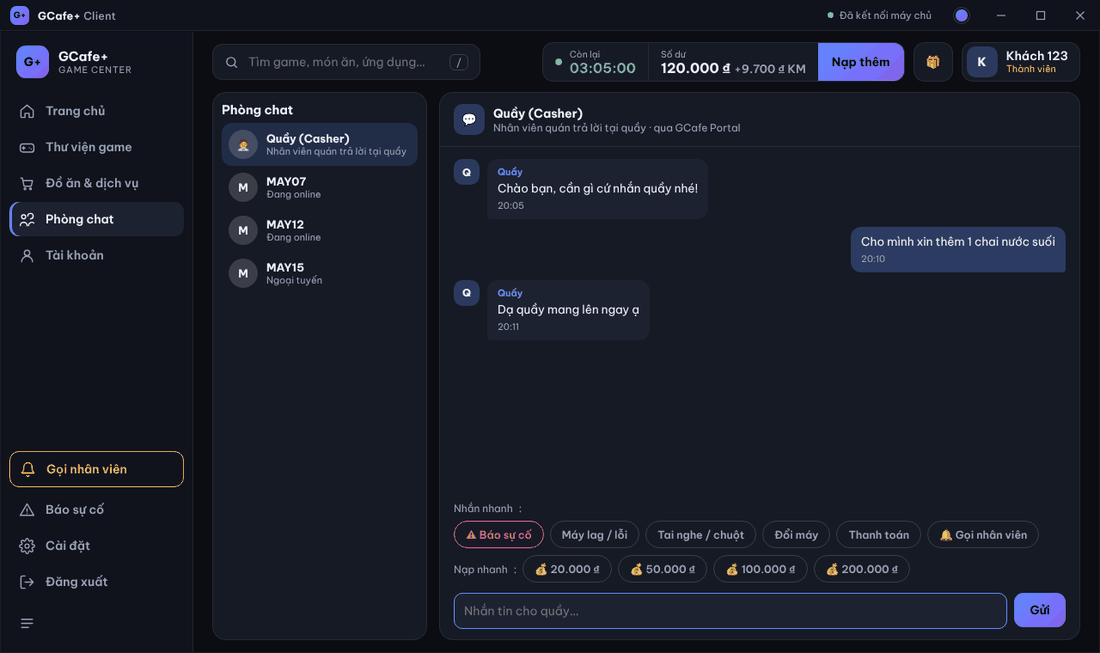
- Click Phòng chat › Quầy (Casher).
- Type in Nhắn tin cho quầy… and click Gửi (Send) or press Enter.
The Nhắn nhanh (Quick messages) row sends ready-made messages: Máy lag / lỗi (PC lag), Tai nghe / chuột (headset / mouse), Đổi máy (change PC), Thanh toán (payment), Gọi nhân viên, Báo sự cố.
New counter messages chime (toggle in Settings) and open the small chat panel in the bottom-right.
Message another PC in the café
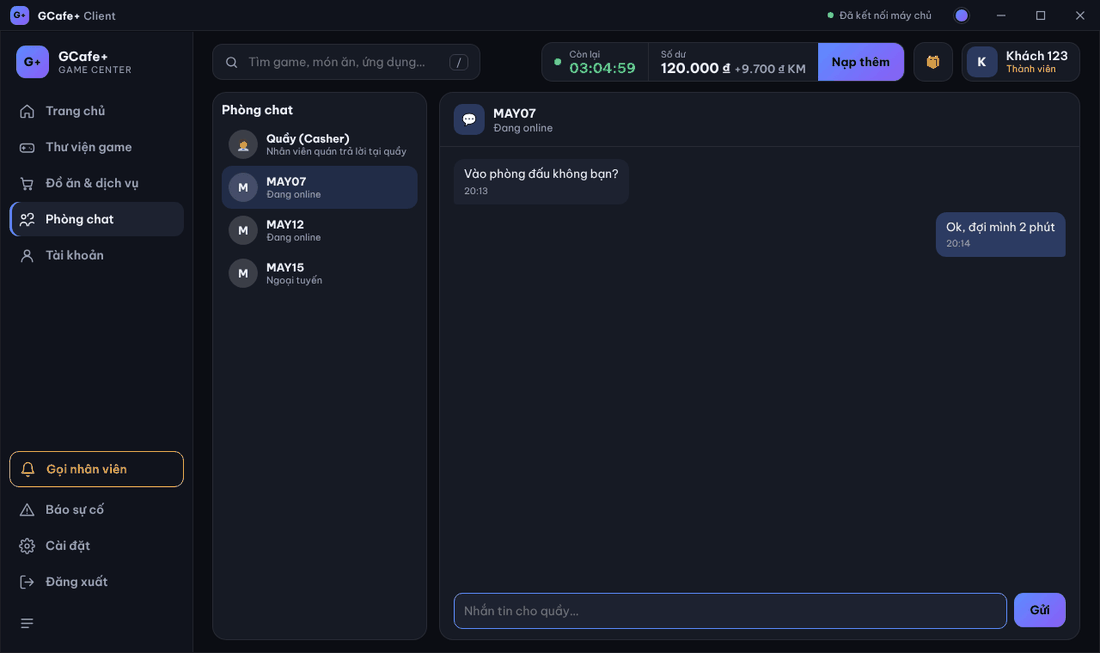
- In the list on the left, choose a PC (Đang online / Ngoại tuyến — online / offline).
- Type and click Gửi.
Unread counts appear next to the PC name and next to Phòng chat.
⚠️ Note: Chat history lasts only for the session: signing in / out starts fresh.
Common errors
Message / symptom | Cause | What to do |
|---|---|---|
Phòng chat cần bật Chat ở GCafe Portal (chat rooms need Chat on GCafe Portal) | Chat is not enabled in GCafe Portal; only the counter is available. | The owner enables Chat in GCafe Portal. |
Quầy đã tắt chat của máy này (counter turned off chat for this PC) | The counter disabled chat for this PC. | Call staff / report a problem still work; when re-enabled you see Quầy đã bật lại chat. |
Chưa gửi được: … (not sent) | No server connection. | Wait for reconnection and resend. |