Approve PCs and assign Windows licenses
The Máy trạm (Clients) tab lists registered PCs: running Windows, assigned license, activation status and last report. Approve new PCs and assign licenses here.
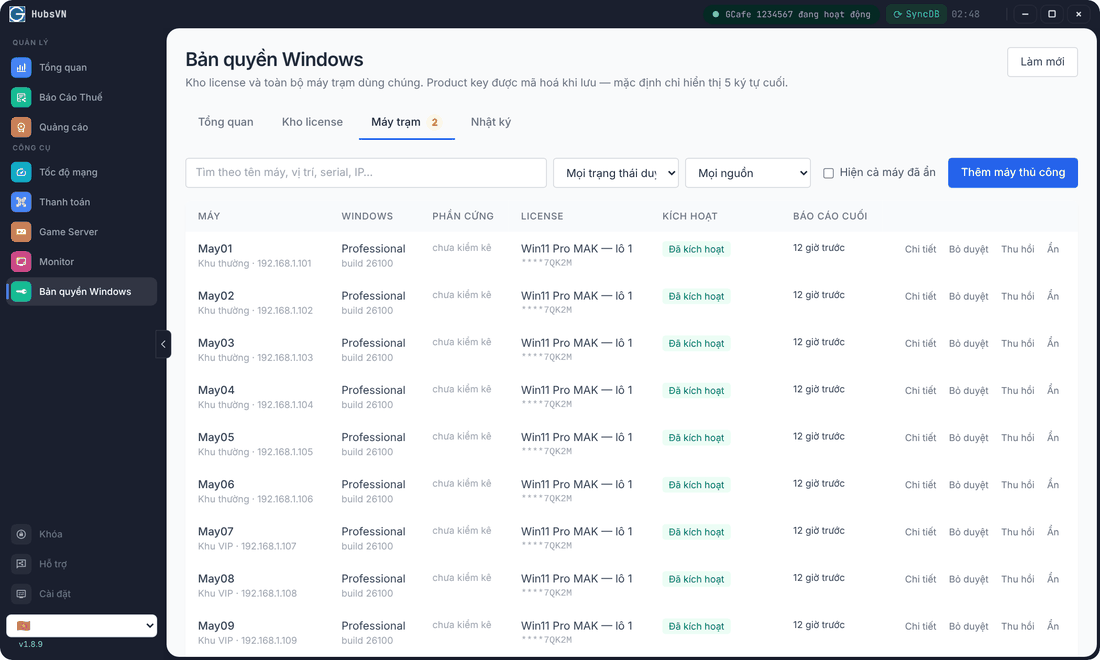
Approve a new PC
- Open the Máy trạm tab (the number beside it is PCs awaiting approval).
- On a PC marked chờ duyệt (awaiting approval), click Duyệt (Approve).
Assign a license
- Click Cấp license (Assign license) on an approved PC.
- Choose a license, or keep Để hệ thống tự chọn (khuyến nghị) (let the system choose — recommended).
- Confirm. The PC receives the key and activates itself; the Kích hoạt column turns Đã kích hoạt (Activated).
Take a license back: Thu hồi (Release). Hide a retired PC: Ẩn (Hide). A PC that cannot self-register: Thêm máy thủ công (Add PC manually).
Phone activation / Confirmation ID
A PC in Chờ Confirmation ID (Waiting for Confirmation ID) needs phone activation. Click Chi tiết (Details) to see the Installation ID, obtain the Confirmation ID and enter it in Sửa Confirmation ID. Activated another way: use Khai báo kích hoạt thủ công (Record manual activation).
Log
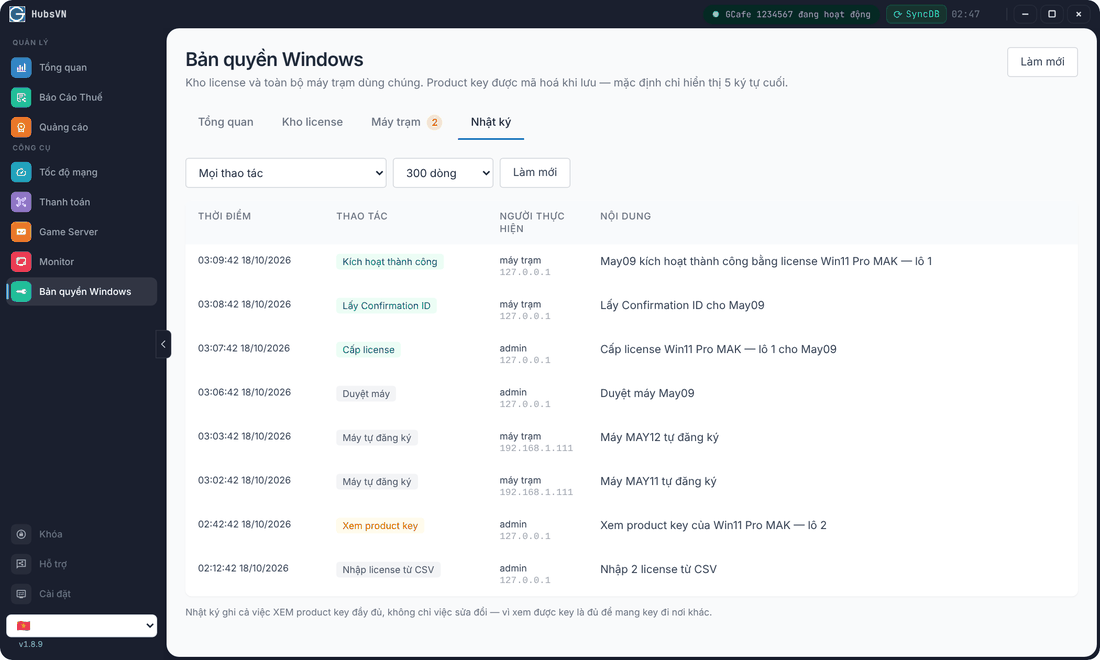
The Nhật ký (Log) tab records every action: self-registration, approval, assignment, release, product-key views… Filter by action and row count.
Common errors
Message / symptom | Cause | What to do |
|---|---|---|
A PC is not listed | The activation tool is not running on the client, or it is on another LAN. | Check the client image; the PC must be on the server’s LAN. |
Approved but no key received | No license assigned, or image maintenance mode is on. | Click Cấp license; turn image maintenance off. |
Nhiều máy đang sinh ra cùng một Installation ID (several PCs share one Installation ID) | The image was captured after Windows already had a key. | Contact support to rebuild the image properly. |