Lucky wheel for customers
The lucky wheel lets customers spin for prizes on their PC: you set the prizes, win rates and who may spin.
Turn the wheel on
- Click Quảng cáo › Vòng quay may mắn tab.
- Switch Lucky Draw Feature to ON.
Set the prize list
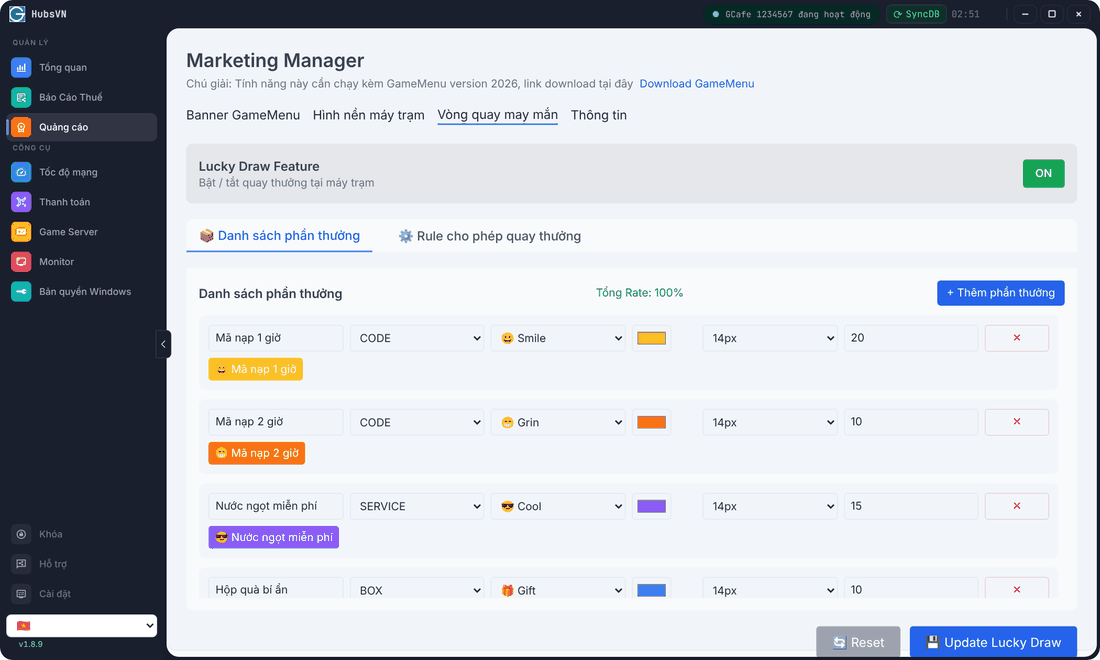
- On the Danh sách phần thưởng (Prize list) tab, click + Thêm phần thưởng (Add prize).
- Enter a name, choose the type (CODE – top-up code, SERVICE, ITEM, BOX, BONUS, LOSE – no prize, CUSTOM), icon, colour and font size.
- Enter the win rate (%). The Tổng Rate (total rate) of all prizes must be 100%.
Set spin conditions
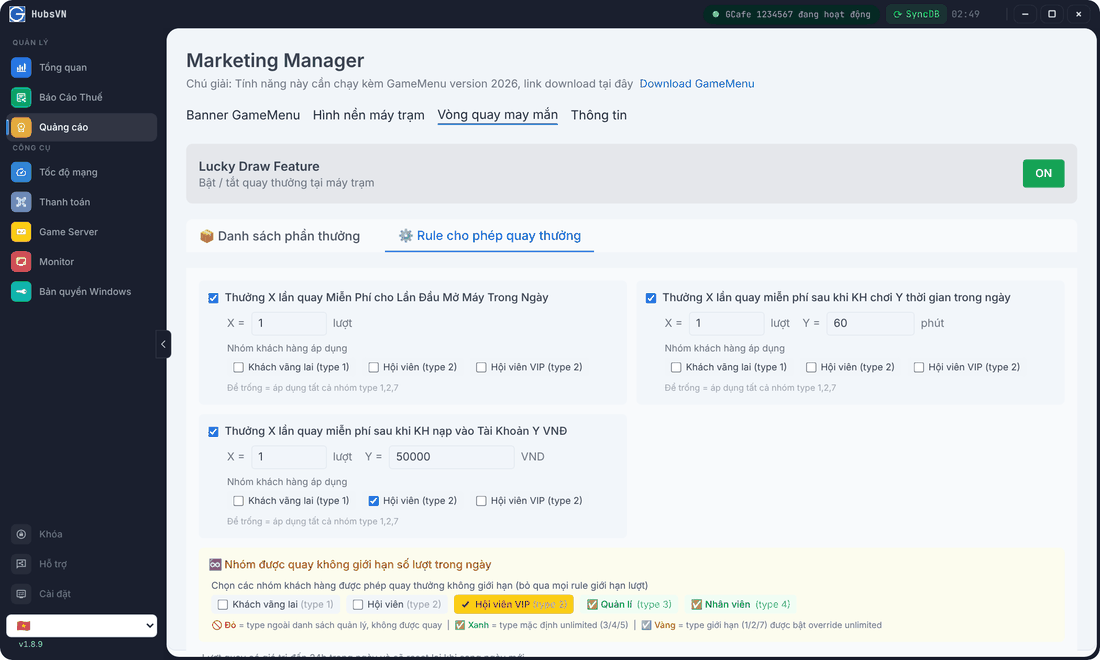
Condition | Example |
|---|---|
X free spins for the first login of the day | X = 1 |
X free spins after Y minutes of play in the day | X = 1, Y = 60 |
X free spins after a top-up of Y đồng | X = 1, Y = 50,000 |
- Each condition has Nhóm khách hàng áp dụng (applies to groups); leave empty to apply to every limited group.
- Nhóm được quay không giới hạn (Unlimited groups): groups (e.g. VIP members) that may spin without a daily limit.
- Spins are valid until the end of the day and reset the next day.
Click Update Lucky Draw to save. Reset restores the saved configuration.
💡 Tip: Test on one client PC first and check the spin count per customer group before rolling out. Keep low rates for high-value prizes.
Common errors
Message / symptom | Cause | What to do |
|---|---|---|
Tổng Rate phải bằng 100%, hiện tại là …% (Total rate must be 100%) | Prize rates do not add up to 100. | Adjust the rates; you can add a LOSE prize to fill the gap. |
Customers do not see the wheel | Feature off, not saved, or an old GameMenu. | Switch ON, click Update Lucky Draw, update GameMenu to 2026. |