Staff, shift change and permissions
The Nhân viên (Staff) tab under Thành viên manages cashier accounts; hand over shifts and grant rights per person here.
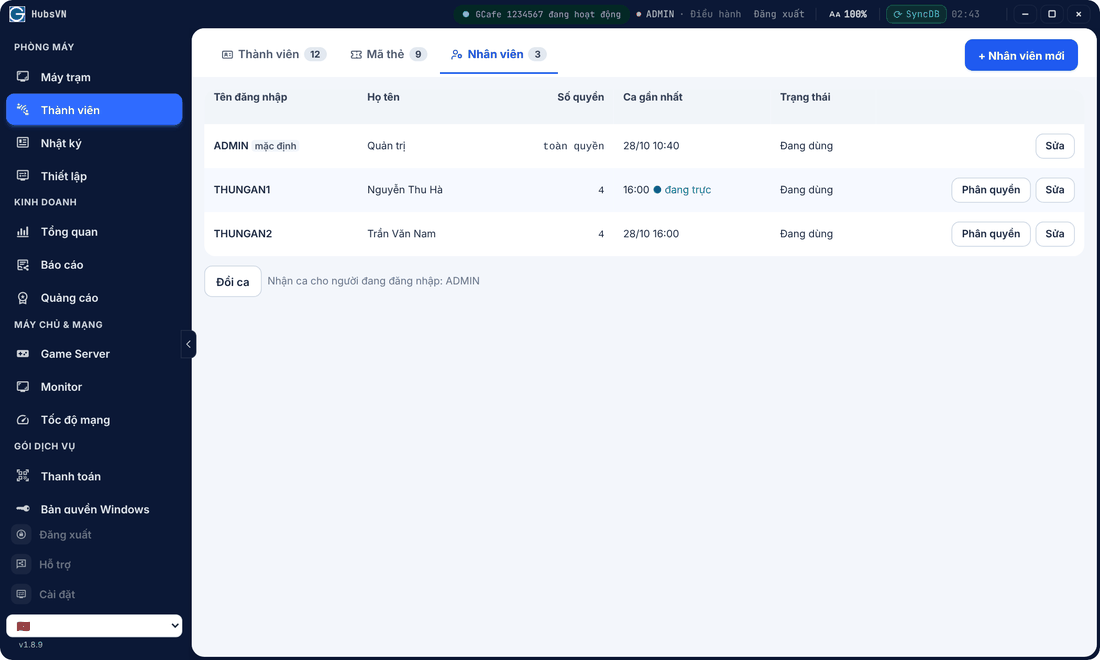
Add staff
- Click + Nhân viên mới, enter username, full name and password.
- Click Phân quyền (Permissions) to pick a preset or tick rights one by one.
Staff use this account to sign in to Portal and GCafe+ Server.
Shift change
Click Đổi ca (Change shift) at handover: the old shift is closed and the new one belongs to the signed-in user. The Ca này transaction log restarts from here.
Allow remote sign-in
In Thiết lập › Phân quyền, under staff permissions, tick Đăng nhập Portal từ xa (Remote Portal sign-in) for staff who may open Portal on a phone. Managers are always allowed.