Schedules, data repair & server controls
The Tools page groups server maintenance tasks: scheduled server reboot or shutdown, repairing damaged data and the quick control buttons.
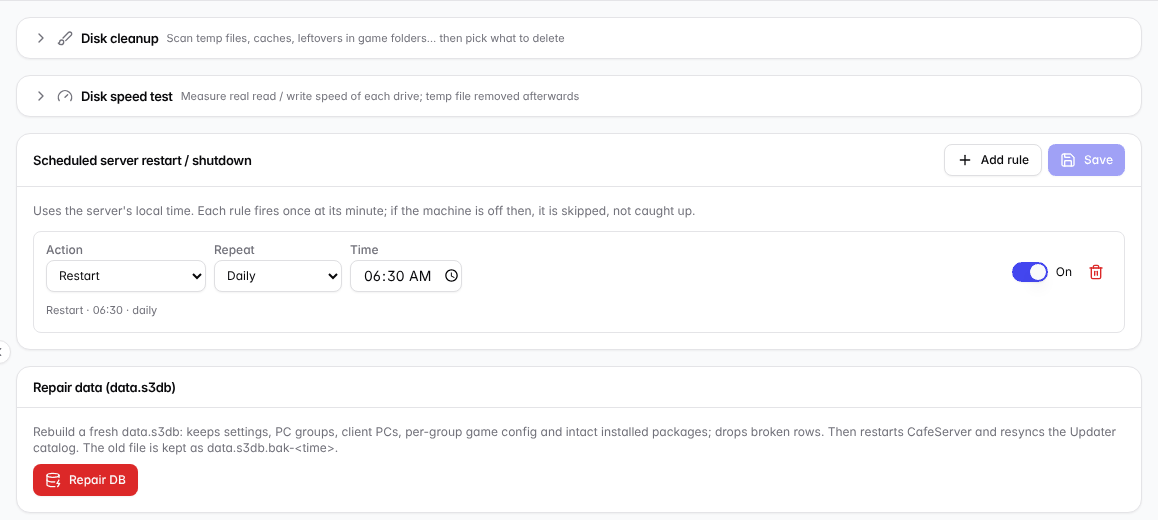
The Tools page.
Scheduled server reboot / shutdown
- Click Add rule.
- Choose the Action (Reboot / Shut down), Repeat (Daily / Weekly / Monthly) and Time.
- Switch it on and click Save.
Schedules use the server's clock and run once at the chosen minute. If the server is off at that time the run is skipped, not made up later. Months without the chosen day (e.g. the 31st) are skipped.
💡 Tip: A regular reboot at a quiet time (e.g. 6:30 AM) keeps the server fresh.
Repair data (data.s3db)
Use it when the game or workstation list looks wrong because the data got damaged (e.g. after a power cut). CafeServer rebuilds the data, keeping settings, groups, workstations, per-group game config and intact installed games; drops broken rows; then restarts and resyncs the catalog. The old data is kept as a backup.
Click Repair DB and re-enter your sign-in password to confirm.
⚠️ Note: Only use Repair DB when you really have a data problem, or when a technician asks you to.
Quick controls
The bottom-left corner of the Console always has buttons to restart CafeServer, lock the console, create a shortcut, and reboot or shut down the server. See Open and sign in to the Console.