Monitor client PCs in Portal
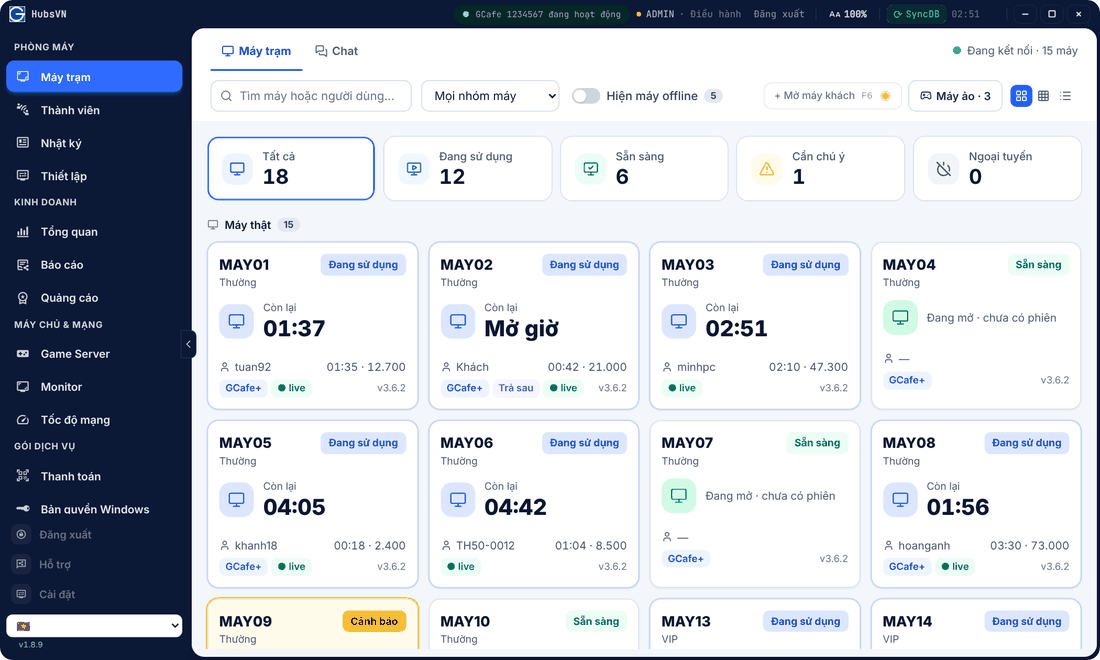
Phòng máy (Shop floor) › Máy trạm (Clients) shows the whole shop on one screen: who is playing, time left, which PC needs attention.
Reading a PC card
- PC name and group (Thường, VIP…), status at the top right: Đang sử dụng (In use), Sẵn sàng (Ready), Cảnh báo (Warning).
- Còn lại (Time left). Pay-later sessions show Mở giờ (Open time).
- Bottom line: account, time played and amount used.
- Trả sau marks pay-later sessions; live means a healthy connection to Portal.
Filter and change view
- Click Tất cả, Đang sử dụng, Sẵn sàng, Cần chú ý, Ngoại tuyến to filter.
- Search by PC or user; Mọi nhóm máy filters by group.
- Turn on Hiện máy offline (Show offline PCs) to include switched-off PCs.
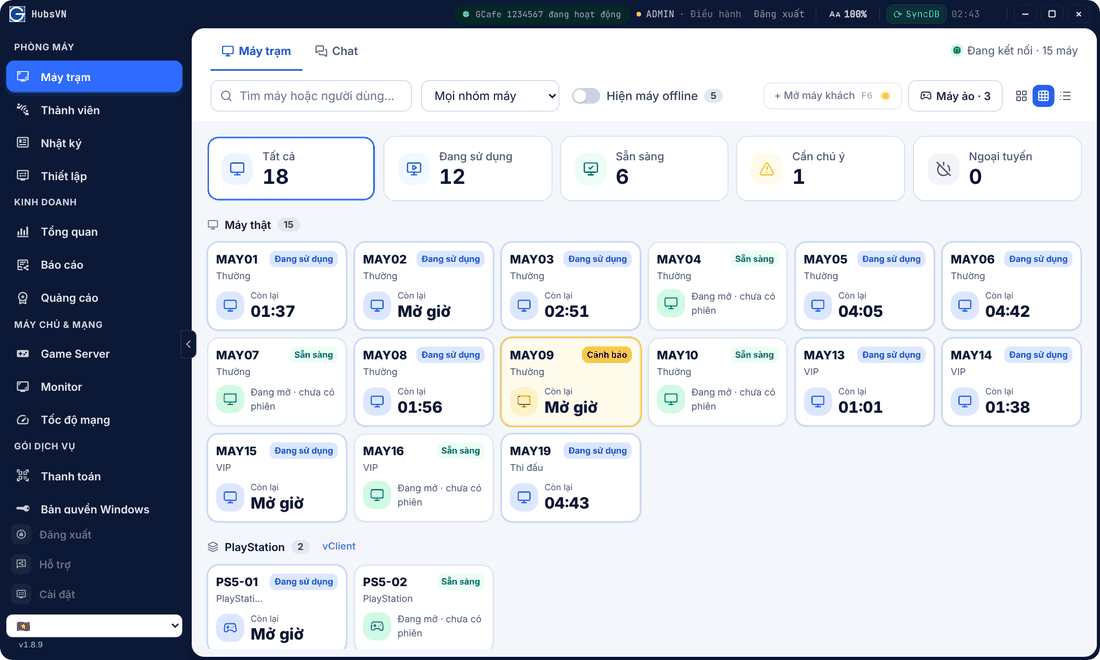
- The three buttons on the right switch between large cards, small cards and table.
PC details
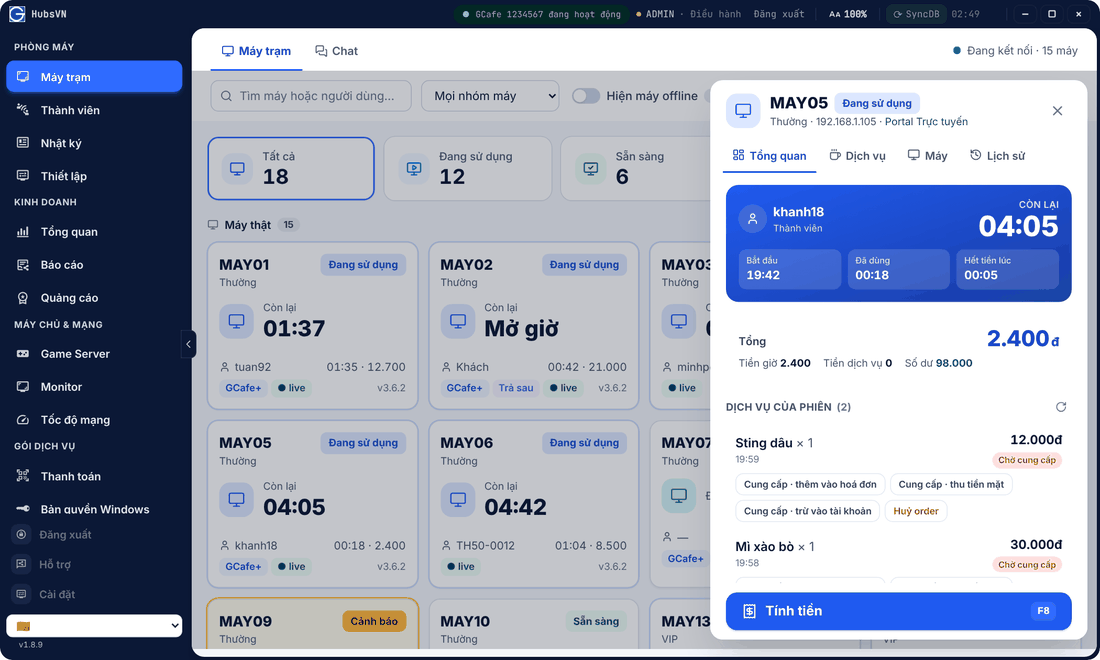
Click a card to open the side panel with tabs Tổng quan (Overview: session, time fee, services, balance), Dịch vụ (Services), Máy (Machine controls) and Lịch sử (History).
💡 Tip: Text too small? Click AA 100% in the title bar to enlarge text on every page.
Common errors
Message / symptom | Cause | What to do |
|---|---|---|
Chưa có máy nào online. (No PC online) | Clients are not connected to Portal. | See missing clients in Troubleshooting. |
PC shows Cảnh báo | Unstable or silent for a while. | Check that PC’s network; see Logs. |