Members, top-ups and prepaid cards
Phòng máy › Thành viên (Members) manages members, prepaid cards (coupons) and staff.
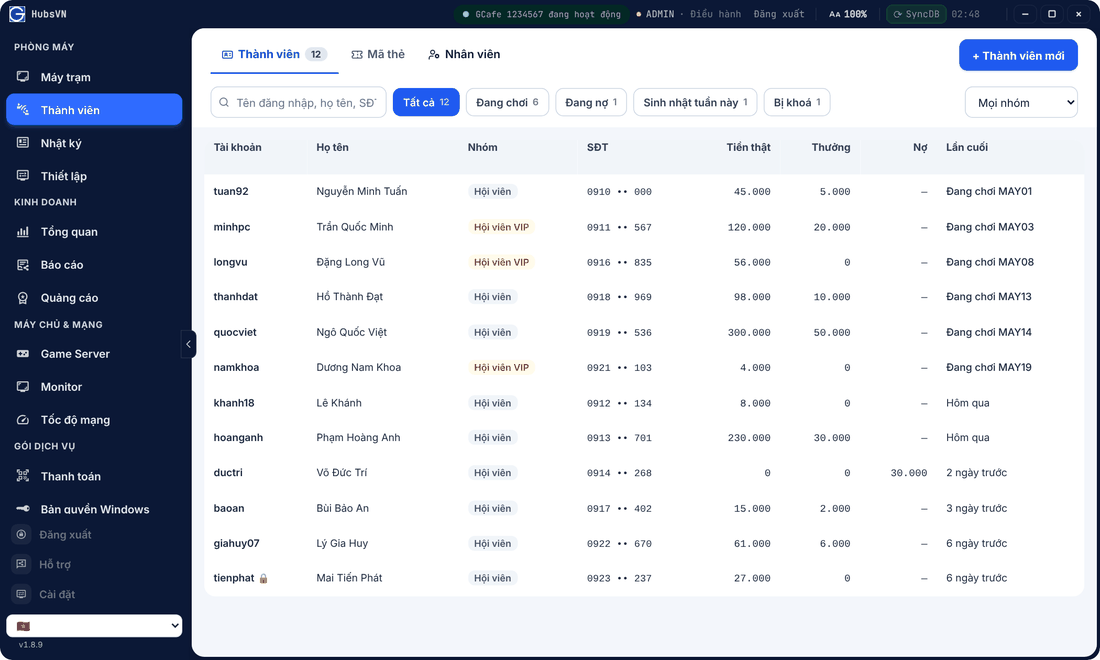
Find and manage members
- Search by username, name, phone. Quick filters: Đang chơi (Playing), Đang nợ (In debt), Sinh nhật tuần này (Birthday this week), Bị khoá (Locked).
- Click + Thành viên mới to add a member.
- Click a member for Nạp tiền, Hồ sơ (Profile), Lịch sử (History); lock the account or reset the password.
Top up
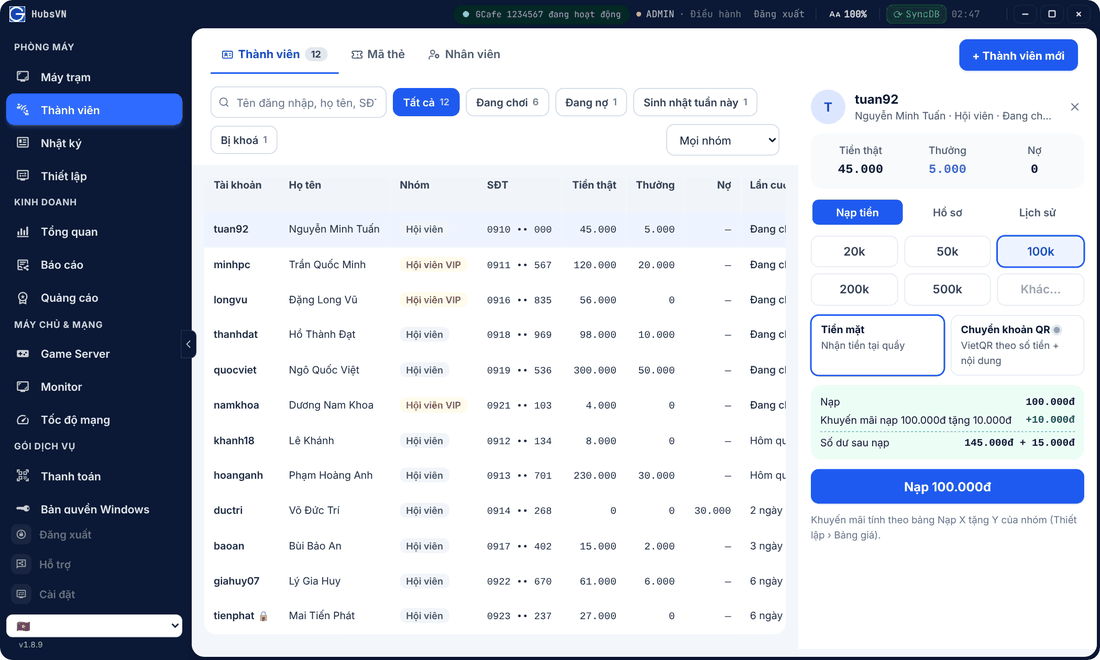
- Click the member, open Nạp tiền.
- Pick an amount (20k – 500k) or Khác… (Other).
- Choose Tiền mặt or Chuyển khoản QR. The Top up X get Y bonus shows below.
- Click Nạp … and confirm.
Prepaid cards
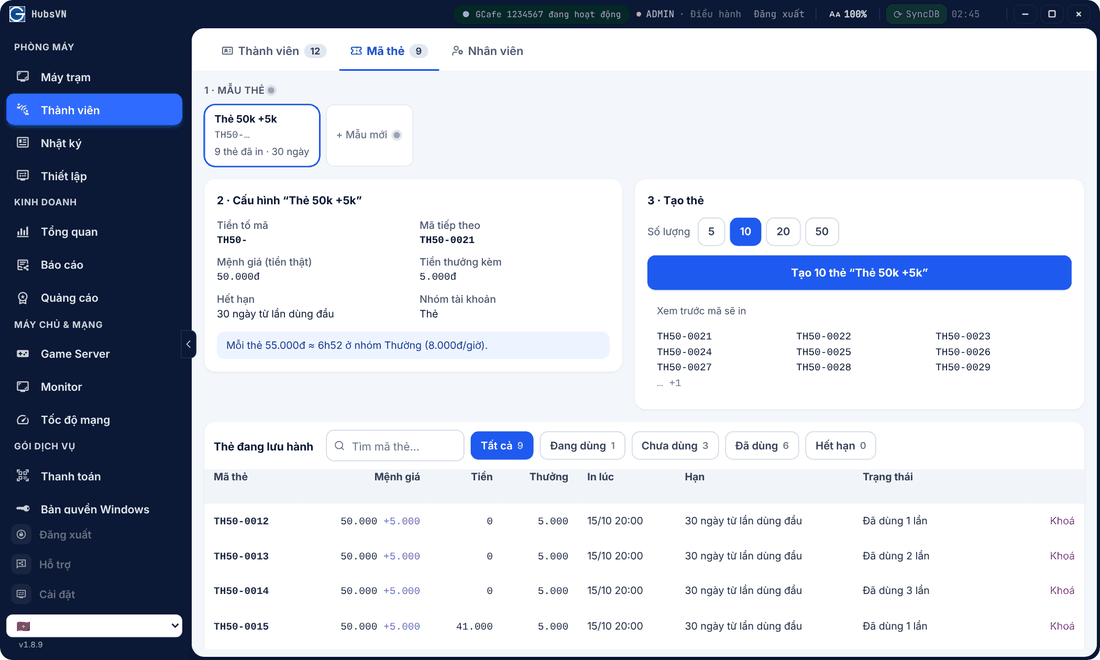
In Mã thẻ (Cards): choose or create a card template (value, bonus, validity, billing group), pick a quantity and click Tạo … thẻ (Create cards). The list below shows cards in use, unused and expired.