Disk speed test
Games slow to open, maps loading slowly on workstations? Measure the real speed of the server's drives with the Disk speed test (Tools page).
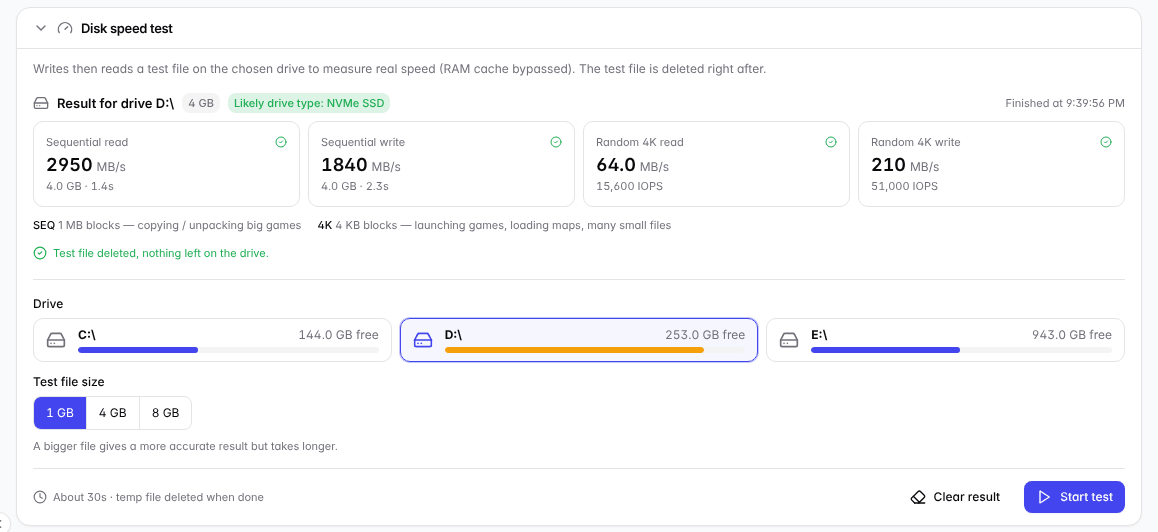
Results: sequential and random 4K read / write, with a guess of the drive type.
Running a test
- Pick the drive and the test file size (bigger files give more accurate results but take longer).
- Click Start test and confirm.
- Wait for the results. You can close the window — the test keeps running in the background. The test file is deleted when done.
⚠️ Note: During the test the drive runs at full load: the server may feel slow, and workstations opening or updating games will slow down too. Run it when the café is quiet.
Reading the results
Metric | Affects |
|---|---|
Sequential read / write (1 MB blocks) | Copying, extracting and updating big games. |
Random 4K read / write | Opening games, loading maps, many small files — the most important for workstations. |
Rough guide (sequential read): HDD about 100–250 MB/s, SATA SSD about 450–550 MB/s, NVMe SSD 1,500 MB/s and up.