Virtual machines: PlayStation, billiards, tables
Máy ảo (virtual machines) let you bill devices that do not run GCafe — PlayStation, Xbox, Nintendo Switch, VR, racing simulators, tables or billiard tables — alongside your PCs on the same screen.
Add a virtual machine

▶ Short video: adding a PlayStation.
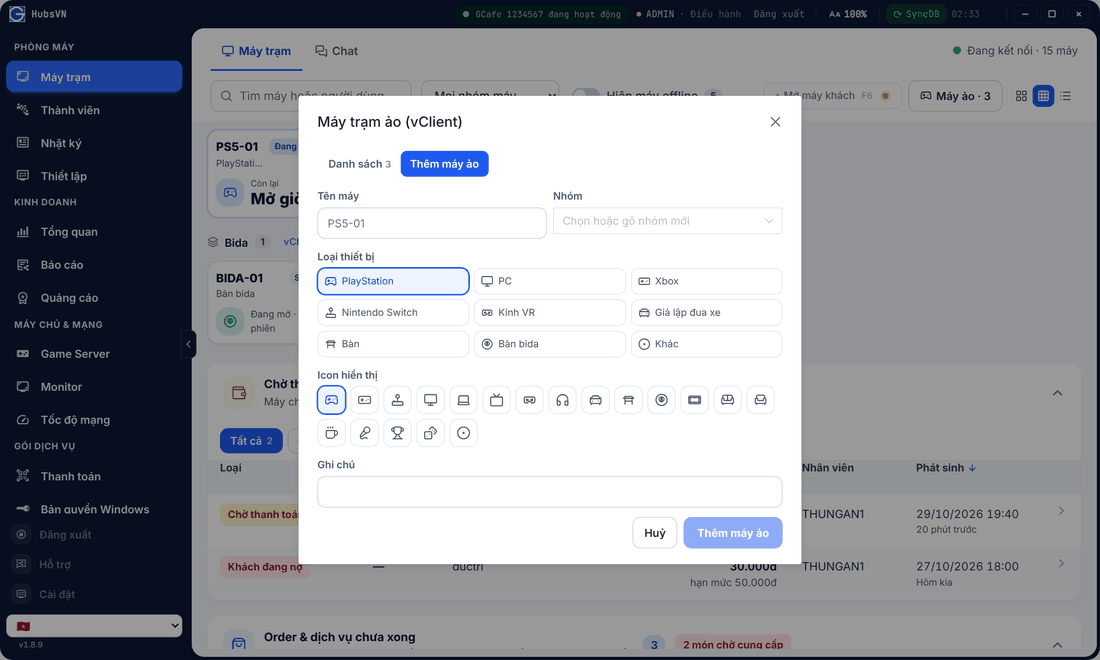
- On Máy trạm, click Máy ảo › Thêm máy ảo (Add).
- Enter Tên máy (Name), pick Nhóm (Group), Loại thiết bị (Device type) and an icon.
- Click Thêm máy ảo.
Result: the device appears as its own group (tagged vClient) on the Clients screen.
Using virtual machines
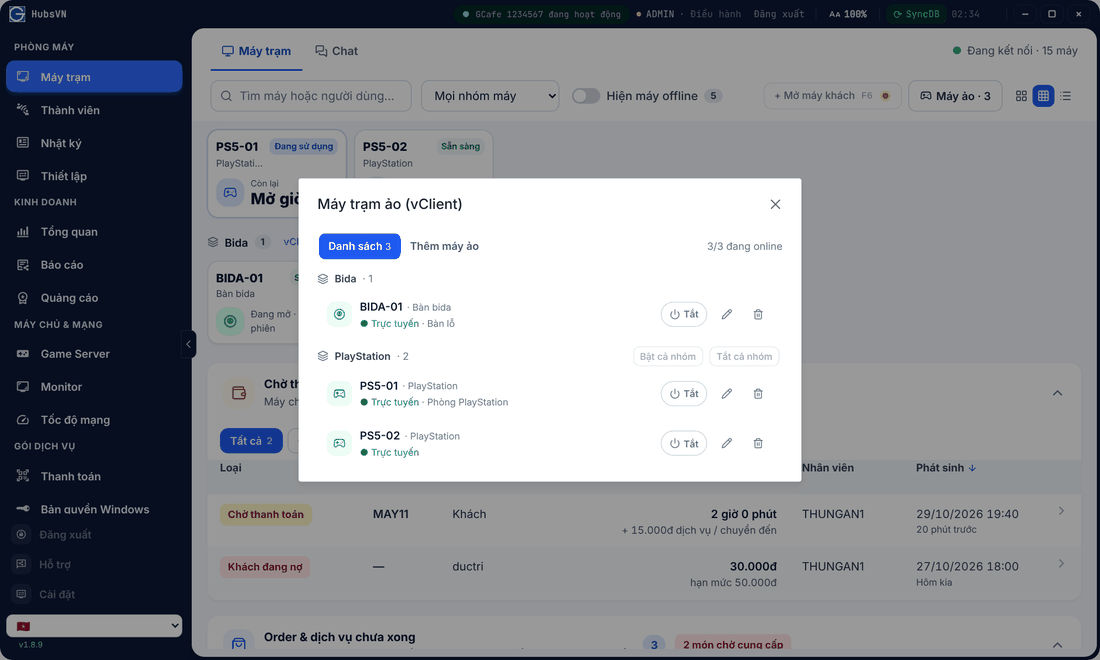
- Click Bật (On) when a guest starts, Tắt (Off) when done. Bật cả nhóm / Tắt cả nhóm work on the whole group.
- Check out, add services and move like a normal PC — see Open PCs, check out.
- Hourly prices follow the machine group in Pricing.