Station downloads & sharing inside the café
The Station downloads page shows which workstations are downloading games, how far they are, and which ones are sharing games with other PCs in the café.
Before you start
- Workstations must run GCafe+ Client App. Workstations with the old client software do not appear on this page.
- Workstations must be connected to CafeServer and belong to a computer group.
How do workstations share games?
A workstation with GCafe+ Client App downloads from the server and also takes pieces other workstations in the café already have. Once complete, it shares the game with the others. Many PCs can then download the same game without overloading the server.
- Each PC only downloads and shares the games assigned to its computer group.
- Only workstations of your own café can download from each other.
See which workstations are downloading
- Click Station downloads in the left menu.
- Check the four boxes at the top: Reporting stations, Downloading, Total download, Total sharing.
- Pick the Downloading tab (games still downloading) or All (complete games too). Type in the search box to filter by PC name, IP or game.
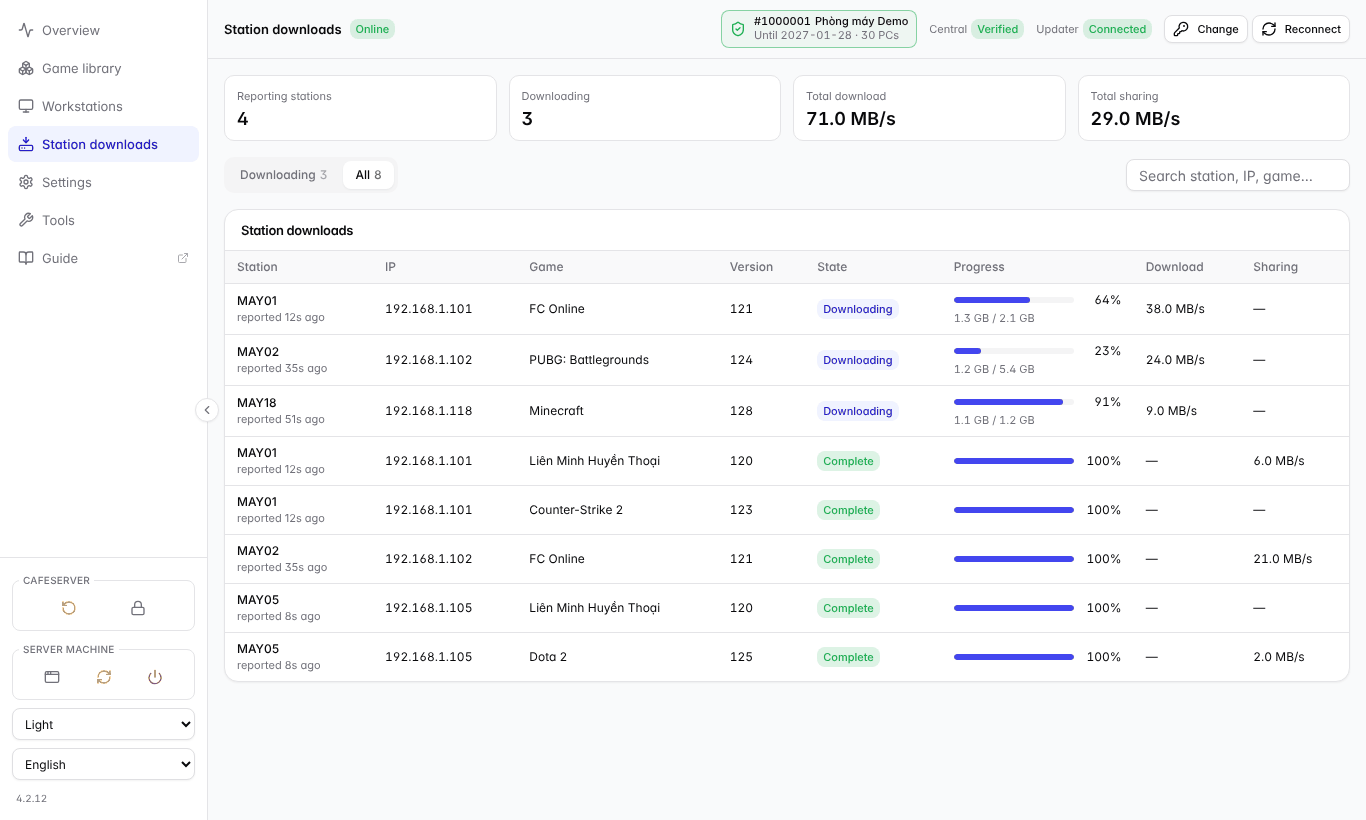
All tab: games downloading (progress, speed) and complete games (being shared with other PCs).
Column | Meaning |
|---|---|
Station | PC name and when it last reported. Workstations report about once a minute. |
State | Downloading or Complete (the PC has the whole game and can share it). |
Progress | Percentage and amount downloaded / total. |
Download / Sharing | Speed the PC is downloading / sending to other workstations. |
Limit how fast workstations share
So players are not affected, each workstation shares up to a maximum speed:
- Go to Settings.
- Choose Upload limit per station (default 20 MB/s).
- Click Save. Workstations apply it on their next report (within 1 minute).
💡 Tip: The limit is per workstation; it does not limit how many PCs download at once. If players complain about lag while many PCs are downloading, lower it to 5–10 MB/s.
Common problems
Symptom | Cause | What to do |
|---|---|---|
"No GCafe+ Client App station has reported yet" | Workstations don't run GCafe+ Client App yet, or are not connected to CafeServer. | Check that the PCs are Online on the Workstations page. |
A PC is on the Workstations page but not here | The PC is not in any computer group (e.g. over the licensed PC count). | Move the PC into a group; check the licensed PC count. |
A game is missing for a workstation | The game is not assigned to that PC's group. | Game library › select the game › Config… › tick the group. |