Turn on Global Chat and virtual LAN for client PCs
The Chat Global (Global Chat) card in Setup shows whether Global Chat runs and how many players use it, and turns virtual LAN per room on or off.
Before you start
Your account needs the Setup permission. Players use Global Chat right in GCafe+ Client; the café installs nothing extra.
Check Global Chat status
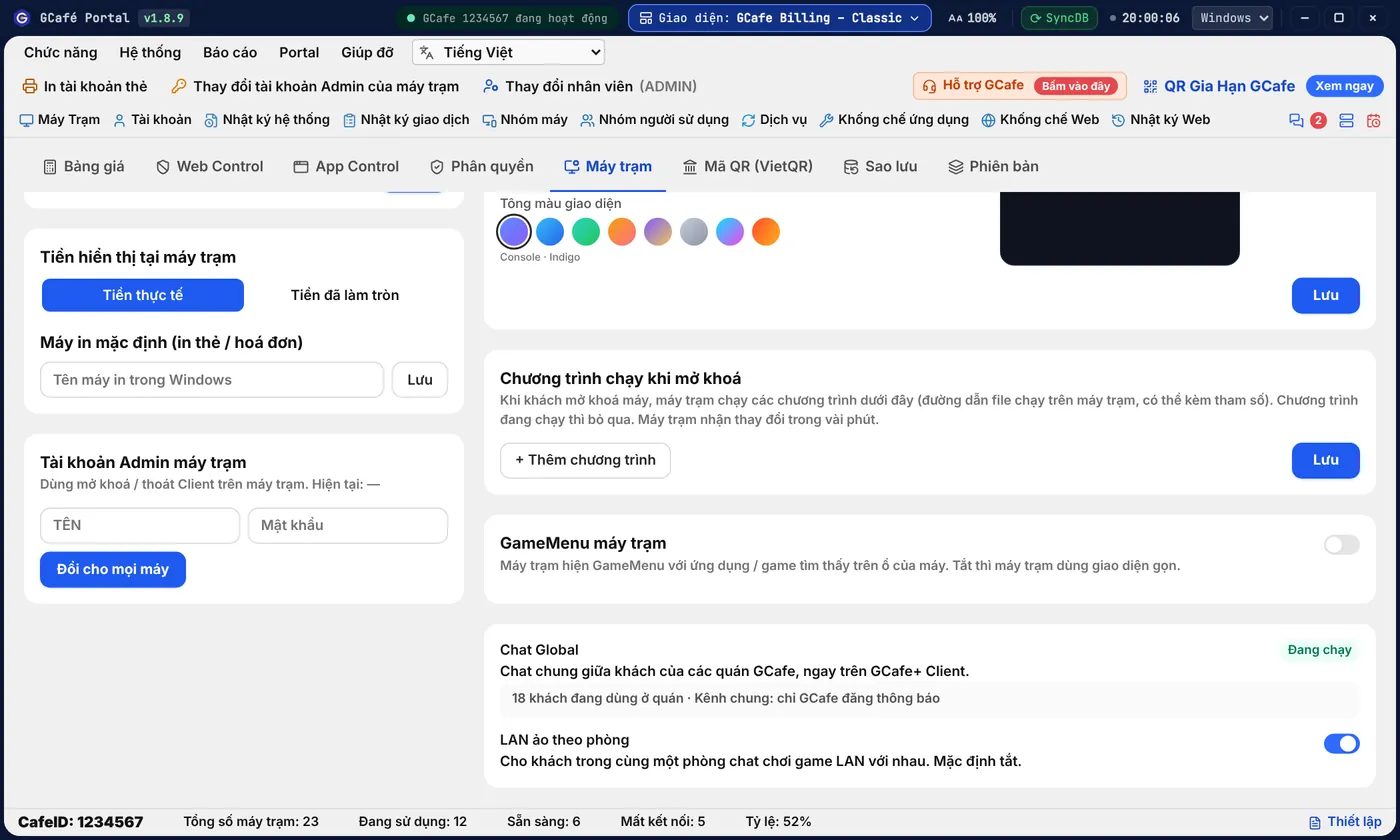
Classic layout
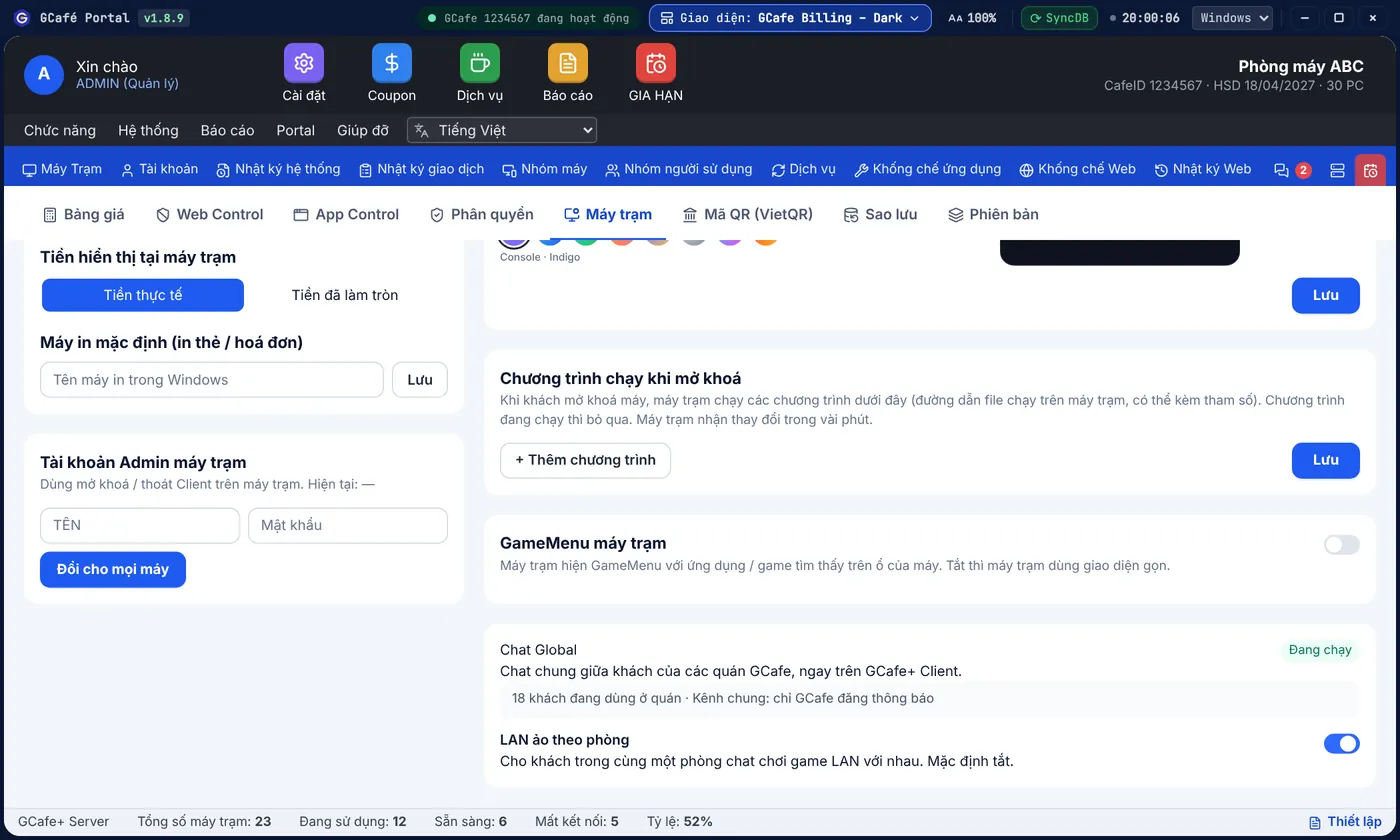
Dark layout
Portal layout
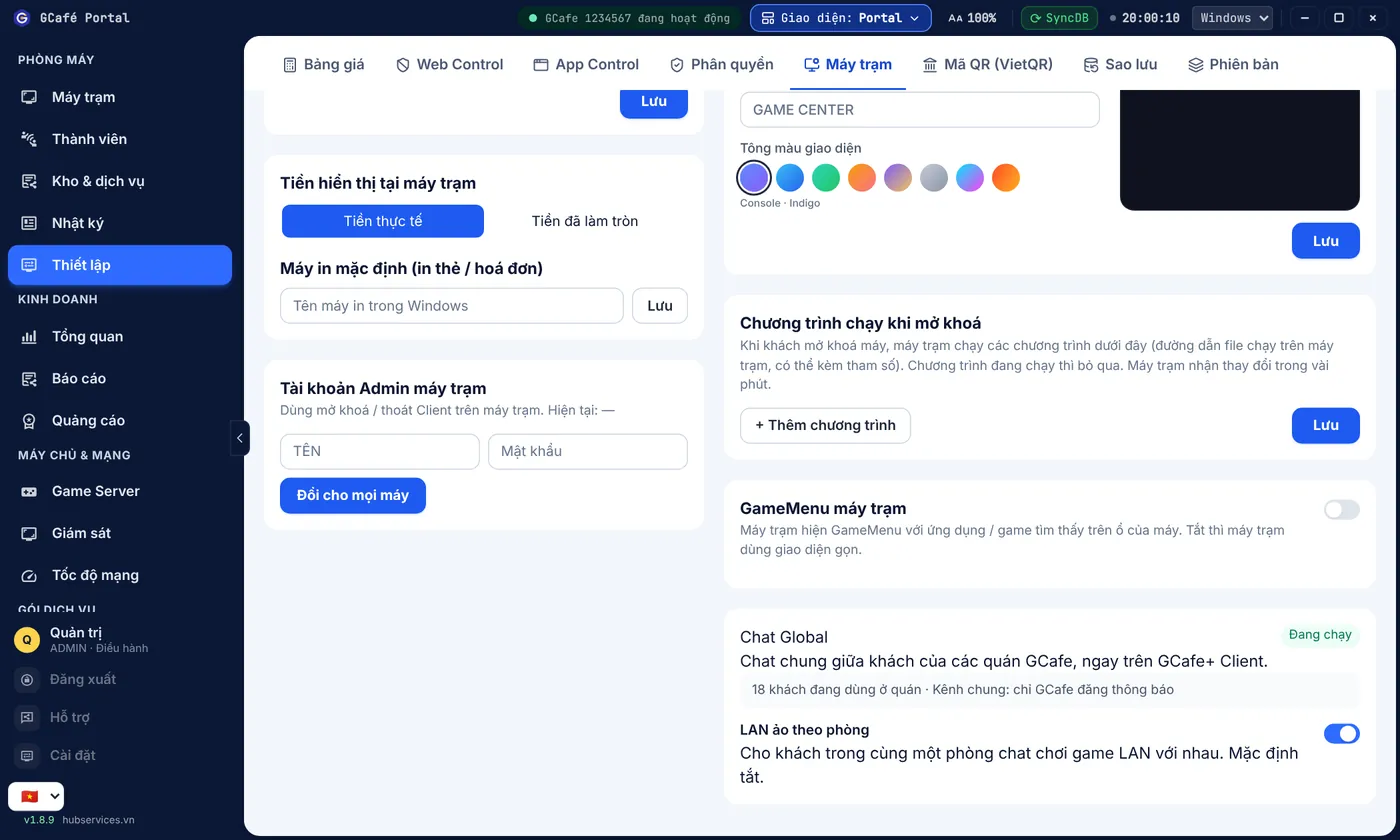
- Open Thiết lập (Setup) › Máy trạm (Client PCs). GCafe Billing layouts: menu Hệ thống › Tùy chỉnh hệ thống, then the Máy trạm tab.
- Look at the Chat Global card: Đang chạy (Running) or Chưa sẵn sàng (Not ready), and how many guests use it in your café.
The status line also tells you whether the public channel is open to everyone or announcements-only.
Turn virtual LAN on or off
- On the Chat Global card, switch on LAN ảo theo phòng.
- Players in the same group chat click Vào LAN ảo (Join virtual LAN) on their PCs to play LAN games together.
Result: guests in the same chat room can play LAN games together. Switching it off stops every PC from joining.
⚠️ Note: Virtual LAN is off by default. Turn it on only if you want players to play LAN games with other cafés (inter-café tournaments, a streamer's private server…).
Common errors
Message / symptom | Cause | What to do |
|---|---|---|
Chưa sẵn sàng | Portal cannot reach GCafe's Global Chat service. | Check the Portal server's Internet; if it persists, open Support. |
Players see "Quán chưa bật LAN ảo." | Virtual LAN per room is switched off. | Switch it on in the Chat Global card. |