Client App settings: language, sound, performance
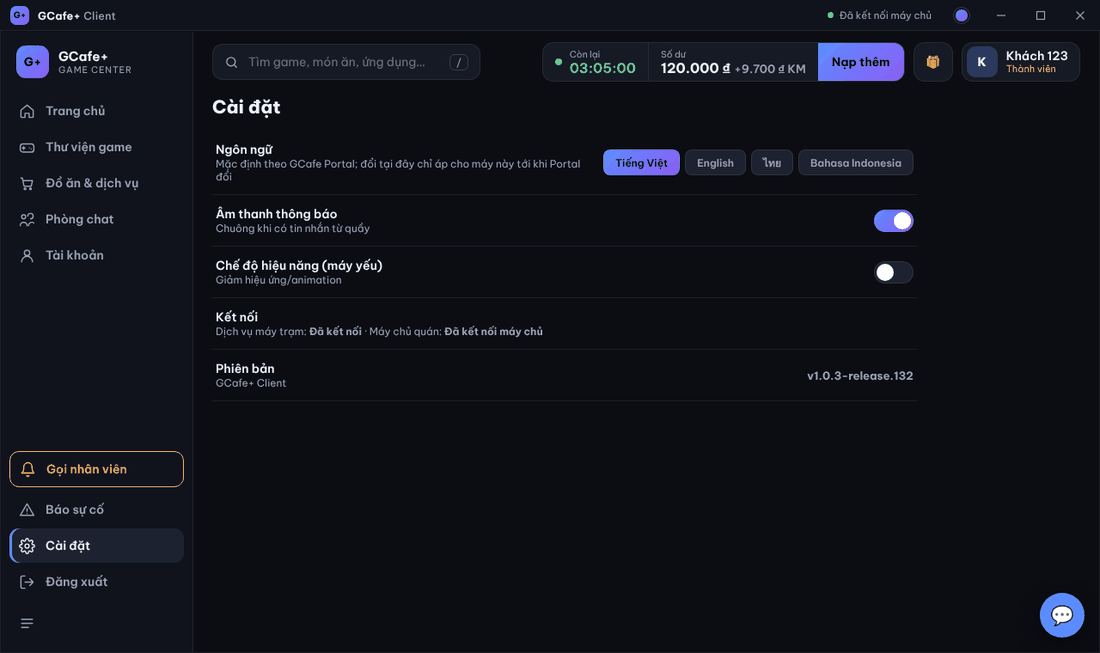
Client App Cài đặt (Settings): change language, toggle the message chime, reduce effects on slow PCs, see connection and version.
Item | Meaning |
|---|---|
Ngôn ngữ (Language) | Tiếng Việt, English, ไทย, Bahasa Indonesia. Follows GCafe Portal by default; a change here applies to this PC until the café changes the language in Portal. |
Âm thanh thông báo (Notification sound) | Chime on messages from the counter or other PCs. |
Chế độ hiệu năng (máy yếu) (Performance mode) | Fewer effects / animations for low-end PCs. |
Kết nối (Connection) | Dịch vụ máy trạm (station service) and Máy chủ quán (café server): connected or not. |
Phiên bản (Version) | The running GCafe+ Client version. |
Change the color theme with the colored dot in the title bar.
⚠️ Note: Automatic messages to the counter (orders, problems, staff calls) always use the counter language, not the language the customer picked.