
When you open an internet cafe or gaming room, you want to keep software costs low. That is why free internet cafe software is searched so often. But "free" is just one line on a product page. What matters more is whether the software covers everything your cafe needs.
This article helps you choose based on real needs. It covers what "free" means, 5 criteria to check, a quick comparison table, what is free and paid in GCafe, and how to test before you switch.
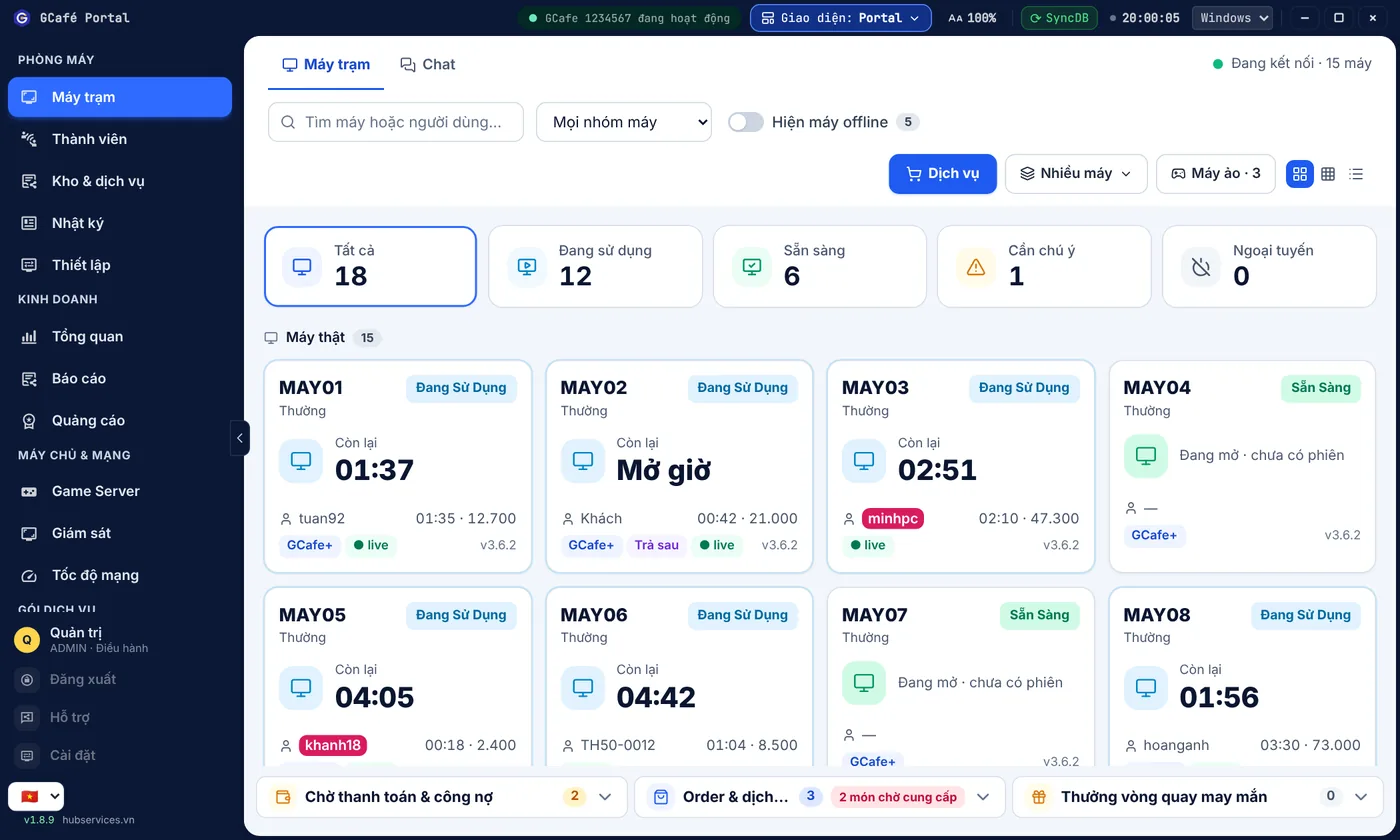
What does "free" mean? Three questions to ask first
Before you install any software, ask the provider three questions:
- Is there a limit on the number of PCs? A 20-PC cafe and a 200-PC cafe both need to know this.
- Which features are included for free? Billing only, or also members, game menu and reports?
- What do you pay for? If something is paid, what is it based on, and how often do you pay?
Asking up front means no surprises once your cafe is running smoothly.
5 criteria for choosing internet cafe management software
1. Accurate billing that is hard to cheat
This is the core of every cafe. Good internet cafe billing software should count time correctly, let you set prices by time slot, regular zone and VIP zone, and keep a clear history so you can reconcile at shift handover. Read our article on preventing billing fraud in internet cafes (Vietnamese) to learn about the common loopholes.
If you are looking for free internet cafe billing software, check a few more things: are the server and workstations separate, and is the interface easy for shift staff? With GCafe, the server runs GCafe+ Server and workstations run GCafe+ Client, with a new interface and a Classic interface. The article on the new interface vs. Classic will help you pick.
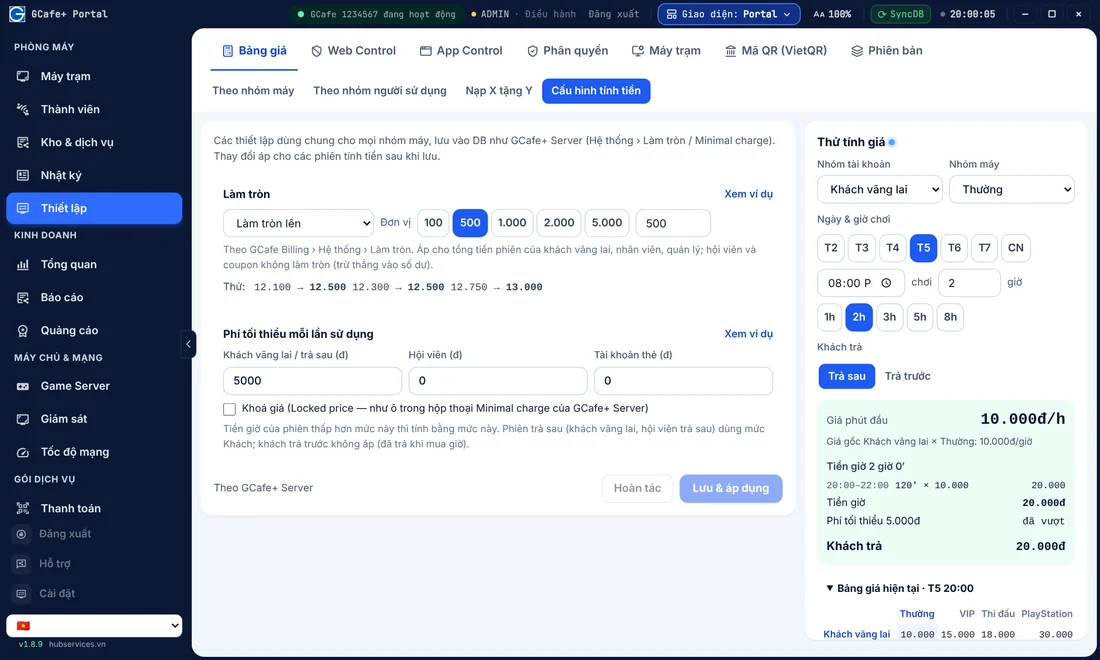
2. Member management and promotions
If your cafe has regular customers, you need internet cafe member management with accounts, not a paper notebook. Check whether the software supports:
- Top-ups and account balance tracking.
- Member tiers and tier-based perks.
- Coupons and bonus play time.
- Night combos or time packages.
GCafe+ Billing comes with Membership. You can read more about member tiers, internet cafe coupons and night combos to plan promotions that still keep you profitable.
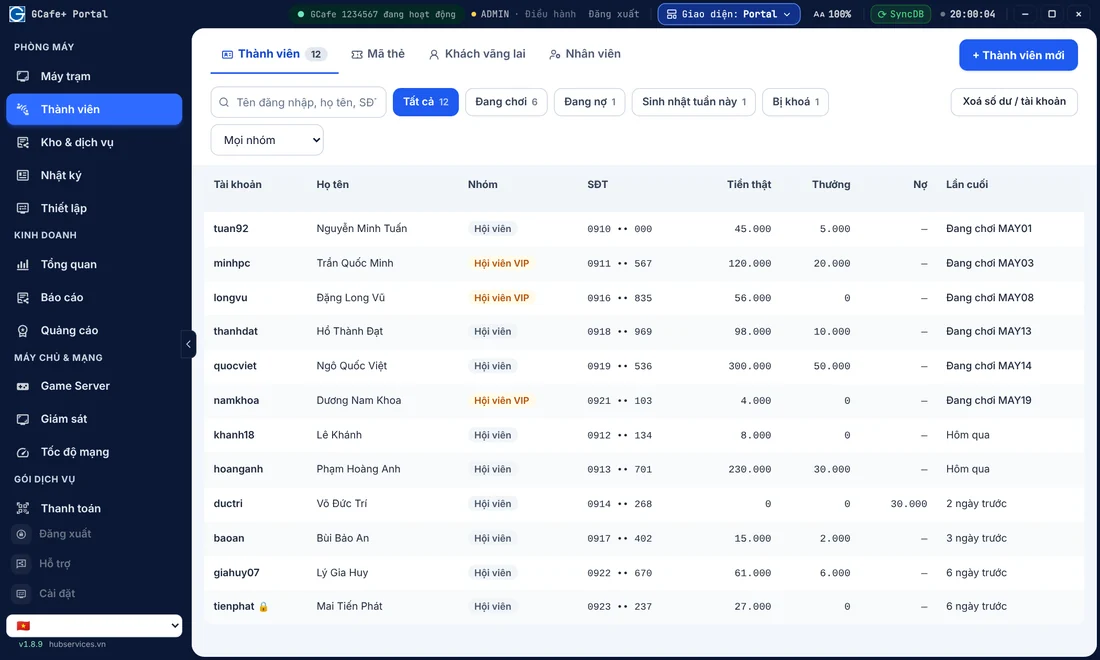
3. Diskless workstations (bootrom)
If your cafe has many PCs, installing and repairing each hard drive takes a lot of work. An internet cafe bootrom solution lets workstations run without hard drives, managed centrally from the server. GCafe Boot is GCafe's brand name for this diskless workstation solution.
When comparing, ask: is there a PC limit, what server specs are needed, and what does the LAN need? We cover these in our articles on whether diskless workstations are any good, preparing the server and LAN setup for a bootrom cafe (all in Vietnamese). If your cafe still runs on hard drives, see the roadmap for switching to bootrom.
4. A game menu that is easy to browse and update
Players sit down and look for a game. A messy menu wastes their time, and your staff get asked again and again. GameMenu helps you keep the game list clear. For practical steps, see organizing your internet cafe game menu and managing your game library (Vietnamese).
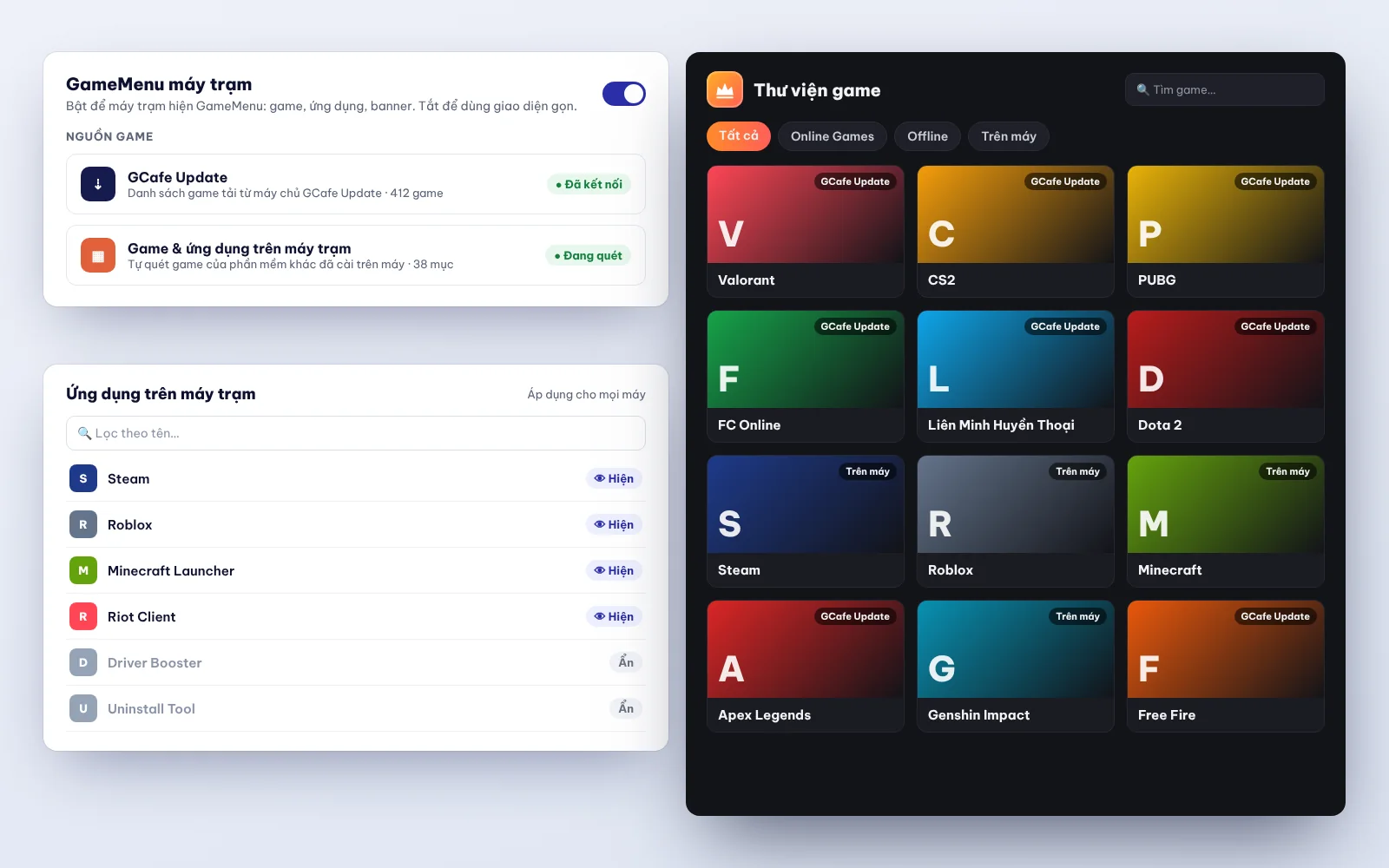
Game updates are often where free and paid versions differ. See the section below for details.
5. Revenue reports and tax reports
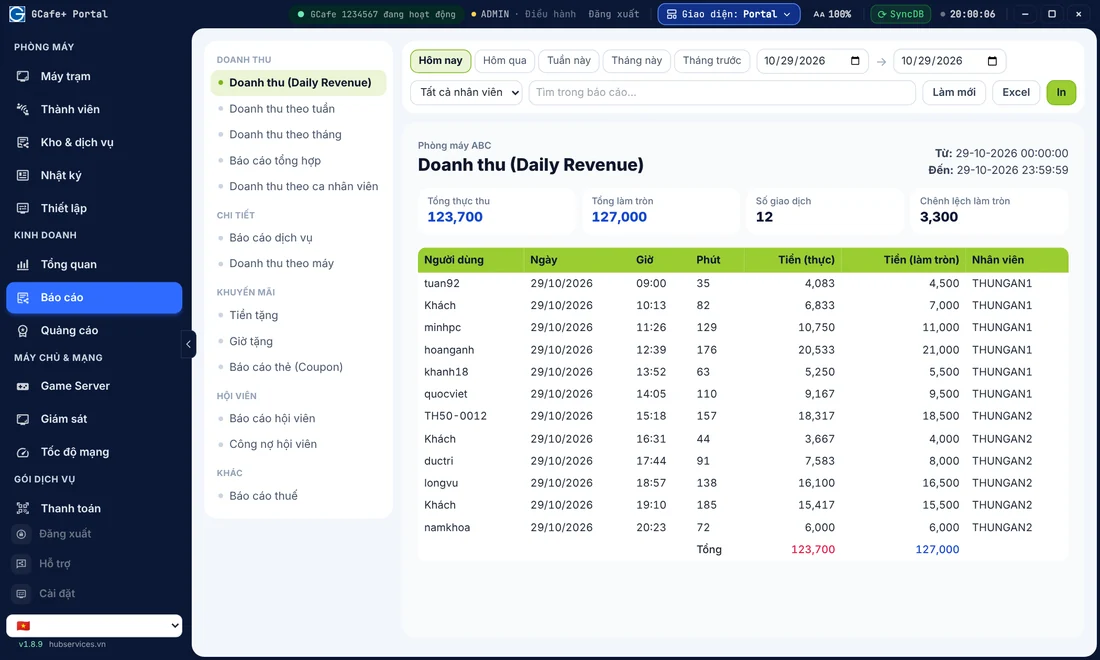
You need to know how much you earn each day and which shift is off. For household businesses, tax reporting is also a must. Your internet cafe revenue management software should show clear numbers. GCafe Portal includes the S1a-HKD revenue ledger under Circular 152/2025/TT-BTC, which supports tax reporting for household internet cafes. A step-by-step guide is in the article on exporting the S1a-HKD revenue ledger (Vietnamese). For metrics worth tracking, see daily internet cafe revenue management.
Portal also offers workstation banners, up to 5 slots plus a wallpaper, which suit advertising on workstation screens, and tools such as a lucky wheel for internet cafes.
Quick comparison table by need
| Your cafe's need | What to check | Matching GCafe component |
|---|---|---|
| Billing and member management | Time slots, top-ups, member tiers, coupons | GCafe+ Billing (with Membership) |
| Diskless workstations | PC limit, server and network requirements | GCafe Boot |
| Game menu | Easy to browse and organize | GameMenu |
| Revenue, tax, banners, lucky wheel | S1a-HKD ledger, workstation banners | GCafe Portal |
| Automatic game updates | How it is charged, plan length | GCafe Update (paid) |
What is free and what is paid in GCafe
With GCafe, these four products are free with no limit on the number of PCs: GCafe+ Billing (with Membership), GCafe Boot, GCafe Portal and GameMenu.
The paid part is GCafe Update, the automatic game update software for internet cafes (the game server, previously called CafeServer). It is charged by the number of PCs, in 6-month plans. The free and paid plans differ only in game updates. For details, see Is GCafe Update free?
As for the price, the GCafe Update plan is currently 900,000 VND per 6 months for 30 workstations. You can also check the pricing page.
When you need to upgrade, GCafe Update upgrades itself, with no reinstall and no rolling back to an older version. Read more in upgrading GCafe Update. If your cafe often deals with major game patches, the article on major game updates (Vietnamese) will help.
How to test before you decide
- List your needs: number of PCs, whether you have a VIP zone, whether you sell food and drinks, and whether you want to run bootrom.
- Install on a few PCs first instead of switching the whole cafe. The installers are on the download page, and you can read the system requirements & preparation beforehand.
- Let your shift staff try it. The people on duty every day notice what is awkward the fastest.
- Cross-check the numbers at the end of each shift against your old records for a few days (see the guide to viewing revenue reports).
- Ask about support. GCafe has agents in every province and city (34/34), which is handy when you need on-site help. Remote installation is currently free. Hiring a technician to install on site is based on an agreement between you and the agent.
GCafe is internet cafe management software from Hubservices Joint Stock Company. It is used by 50,000+ gaming rooms and 3 million+ player visits every day, with 15+ years alongside internet cafes. The solution is available in Vietnam, Thailand, Cambodia and Indonesia. You can see the overview on the home page, or read the about page (Vietnamese) to learn more about the developer.
Conclusion: choose complete, not just cheap
Good free internet cafe software should cover five jobs: billing, members, workstations, game menu and reports. Check each one before you decide, and ask clearly what is paid.
If you want advice for your cafe's size, call 1900 1232 or leave your phone number in the contact form on the pricing page. The GCafe team will get back to you. You can also find more guides on the GCafe blog.