
The question owners ask most before using GCafe is: Is GCafe Update free? The short answer: no, but only GCafe Update is paid. Everything else in the GCafe suite is free, with no limit on the number of PCs.
This article explains what is free, what is paid, and where the two plans differ. You will also see which plan fits your internet cafe.
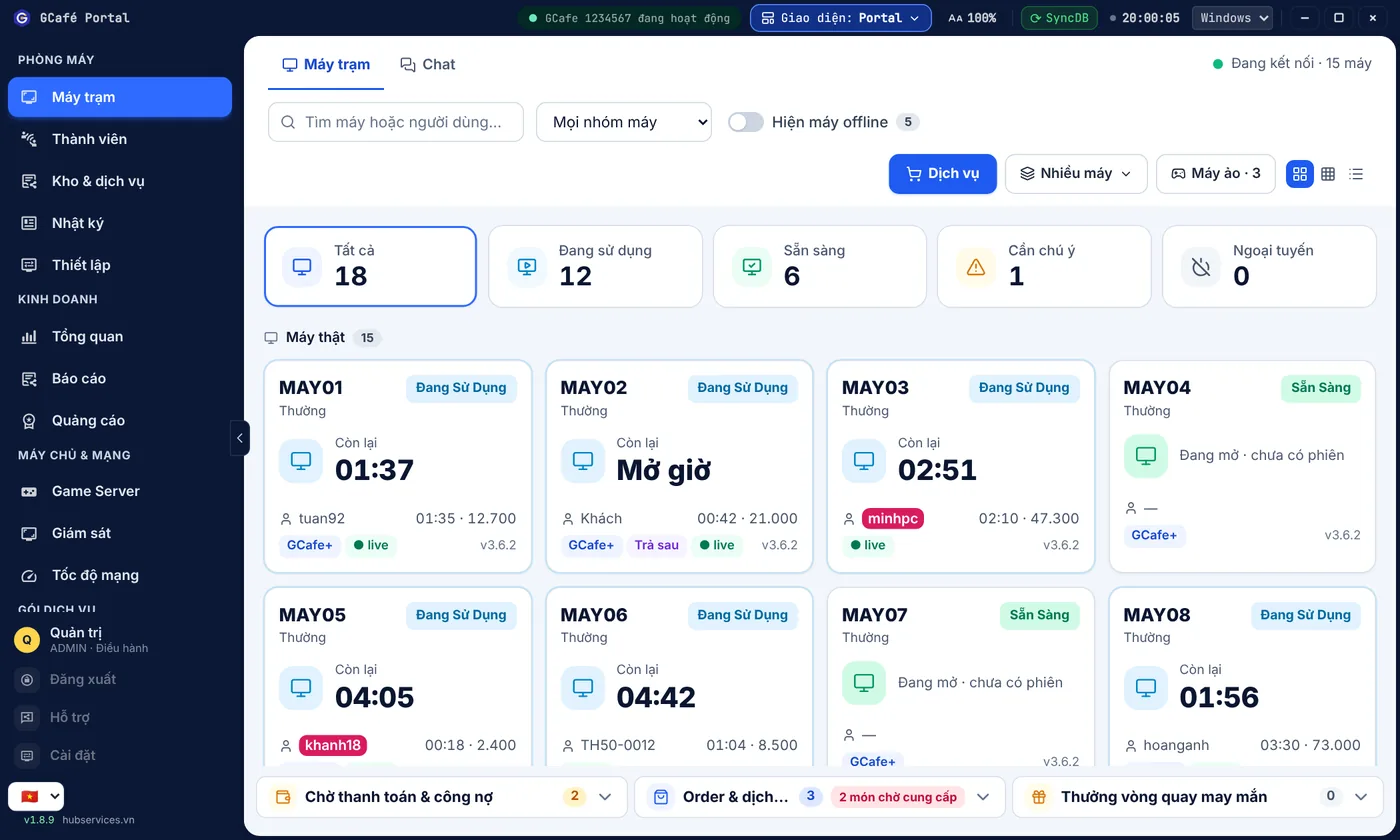
Quick answer: what is free and what is paid?
GCafe is a suite of internet cafe software from Hubservices Joint Stock Company. It falls into two groups:
- Free, no limit on PCs: GCafe Billing (with Membership), GCafe Boot, GCafe Portal, GameMenu.
- Paid: GCafe Update (automatic game updates). The fee is based on the number of PCs, in 6-month plans.
The key point: the free plan and the paid plan differ only in game updates. On the free plan, you are not locked out of management, billing or running workstations.
Summary table of GCafe products
| Product | What it does | Cost |
|---|---|---|
| GCafe Billing (with Membership) | Billing, PC management, member management | Free, no limit on PCs |
| GCafe Boot | Runs diskless workstations | Free, no limit on PCs |
| GCafe Portal | Banners, wallpaper, revenue reports, tax reports | Free, no limit on PCs |
| GameMenu | Game menu for workstations | Free, no limit on PCs |
| GCafe Update | Automatic game updates | Paid by number of PCs, 6-month plan. Price: 900,000 VND / 6 months / 30 workstations |
For GCafe Update pricing, see the Pricing page. Prices may change over time, so check that page or call the hotline before you decide.
What is included in the free products?
GCafe Billing and Membership
GCafe Billing is GCafe's internet cafe billing software. The server runs GCafe+ Server and workstations run GCafe+ Client. It comes with a new interface and a Classic interface, so you can pick the one you are used to.
Billing includes Membership, so you can manage members without buying anything extra. If you are not sure how Server and Client differ, read How do GCafe+ Server and GCafe+ Client differ? (Vietnamese).
GCafe Boot
GCafe Boot is the brand name of the diskless workstation solution in the GCafe suite. It is free, with no limit on PCs. If you are thinking about switching to this model, Are diskless workstations any good? 7 questions owners often ask (Vietnamese) can help.
GCafe Portal
GCafe Portal supports the following:
- Shows banners on workstations, up to 5 slots, plus a wallpaper.
- Exports the S1a-HKD revenue book under Circular 152/2025/TT-BTC, useful when you prepare tax reports for a household business.
GameMenu
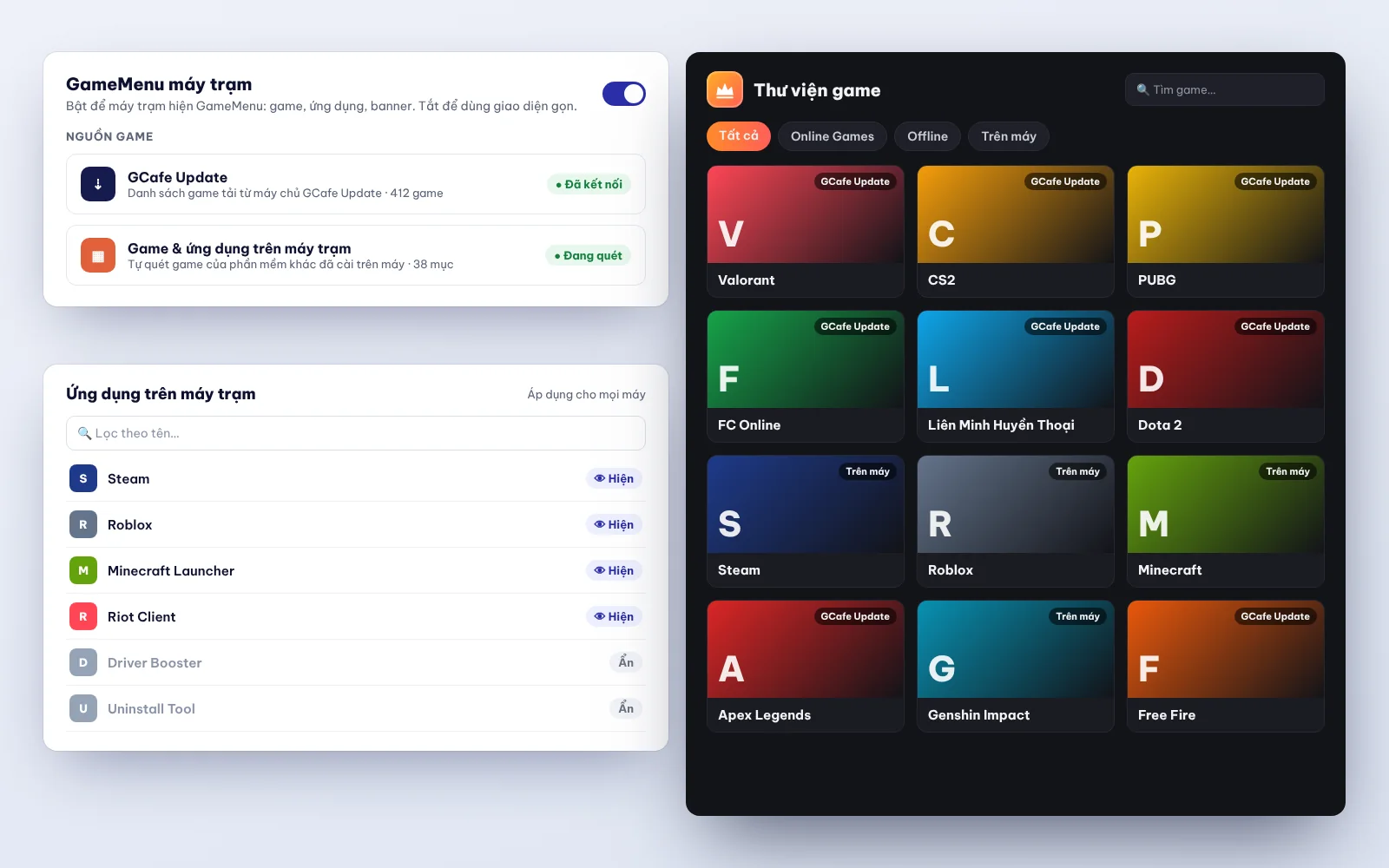
GameMenu is also free, with no limit on PCs. It is the menu where players pick and launch games on a workstation.
What is GCafe Update and how is it priced?
GCafe Update is automatic game update software for internet cafes. It runs on your cafe's server. Instead of updating each game by hand, GCafe Update receives updates from the system and distributes games to workstations over the LAN. See What is GCafe Update? in the documentation (Vietnamese).
Pricing has two parts:
- By number of PCs: a cafe with many PCs pays a different fee from a cafe with few PCs.
- By 6-month plan: you sign up for 6-month periods.
The current rate is 900,000 VND / 6 months / 30 workstations. See the Pricing page, or call 1900 1232 for a quote based on your exact number of PCs.
How do the free and paid plans differ?
There is only one difference: game updates.
- Free plan: you use Billing, Membership, GCafe Boot, Portal and GameMenu as normal. You handle game updates yourself.
- Paid plan (with GCafe Update): you get all of the above, and games update automatically.
In other words, you do not pay to "unlock" member management, reports or diskless workstations. You only pay for game updates.
Do I have to reinstall when I upgrade to GCafe Update?
No. When you upgrade, the system upgrades itself, with no reinstall. One thing to know in advance: after upgrading, you cannot go back to the old version. Remote installation is currently free for customers. If you hire a technician to install on-site at your cafe, the cost is agreed between both sides.
For GameMenu, there are two cases:
- GameMenu loaded from IDC: updates to the new version automatically.
- GameMenu installed on drive C: open Super Image so GameMenu updates itself, then close it.
Because you cannot roll back, pick a quiet hour to upgrade and tell your shift staff first. You can also use the 15-minute internet cafe maintenance checklist to plan your checks after the upgrade.
Which cafes should use the paid plan?
Every cafe is different. Ask yourself these questions:
- Do you spend a lot of time updating games by hand?
- Do players often complain that a game has not been updated yet?
- Do you have enough technicians to update games every day?
If you answer "yes" to several of these, GCafe Update is worth considering. If your cafe is small and updates are rare, you can start with the free plan and upgrade later. Upgrading does not require reinstalling the system.
You should also compare the 6-month fee with the effort of manual updates. Based on the rate of 900,000 VND / 6 months / 30 workstations on the Pricing page, work out the figure for your actual number of PCs.
How do I get started?
- Go to the Download page to get the free products.
- Install GCafe+ Server on the server and GCafe+ Client on the workstations.
- Turn on GCafe Boot, GCafe Portal and GameMenu if your cafe needs them.
- When you want games to update automatically, sign up and follow the guide Install GCafe Update (Vietnamese), based on your number of PCs.
If you are looking for free internet cafe management software (Vietnamese), the GCafe suite lets you start with no limit on PCs. The paid part is optional.
Need a GCafe Update quote for your cafe?
Each cafe has a different number of PCs, so the fee differs too. Call the hotline 1900 1232 or leave your phone number at Pricing – Contact. The GCafe team will recommend a suitable plan.