
GCafe Portal · Free
Internet cafe revenue management and tax reports on one screen.
A business dashboard, tax reports in the right format, advertising banners, a lucky spin and game management for cafe owners. All figures come straight from GCafe+ Billing.
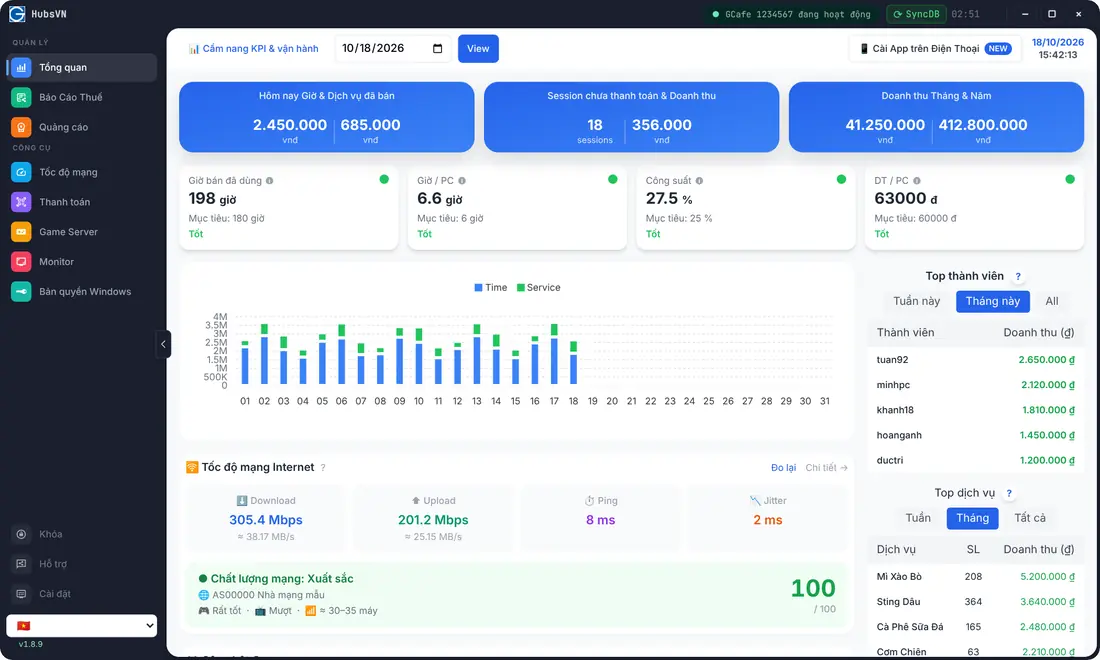
See whether your cafe is in profit or loss, every day.
- Playtime, service and top-up revenue by day, week and month
- Peak hours, PC utilization and loyal customers
- Check it on your phone when you are away from the cafe
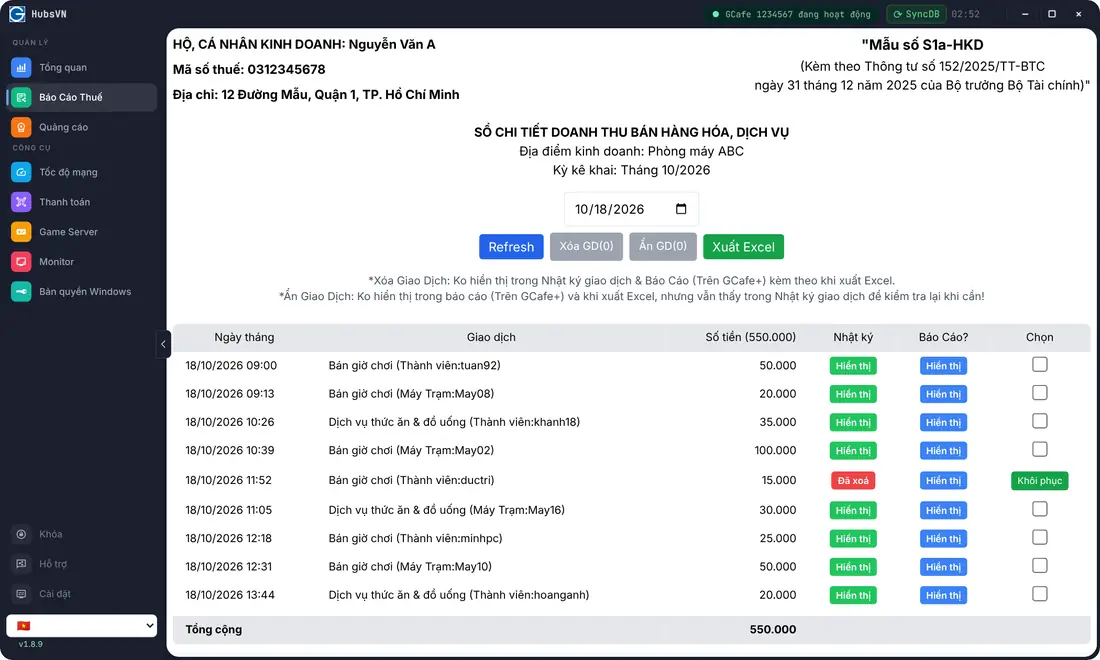
Tax reports in the right format, with no re-entering data.
- Revenue book in form S1a-HKD under Circular 152/2025/TT-BTC
- Figures come straight from GCafe+ Billing
- Export to Excel or print by period
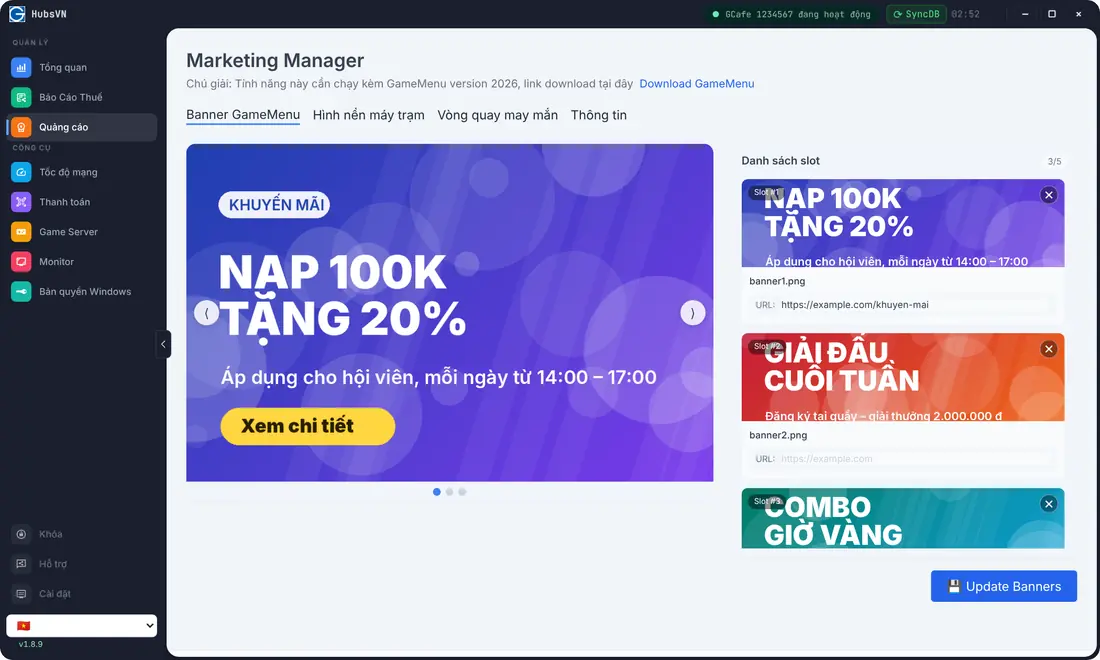
Your client PC screens are your advertising board.
- Banners on client PCs (up to 5 slots) and wallpaper
- Promote combos, tournaments and top-up offers
- Change the content once and the whole cafe updates
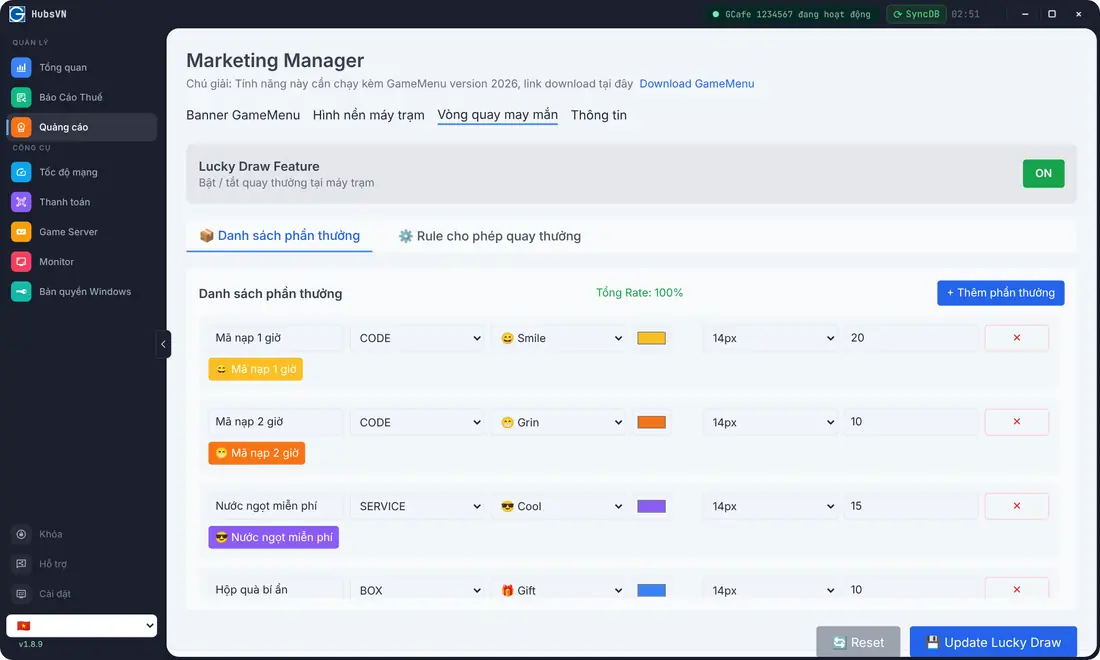
Lucky spin: give away playtime and bring customers back.
- The spin appears in the new GameMenu on client PCs
- Set up prizes, odds and quantities right in Portal
- Prizes can be playtime added to the member's promotional account
Manage your games right in Portal.
- See installed games and games with a new version
GCafe Portal is free for every cafe that uses GCafe.
Install it on the cashier PC and sign in with your cafe account.
Questions about GCafe Portal
See also: GCafe+ Billing, GameMenu and the lucky spin.
Is GCafe Portal free?
Yes. GCafe Portal is free for cafes that use GCafe.
Which form does the tax report use?
Revenue book in form S1a-HKD under Circular 152/2025/TT-BTC. Figures come from GCafe+ Billing, and you can export to Excel or print by period.
Which PC do I install GCafe Portal on?
On the cafe's cashier PC.
Where does the lucky spin appear?
In the new GameMenu on client PCs. Prizes, odds and quantities are set up in GCafe Portal.