
Many internet cafes run one price list for the whole day. It's easy to remember and easy to collect. But a crowd at 8 p.m. and a few players at 10 a.m. are not worth the same to you. This guide helps you set your internet cafe hourly rates by time slot, based on real data instead of guesswork.
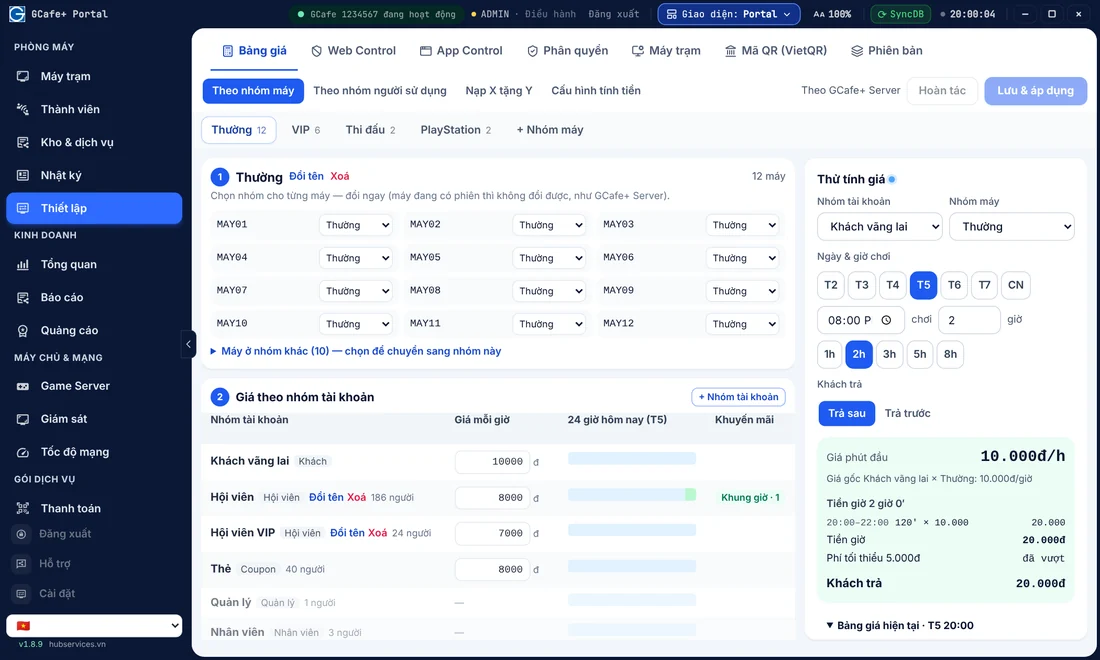
Note: the tables and examples below only illustrate how to split your day. This article gives no market prices. You decide the actual prices based on your area, your PC specs and your costs.
Why split hourly rates by time slot
A single flat price has two weak points:
- Peak hours: machines are almost full, yet players still pay an "average" price. You miss revenue that those hours deserve.
- Off-peak hours: many machines sit empty, and the price isn't attractive enough to bring in more players. Power, rent and staff costs keep running anyway.
Time slots help you balance both. At busy hours, keep the price in line with its value. At quiet hours, use price to bring people in. If you're also weighing the overall picture of running costs and start-up budget, read how much capital an internet cafe needs (Vietnamese) for a wider view of costs and revenue.
Step 1: look at your own cafe's data
Don't copy the cafe next door. Every cafe has its own rhythm. Before you split time slots, answer three questions:
- Which hours of the day are machines used the most? Which hours are the quietest?
- How do weekdays and weekends differ?
- Do VIP players stay longer and order more food and drinks than players in the standard zone?
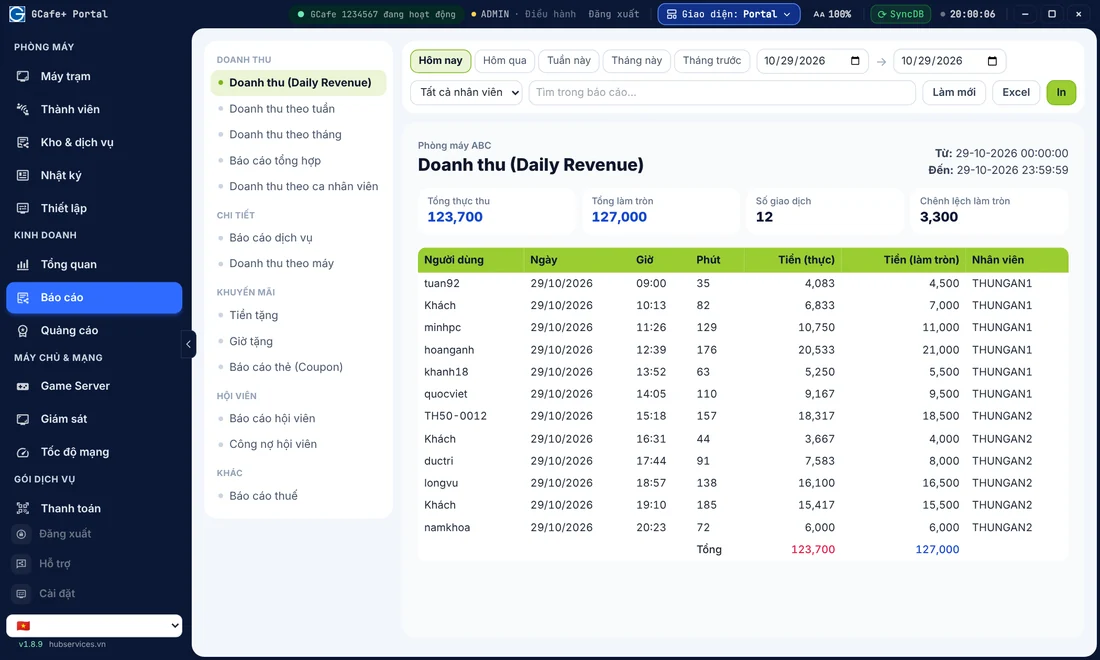
These numbers are in your revenue reports and session history. The article on daily internet cafe revenue metrics suggests which figures to watch. If you want revenue in one place, take a look at GCafe Portal as internet cafe software for revenue management.
Split peak and off-peak time slots
You don't need many slots. For most cafes, three or four are enough. Players can remember them, and staff can explain them easily.
A common way to split the day
- Morning to noon: usually fewer players. A softer price works well here to attract people who are free during office hours.
- Afternoon to evening: usually the peak. Keep the full price.
- Late night: players stay for long sessions. It suits selling a combo instead of charging by the hour.
- Weekends and holidays: split these out if your data shows a different player rhythm from weekdays.
These slots are only a reference. Your real peak hours may be different. Let the data decide, not habit.
Separate the standard zone and the VIP zone
The VIP zone is worth more because it has stronger PCs, better chairs and more private space. But a price gap only makes sense when players can see the difference. A few rules:
- The gap must be easy to explain: specs, monitors, peripherals or space. If staff can't say why VIP costs more, players will pick the standard zone.
- Don't set the two zones too close: players will have no reason to move up to VIP.
- Don't set them too far apart: an empty VIP zone at off-peak hours is wasted. You can narrow the gap in quiet slots.
- In the same time slot, the two zones can have different rhythms: the standard zone fills first and VIP fills later. Check the data for each zone.
Sample table: pricing by time slot
The table below uses labels instead of amounts. Replace them with prices you work out yourself.
| Time slot | Standard zone | VIP zone | Purpose |
|---|---|---|---|
| Morning to noon (off-peak) | Base price (below the standard rate) | Base price + small difference | Bring players in at quiet hours |
| Afternoon to evening (peak) | Standard rate | Standard rate + clear difference | Keep the price in line with its value |
| Late night | Hourly price or night combo | Hourly price or VIP night combo | Encourage long sessions |
| Weekends / holidays | [Decide from your own data] | [Decide from your own data] | Split only if the player rhythm is clearly different |
Combine hourly rates with combos, coupons and member tiers
The hourly rate is your base. Other tools give you more flexibility without constantly editing the price list:
- Night combo: bundle the late-night hourly rate with a free drink or snack. See how to create a night combo that draws players and still earns a profit (Vietnamese).
- Coupons: use them to pull players in at quiet hours or bring them back. See effective internet cafe coupons (Vietnamese).
- Member tiers: reward regular players instead of cutting prices for everyone. See internet cafe member tiers (Vietnamese).
Set time-slot prices in your billing software
A good price plan is easy to get wrong when you calculate by hand. Let the software charge by the right time slot and the right machine zone. GCafe Billing is internet cafe billing software with GCafe+ Server running on the server and GCafe+ Client running on the workstations. It comes with a new interface and a Classic one. Billing includes Membership, so you can manage your members in the same system.
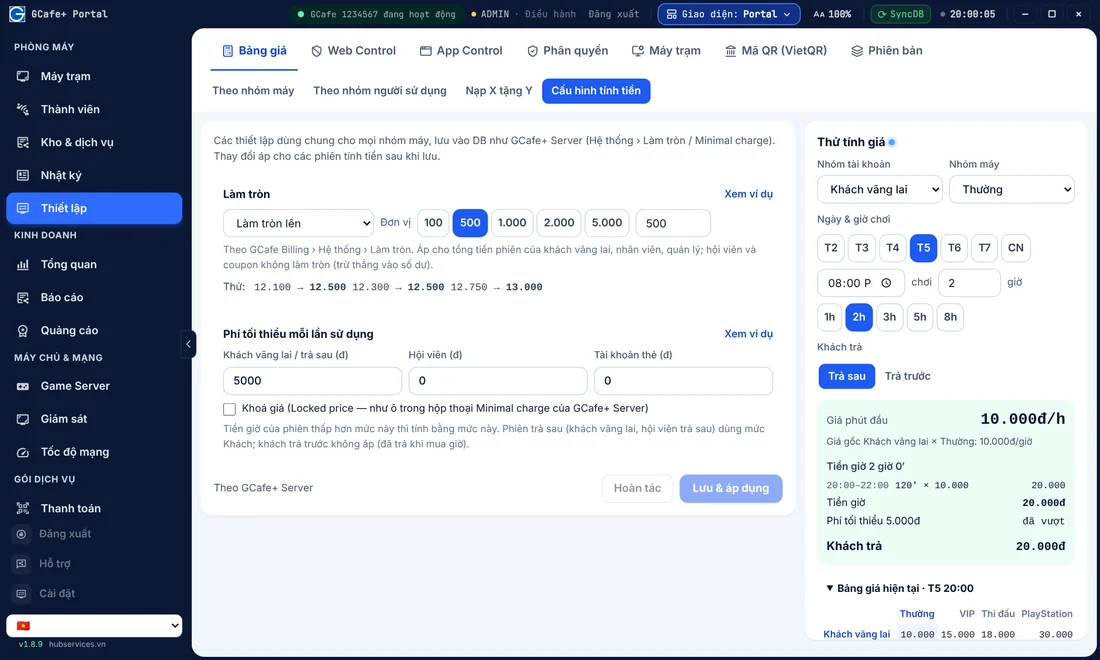
When you manage through GCafe Portal, open Computer room › Setup › Price list › By machine group. Choose a machine group (Standard, VIP, PlayStation…) and enter the hourly price for each account group (Walk-in guest, Member, VIP member…). On each price line, click Add time slot to set a separate price for certain hours (for example 22:00–06:00). Before you click Save & apply, use the Test price panel on the right to check what a player would pay in each time slot, so you don't enter a wrong price. For details, see the docs Price list, Top up X get Y, and price testing and Setting up night combos: hourly rate plus free drinks (both in Vietnamese).
GCafe Billing and GCafe Portal are both free with no limit on the number of machines. They are part of the solution suite you can explore at free internet cafe software from GCafe.
Common mistakes when pricing by time slot
- Too many slots: players get confused and staff keep explaining. Start with a few slots, then fine-tune.
- Changing prices suddenly without notice: regulars may react badly. Post a clear price list and give notice ahead of time. Note: a new price applies to sessions that start after you save, so change prices when the cafe is quiet to make checking easier.
- Not measuring again: setting prices and leaving them alone. Review after 2–4 weeks: are quiet slots busier now, and are you losing players in busy slots?
- Forgetting costs: a low price at quiet hours must still cover your running costs. Recalculate it alongside your investment and operating costs (Vietnamese).
A simple 4-step pricing routine
- Pull the busy and quiet hours for each zone.
- Split the day into 3–4 time slots and separate standard and VIP.
- Enter the prices in your billing software, check them with Test price, and run them for a while.
- Review revenue by time slot and adjust in small steps.
Need more advice?
If you'd like to ask how to set up time-slot pricing in GCafe Billing and GCafe Portal, call the hotline 1900 1232 or leave your phone number on our pricing page. The GCafe team will get back to you.