

The question of how much it costs to open an internet cafe has no single answer that fits every place. Your budget depends on the number of PCs, their specs, rent and where you open. A 20-PC cafe on a small street and an 80-PC cafe downtown are two very different problems.
What you can do is split the budget into clear line items, then add them up using real quotes from your area. This article helps you do that. It also points out the costs you can reduce without hurting the quality of your cafe.
What does startup capital for an internet cafe include?
Split your budget into two groups: initial investment (one-time spending) and working capital (the money that keeps the cafe running through the first months, before it fills up with players). Many owners only count the first group and run short of cash in month two.
| Cost item | Type | How to estimate |
|---|---|---|
| Premises: deposit, renovation, painting | One-time | Based on quotes for premises and contractors in your area |
| Workstations (case, monitor, keyboard, mouse, headset) | One-time | Number of PCs × price of the set you choose |
| Server, switches, network cables, wifi | One-time | Based on PC count and room layout |
| Desks, chairs, counter, air conditioning, cameras, fire safety | One-time | Based on floor area and the standard you want |
| Management software and game updates | One-time / recurring | See the software section below |
| Rent, electricity, internet, staff | Monthly | Multiply by the number of reserve months |
| Permits, taxes, maintenance, equipment replacement | Recurring | Based on local regulations and actual operations |
Take the exact amount for each line from real quotes, not from articles online. Prices for parts and premises change all the time.
Premises and renovation: the cost people most often undercount
Premises are usually the biggest cost and the hardest to change. Besides the deposit and the first month's rent, plan for:
- Painting, ceiling, flooring, power outlets and wiring that can carry the full load.
- Air conditioning or ventilation fans for a room full of PCs.
- Cameras, fire extinguishers and other fire safety items required by regulations.
- Signage, a cashier counter, and a drinks and snacks area.
For example, an owner rents an old house, and only when the new power line goes in does he find the wiring can't handle every PC running at once. Upgrading the load becomes an unplanned cost. Ask an electrician to inspect the place before you sign the lease.
Computers, server and LAN
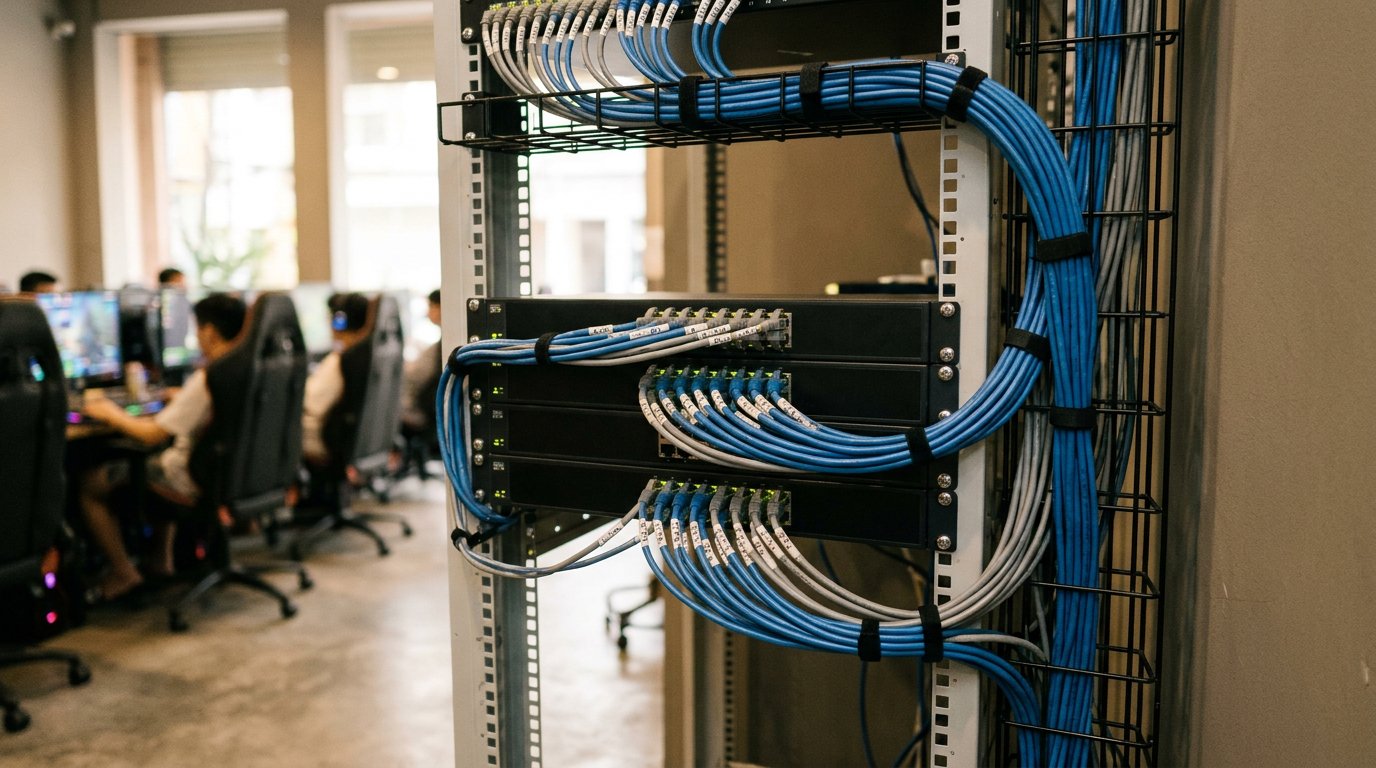
This is the biggest equipment investment. The basic formula is number of PCs × price of one workstation, plus the server and network infrastructure.
Two things to consider:
- Specs by customer group. A cafe that mostly runs light games is different from one packed with heavy-game players. Specs that are too high tie up capital. Specs that are too low send players away.
- Workstations with or without hard drives. With GCafe Boot, workstations don't need their own hard drive, so you don't buy a drive for each PC. In return, you need a good enough server and LAN. The two guides on preparing the server and preparing the LAN (in Vietnamese) will help you budget this part correctly. If you still have doubts about quality, read are diskless workstations any good (in Vietnamese).
Whichever route you choose, don't cut corners on switches and network cables. A weak network makes games lag, and players will blame the PCs.
Internet cafe management software: a smaller cost than you might think
Many new owners assume software is expensive. With the GCafe suite, it isn't. Based on the information we have:
- GCafe Billing (with Membership), GCafe Boot, GCafe Portal and GameMenu are free, with no limit on the number of PCs.
- GCafe Update (automatic game updates) is the paid part, priced by number of PCs on a 6-month plan.
- The free and paid plans differ only in game updates.
This means you can start with billing, membership management and a game menu without paying per-PC license fees. A fee only applies when you want games to update automatically. The price is 900,000 VND per 6 months for 30 workstations. The company currently installs remotely for free. If you hire a technician to install on site, the cost is whatever the two sides agree on. You can see more on the pricing page or in the article Is GCafe Update free?
If you're weighing your options, free internet cafe software: how to choose the right one for your needs will help.
Working capital and monthly operating costs
This part decides whether your cafe can survive the early stage. Common monthly costs:
- Rent.
- Electricity. PCs run for long hours and air conditioning adds to it, so this is often a big item. See saving electricity in your internet cafe (in Vietnamese) for things you can do right away.
- Internet connection.
- Staff by shift, especially the night shift.
- Maintenance and parts replacement, plus cleaning the machines.
- Taxes and bookkeeping as required for household businesses.
For taxes, GCafe Portal has a revenue ledger report in form S1a-HKD under Circular 152/2025/TT-BTC. You don't have to write it by hand at the end of the month. The steps are in exporting the S1a-HKD revenue ledger (in Vietnamese), or see the doc on creating a revenue ledger for tax (S1a-HKD).
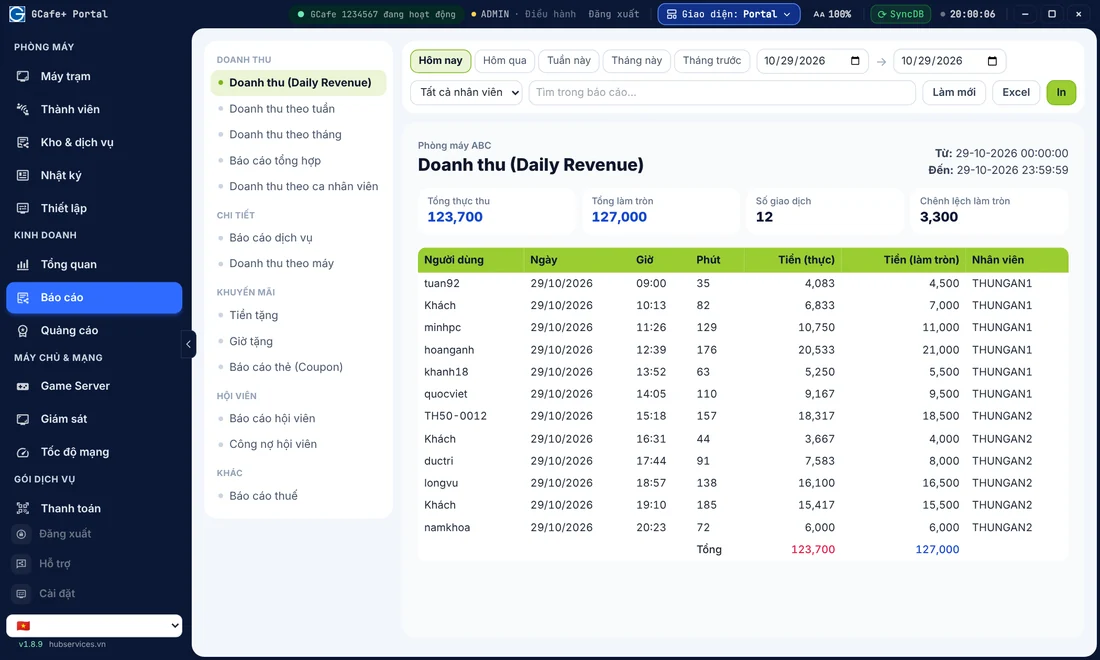
Tracking revenue every day also tells you whether the cafe covers its costs. The metrics to watch are in internet cafe revenue: which daily metrics should you track? and the doc on viewing revenue and KPIs.
How to estimate the capital for your own cafe
Follow three steps:
- Fix the PC count and specs. Get 2–3 quotes from suppliers and total up the workstations, server and network.
- Add premises and infrastructure costs. This covers the deposit, renovation, electrical work, air conditioning, cameras, fire safety and furniture.
- Add working capital. Take your total monthly costs and multiply by the number of reserve months you want. Many owners reserve the first few months, because players need time to find out about the cafe.
The total of these three parts is your real capital figure. Add a buffer for unexpected costs, because almost every cafe has some.
Common mistakes when budgeting
- Counting only the PCs and forgetting living costs. The cafe opens, and there's no money left for ads or day-to-day cash flow.
- Choosing specs by gut feeling. Specs above what you need push capital up, while revenue doesn't rise to match.
- Ignoring losses. Wrong billing and loose shift handovers drain money every day. See 6 gaps that cause playing-time revenue loss (in Vietnamese).
- Having no plan to bring players in. Combos, coupons and member tiers help you keep players. You can read how to build a night combo and coupons (in Vietnamese).
Which software setup keeps your capital lighter?
For a new cafe, the safe route is to start with the free software for billing, member management and game menu organization. Then add GCafe Update once the cafe needs automatic game updates and has steady revenue. This way, software doesn't weigh down your initial capital.
GCafe is a product of Hubservices Joint Stock Company, with 15+ years alongside internet cafes and 50,000+ gaming rooms using the solution. If you want to know which software fits your PC count and budget, call 1900 1232 or leave your phone number on the pricing page. The team will advise you based on the size of your cafe. You can also look at the full GCafe internet cafe software suite.