

Under current law in Vietnam, the answer to the question of internet cafe opening hours is simple: you may not operate from 22:00 at night to 08:00 the next morning. In other words, your gaming room must stop taking customers and stop providing Internet access by 22:00 at the latest, every day.
Still, many owners wonder how to set up shifts, split price time slots and run the room so it follows the rules and also earns as much as possible during the 14 daytime hours. This article explains the rules in detail and suggests how to set up the most effective time slots for your cafe.
What the law says: what time can an internet cafe stay open?
When you look into internet cafe opening hours, you need to know the rules for public electronic game service points (under Decree 72/2013/NĐ-CP and the latest Decree 147/2024/NĐ-CP). In short:
- Permitted opening hours: 08:00 to 22:00, every day.
- Prohibited hours: 22:00 at night to 08:00 the next morning.
These rules apply nationwide to public electronic game service points. If your room keeps taking customers after 22:00 and an inter-agency inspection team (ward/commune police, the culture and information office) makes a surprise visit, you will receive an administrative penalty record for operating outside the permitted hours. For more on handling this situation, read our article on running an internet cafe past closing time.
Why you should plan your opening hours carefully
With a legal operating window of 8:00 to 22:00 (14 hours a day in total), how you assign staff, electricity and pricing to each time slot has a big effect on your net profit.
- Follow the law and avoid fines: A fine for breaking the hours rule can wipe out a whole week of profit. Knowing the rules lets you run your business with peace of mind for the long term.
- Cut power and staffing costs: Not every hour of the day is busy. When you know your slow and peak hours, you know when to run all the air conditioning and when to open only one zone of machines to save electricity in your internet cafe.
- Fill more machines: Flexible prices or play-time packages for each part of the day (morning, noon, afternoon, evening) bring customers in during quiet hours.
- Leave time for system maintenance: The period after 22:00 and before 08:00 is the ideal time for your server to update games automatically, for cleaning, and for checking equipment.
The 4 daily time slots in a Vietnamese internet cafe
Operating experience across tens of thousands of gaming rooms shows that the number of players changes clearly across 4 time slots in a day. The table below sets them out for you:
| Time slot | Customer traffic | Main customer group | Operations & pricing tips |
|---|---|---|---|
| 08:00 – 11:30 (Morning) |
Low (usually 20% – 40% capacity, except weekends) | Students with no morning classes, freelancers | Open the rows closest to the cashier first; create a discounted morning combo to bring in your first customers. |
| 11:30 – 17:00 (Noon & Afternoon) |
Medium to fairly busy (rises sharply after 13:30) | Students finishing morning classes, friends playing as a team | Push lunch food and drinks at the machine; use standard pricing. |
| 17:00 – 22:00 (Evening) |
Busiest time of the day (usually 70% – 100% capacity) | Office workers relaxing after work, students, players grinding rank | Run air conditioning and workstations at full capacity; focus on fast food and drink service. |
| 22:00 – 08:00 (Night & Early morning) |
Closed to customers by regulation (0% capacity) | No customers | End the shift, hand over the shift, clean the room and schedule automatic game updates. |
How to set prices and run your cafe effectively from 8:00 to 22:00
When you can only take customers until 22:00, the question for every owner is how to earn the most in 14 daytime hours. Here are 4 practical methods that many owners use successfully:
1. Split play prices by time slot and machine zone
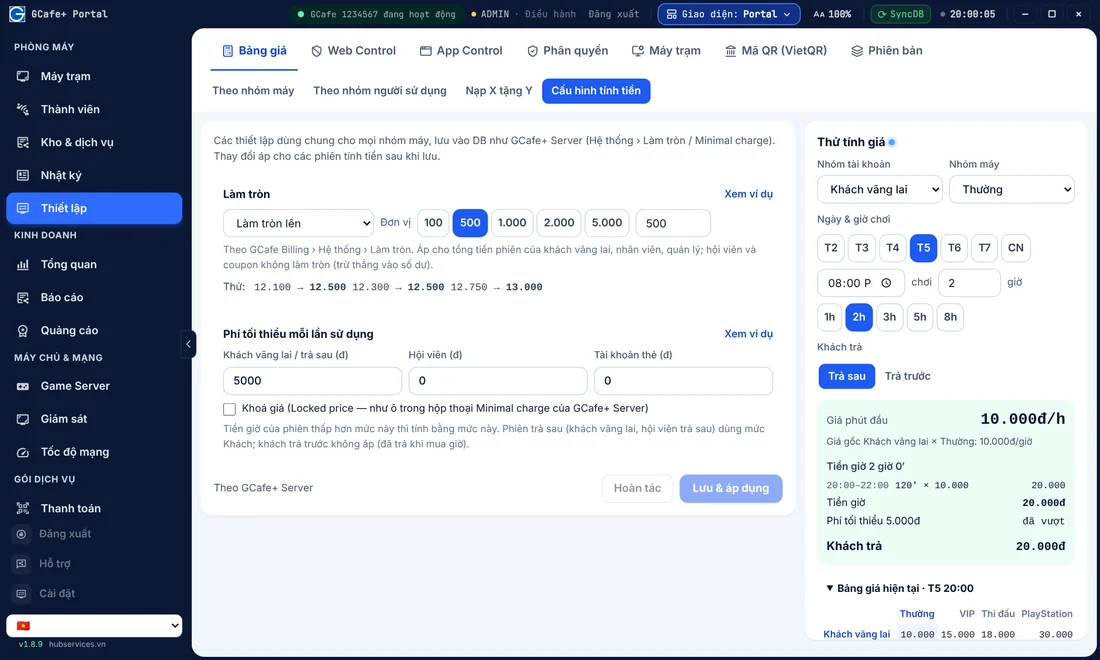
Instead of one fixed price all day, you can use internet cafe play prices by time slot in your billing software. For example: from 08:00 to 11:00, lower the member play price a little to encourage early visits; from 11:00 to 22:00, apply the standard price for each group of machines (standard zone, VIP zone, tournament zone).
2. Create play-time packages (Morning combo / Afternoon combo)
Besides the usual package settings in your internet cafe billing software, such as night combos or session-based packages, you can design a "Morning Combo" (08:00 – 12:00) or an "Afternoon Combo" (13:00 – 17:00) that includes a drink. This locks in revenue at the start of each session and keeps customers playing longer.
3. Grow service revenue (food and drinks)
Lunchtime (11:30 – 13:30) and evening (18:00 – 20:00) are when players most want to eat and drink on site. With an appealing menu (mixed noodles, fried rice, peach tea, energy drinks and so on) and fast ordering from the workstation screen, service revenue can make up a large share of income and fully offset the hours you are closed at night.
4. Control revenue and staff closely by shift
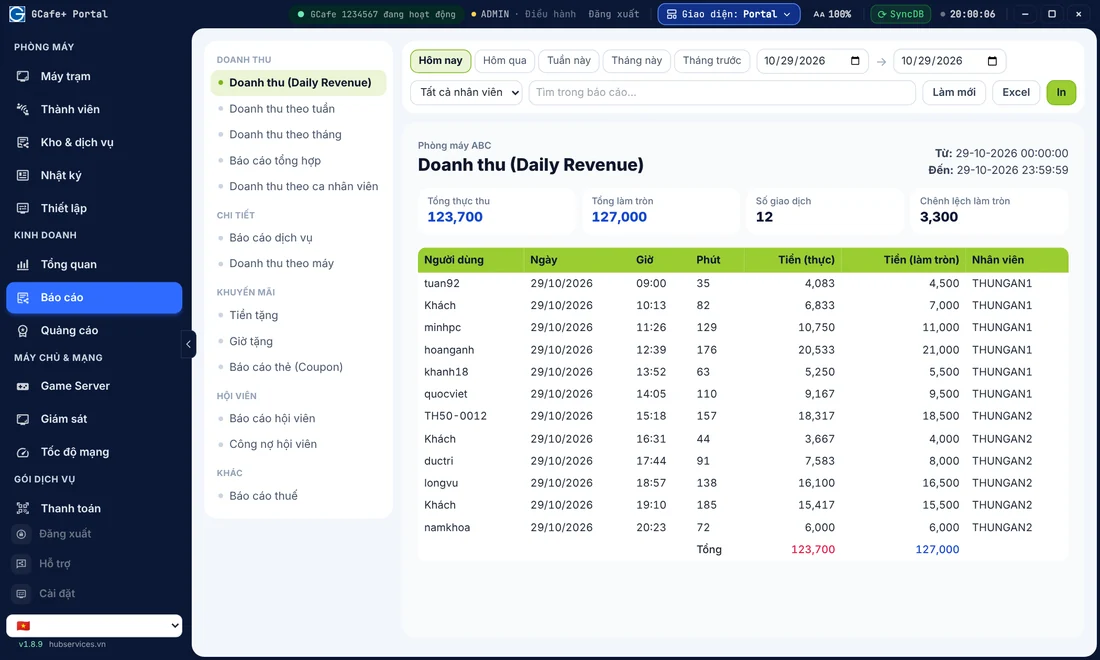
With opening hours of 08:00 – 22:00, internet cafes usually split staff into 2 shifts: a morning shift (07:45 – 15:00) and an afternoon-evening shift (15:00 – 22:15). Use internet cafe revenue management software to follow play-time revenue and member top-ups remotely in real time, so you don't have to be in the cafe for all 14 hours.
Use the hours after 22:00 for maintenance and automatic game updates
After 22:00, once customers have gone home, don't shut down the server right away if maintenance isn't finished. This is the "golden time" to prepare for the next day without affecting your players' network bandwidth.
- Schedule automatic game updates: Online games release new patches often. With automatic game update software for internet cafes such as GCafe Update, you can set the download and update window for the night or early morning. When you open at 8:00 the next day, every game on your diskless workstation system is already on the latest version, and customers can play right away.
- Check equipment and do a quick clean: The evening shift spends 15 minutes after 22:00 to clear cups, wipe mice and keyboards, check headsets and close the handover book. You can also add a daily internet cafe maintenance checklist to keep the room clean and tidy.
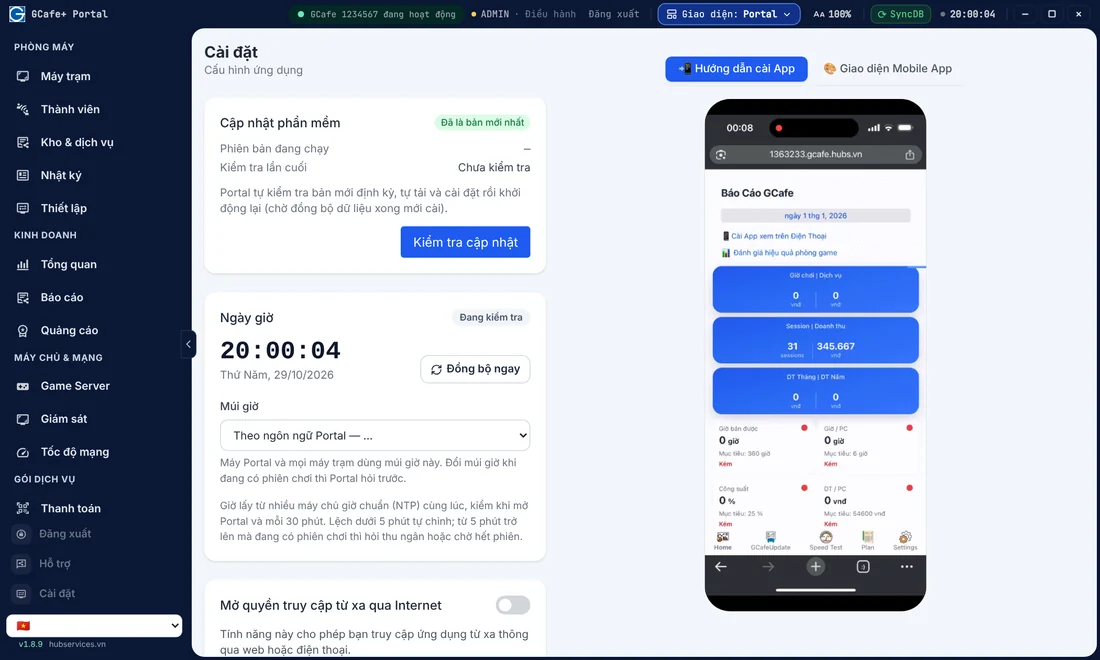
Manage time slots and run your gaming room with less effort using GCafe
Knowing the internet cafe opening hours and how to make the most of 14 operating hours a day helps your business run safely and last. To automate price splits by time slot, create combo packages, lock machines at the legal closing time and update games outside opening hours, you need one connected management software suite.
More than 50,000 gaming rooms use the GCafe internet cafe software ecosystem (a product of Hubservices Joint Stock Company). All the essential tools, including free internet cafe billing software GCafe+ Billing (with Membership), GCafeBoot, GCafe Portal and GameMenu, are free with no limit on the number of machines. Only the automatic game update server service, GCafe Update, is paid, at VND 900,000 per 6 months for 30 workstations. That keeps your game library ready every day.
If you need help setting up billing time slots, installing a new gaming room or upgrading your system, call the hotline 1900 1232 or leave your phone number on the Contact & Pricing page. The GCafe technical team and dealers in all 34 of 34 provinces and cities are ready to support your gaming room on site.
