
When long-time owners research how to run their gaming room, many still type phrases like cafe update, CafeServer or gcafe server. These all point to one core product in the GCafe internet cafe software suite from Hubservices Joint Stock Company: GCafe Update, the automatic game update server.
This article explains what GCafe Update is, why CafeServer was renamed, how to tell the different server programs in your cafe apart, and what it costs.
1. What is GCafe Update (Cafe Update)?
GCafe Update (often shortened to cafe update by owners and technicians when they search) is automatic game update software for internet cafes. It works as the central game server in your room.
In a modern setup, especially a bootrom internet cafe with diskless workstations (GCafe Boot), you can't install or update every game by hand on dozens of machines. Instead, all game data sits on one server in your cafe.
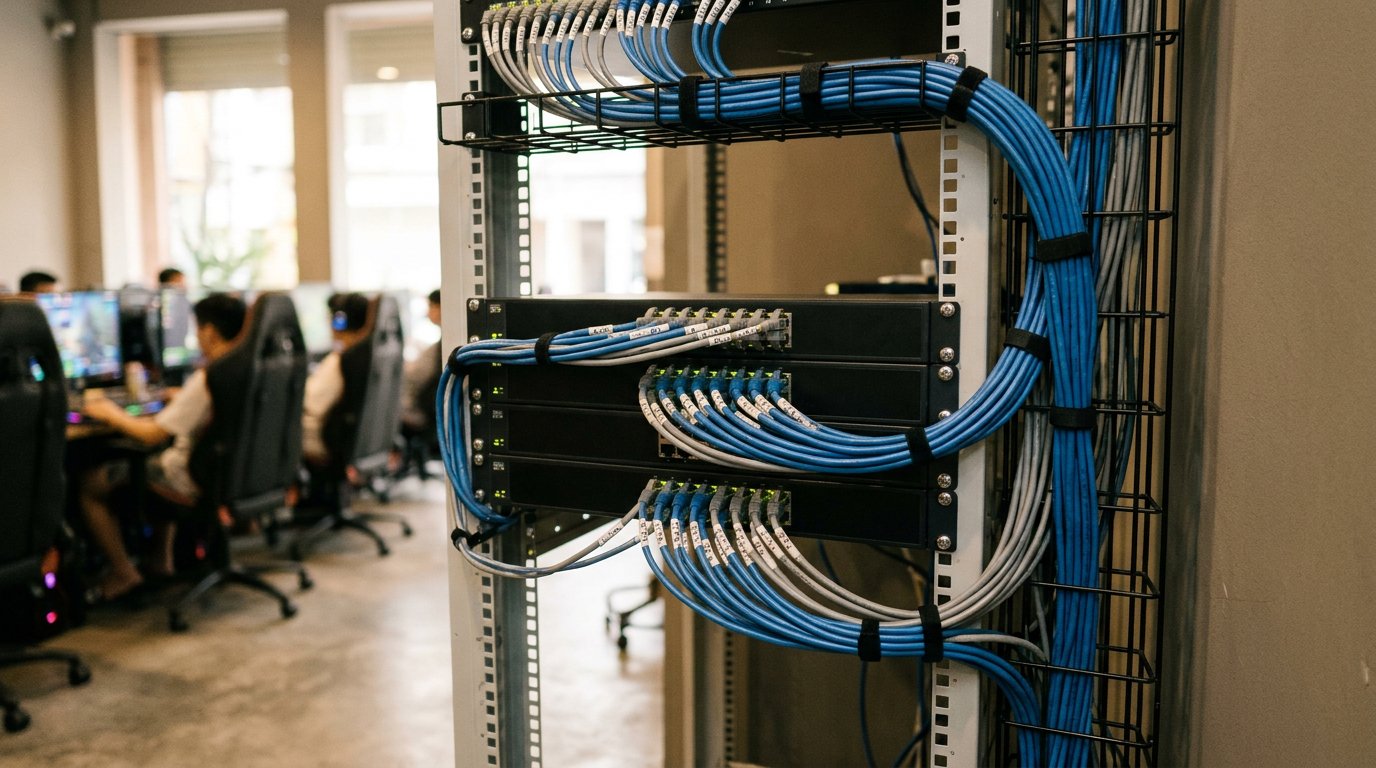
When a publisher releases a new patch or season update, the central GCafe IDC system pushes the data to your server through GCafe Update. Once the server finishes downloading, every workstation in the cafe has the latest game version right away. Players don't wait for each machine to download again. For details, see how GCafe Update downloads and distributes games in the documentation.
2. From CafeServer to the GCafe Update game server: why so many names?
GCafe has supported 50,000+ gaming rooms and 3 million+ player visits per day over 15+ years in Vietnam, as well as in Thailand, Cambodia and Indonesia. Over that time, the internet cafe software ecosystem went through several upgrades to unify its branding.
The program that managed and downloaded games on the server used to be called CafeServer. The installer file on the server still carries the familiar name CafeServer.exe. Because of the word "Cafe" in that old name, many owners search for cafe update or gcafe server when they look for an installer or a guide.
Hubservices has now standardized the official product name as GCafe Update, which matches its core job: automatic game updates for your gaming room. The new name also makes it easier to tell the game server apart from the billing server.
GCafe Update (game server) vs. GCafe+ Server (billing server)
A common mix-up for new owners is calling every program on the server "GCafe Server". In the GCafe ecosystem, three programs do three different jobs:
- GCafe Update (formerly CafeServer): The gcafe server that downloads, stores and automatically updates your game library.
- GCafe+ Server: The program on the billing server in GCafe Billing, the internet cafe billing software (also searched as gcafe plus). It connects to gcafe client (GCafe+ Client) on workstations to bill playing time, create night combos, issue internet cafe coupons and manage members. For more, read how GCafe+ Server and GCafe+ Client differ.
- GCafe Boot: The official brand name that replaces the earlier Diskless / BootRom naming (many people still search for gcafe diskless). It lets workstations boot over the LAN without a hard drive.
3. How GCafe Update works
So you save operating time and don't have to stay up at night watching a big update download, GCafe Update runs in a closed loop with the other parts of the GCafe suite:
- Sync from the central IDC to your server: When a game has an update, GCafe Update on your server compares versions and downloads only the changed data pieces, from several sources in parallel, into the server's game drive. You can set a download speed limit so players aren't affected.
- Serve data to workstations over the LAN: Workstations get games straight from the server in your cafe over the LAN. They run from a local drive in Disk Mode, or from a virtual drive in Diskless Mode on the GCafe Boot bootrom system. Workstations running GCafe+ Client App can also share downloaded games with other workstations, which takes load off the server.
- Show games clearly in GameMenu: On the workstation screen, GameMenu lists every available game so players can find one and start playing.
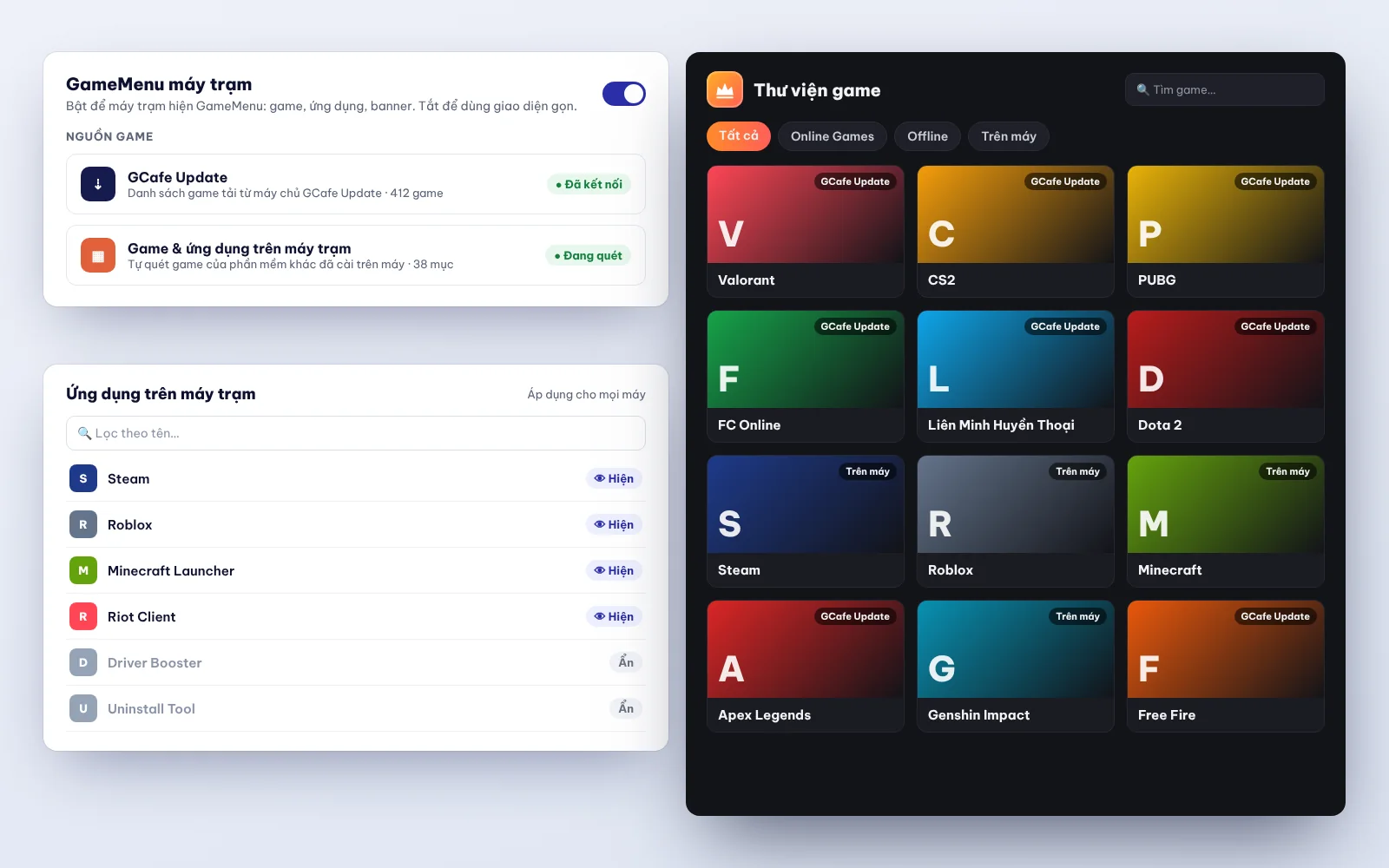
How the system upgrades itself
It's not only games that update automatically. GCafe Update and GameMenu are also designed to upgrade to the latest version when Hubservices releases one:
- GCafe Update: The system upgrades itself in place. You don't need to uninstall and reinstall, and note that it can't go back to an older version once it moves to the new one. For details, read Upgrading GCafe Update: no reinstall, no rollback.
- GameMenu: If your cafe uses GameMenu downloaded directly from the IDC, it updates to the new version by itself. If GameMenu is installed on drive C: inside the disk image, your technician or you just open Super Image on a workstation so GameMenu updates itself, then close and save Super Image.
4. GCafe Update compared with other GCafe products
Many owners ask why GCafe is described as free internet cafe software when cafe update has a price. This table shows the difference between the paid product and the free ones in the GCafe ecosystem:
| Product | Former / common name | Main function | Cost policy |
|---|---|---|---|
| GCafe Update | CafeServer, Cafe Update, GCafe Server | Game library server that automatically updates games for the whole gaming room | Paid by number of machines, 6-month plan (900,000 VND / 6 months / 30 workstations) |
| GCafe Billing | GCafe+ (GCafe+ Server & GCafe+ Client) | Billing for playing time, member management, combos, promotions (new interface and Classic available) | Free, no limit on machines |
| GCafe Boot | GCafe Diskless, GCafe BootRom | Boots and runs diskless workstations over the LAN | Free, no limit on machines |
| GCafe Portal | Gaming room management portal | Remote revenue tracking, lucky wheel, workstation banners, S1a-HKD revenue ledger export | Free, no limit on machines |
| GameMenu | Workstation game menu | Shows the game list on the workstation screen for players | Free, no limit on machines |
5. How much does GCafe Update cost, and what about installation?
Across the whole Hubservices solution, the free and paid plans differ only in automatic game updates (GCafe Update).
If you only use GCafe Billing, the free internet cafe billing software, plus GCafe Boot, GameMenu and GCafe Portal for revenue management, it's completely free with no limit on workstations. GCafe Portal supports workstation screen advertising with up to 5 banner slots and a wallpaper, a lucky wheel, and export of the S1a-HKD revenue ledger under Circular 152/2025/TT-BTC for internet cafe tax reports and household business tax reports. The system also supports building a table layout that bills billiard tables directly (no client workstation needed) and connecting hardware to switch billiard table lights on and off.
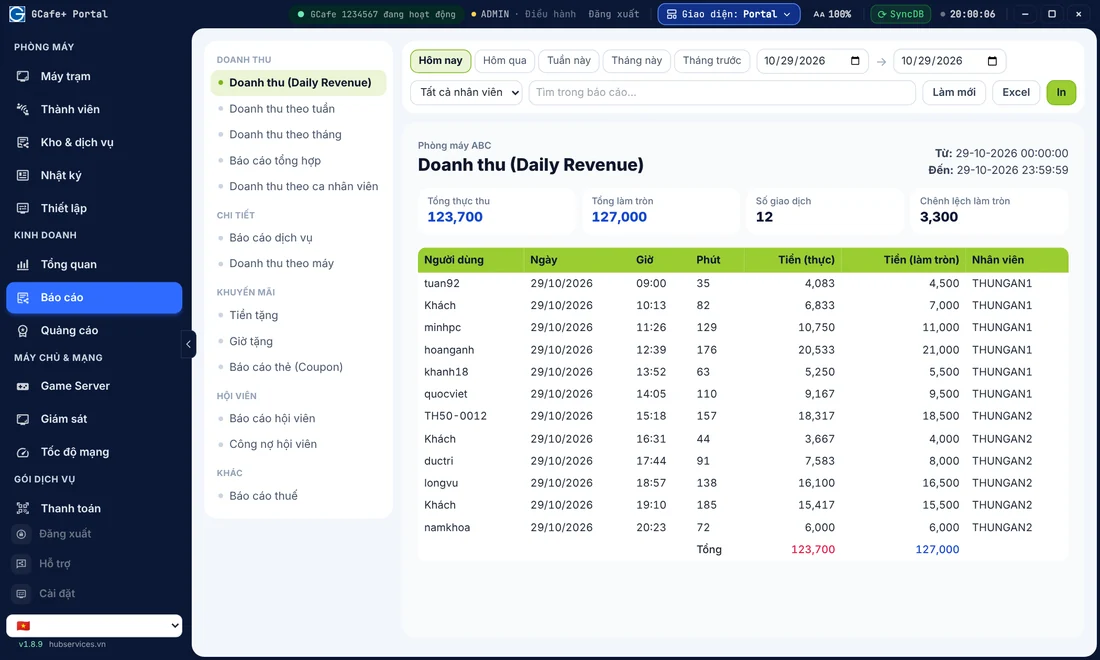
When you add GCafe Update so the system downloads and updates games automatically:
- GCafe Update price: Billed by number of machines on a 6-month plan. The current price is 900,000 VND / 6 months / 30 workstations. For more, read Is GCafe Update free?.
- Installation cost: The company currently installs remotely over the internet for free. If you want an agent's technician to come and install on site at your gaming room, the labor cost is agreed between you and the agent.
6. How to download and contact us for GCafe Update
GCafe now has official agents in all 34 of 34 provinces and cities nationwide (under the new administrative units). Wherever your cafe is, the Hubservices technical and customer care teams are ready to help.
To start installing or upgrading your internet cafe game update software:
- Go to the official Download page to get the standard GCafe installer. You can also read the GCafe Update installation guide and the A-Z guide to installing GCafe first.
- Call the support line 1900 1232 for advice on the plan that fits your number of machines, and for free remote installation support.
- Or leave your phone number on the Pricing & Contact page, and a GCafe advisor will call you back to support your gaming room.