

A diskless internet cafe system (also called a bootrom system) is a way of running a gaming room where the workstations have no physical hard drive. Instead, Windows and the whole game library are stored on one central server and sent to each workstation over a high-speed LAN.
For internet cafe owners in Vietnam today, this is the standard model. It lowers upfront investment, cuts the power bill and shortens software maintenance time. Instead of fixing errors or updating games machine by machine, you work once on the server.
1. How does a diskless internet cafe system work?
In a traditional gaming room, every workstation had one or two hard drives to hold Windows and heavy games. With 30–50 PCs, managing dozens of separate drives takes a lot of effort.
When you move to a bootrom internet cafe setup (at GCafe, this solution is branded GCafe Boot), the principle is simple:
- Network boot (PXE Boot): When a player presses the power button, the PC's network card looks for the server through the LAN cable and the switch.
- Loading the operating system from an Image: The server receives the request and gives the workstation a copy of the operating system (called an Image file). The workstation loads it and goes straight to the Windows screen as usual.
- Playing games from the server drive: When a player opens the menu and clicks a game, the game data is read directly from the server's fast drives and sent over the LAN to the workstation's RAM.
- Self-cleaning on shutdown: Everything created while the player is using the PC (downloaded files, browsing history, viruses or unwanted software) sits in temporary storage. When the player shuts down or restarts, the workstation returns to its clean original state.
To understand the technical concept and how data is delivered in more depth, read What is Bootrom? What is a diskless server and how does GCafe Boot work (Vietnamese).
2. Real benefits of running diskless workstations
It is no accident that most gaming rooms, from 20-PC shops in rural districts to cyber game centers with hundreds of PCs in big cities, choose diskless workstations. These are the benefits owners feel most:
Save on buying and replacing hard drives
A modern game often takes from several dozen to over a hundred GB. If every workstation has its own drive, each one needs a large SSD to hold the full game library. For a 40-PC room, buying 40 drives is a big sum. On top of that, drives in an internet cafe run nonstop and fail easily. Once the warranty ends, you pay out of pocket for replacements.
Update games once for the whole cafe
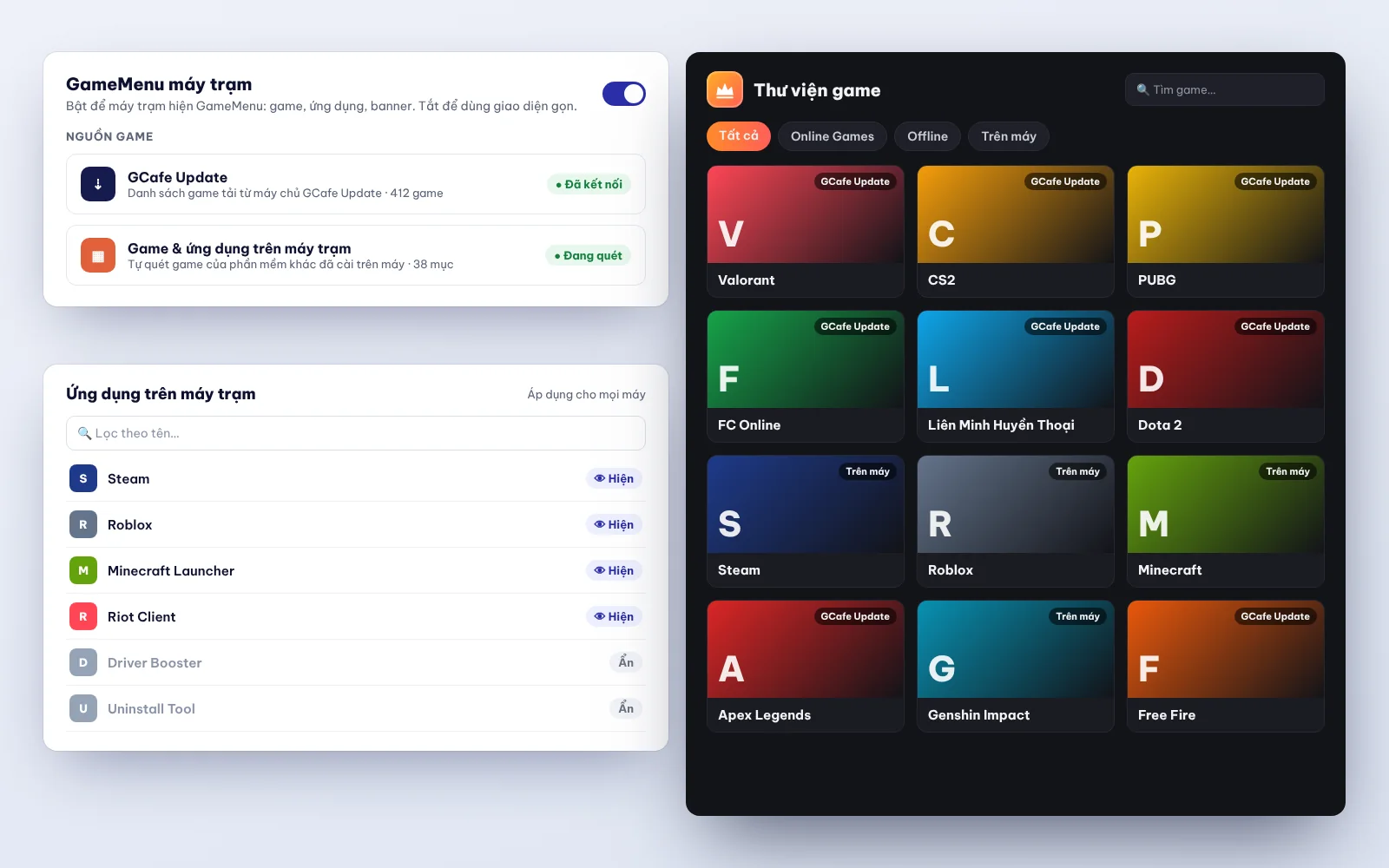
Here is a common situation in internet cafes in Vietnam: a popular game such as League of Legends, Valorant, PUBG or FC Online releases a big update in the morning. With separate drives, you have to turn on every PC and download the patch. With a diskless system combined with automatic game update software for internet cafes such as GCafe Update, the server downloads the new version by itself. Every workstation is ready to play as soon as it starts.
No worry about players breaking Windows or catching viruses
Players often download extra tools, install personal software or click links that carry malware by accident. On a PC with its own drive, a blue screen or a virus means re-imaging the machine, which takes 15–30 minutes. With GCafe Boot, staff only need to ask the player to restart the PC, and the workstation is back to normal in under a minute.
Lower power use and room temperature
No drive in each workstation means fewer parts that draw power and give off heat inside the case. Multiply that by 30–100 PCs running day and night, and the savings on PC power supplies and room air conditioning add up. For more ideas on keeping monthly costs down, see how to save electricity in an internet cafe (Vietnamese).
3. Comparison: bootrom internet cafe vs. hard drive internet cafe
If you are still deciding whether to invest or upgrade, this table sums up the differences between the two models:
| Criteria | Diskless (bootrom) internet cafe system | Traditional internet cafe with hard drives |
|---|---|---|
| Upfront hardware cost | Focused on one server and the LAN; you save all the workstation drive cost (most efficient from about 15–20 PCs up). | You must buy a large SSD for every workstation; the more PCs, the higher the cost. |
| Game & software updates | Update once on the server, and all workstations get the new game right away. | Manual updates or syncing machine by machine, which takes time and network bandwidth. |
| Fixing Windows errors / viruses | Restarting the workstation brings it back to a clean state. | You must reinstall Windows or restore a Ghost file on each affected PC. |
| Risk of hardware failure | You only need to watch the health of a few drives on the server. | Drives on individual workstations may fail here and there after 1–2 years of use. |
| Operating stability | Depends on the quality of the server and the internal LAN. | If one PC fails, only that PC is down, but daily maintenance takes a lot of technician time. |
If you still worry about how smoothly heavy games run, read Are diskless workstations any good? 7 questions owners often ask (Vietnamese).
4. What does a diskless internet cafe system cost to set up?
When you plan how much capital an internet cafe needs (Vietnamese), the cost of a bootrom system falls into two groups: infrastructure hardware and operating software.
Group 1: Hardware (one-time investment)
Because the workstations no longer have drives, you move part of that budget into the "heart" of the room:
- Bootrom server: A server-grade motherboard, CPU, ECC RAM (error-correcting) and fast SSD/NVMe drives to hold the Image and games and to serve as the Writeback/Cache. For details on choosing parts, see Bootrom server for internet cafes: what to prepare for a GCafe Boot room (Vietnamese).
- LAN equipment (switches & cables): All read/write data travels over the network cable, so the room must use Gigabit switches (or 2.5G/10G switches for the uplink port to the server) and genuine Cat5e or Cat6 cable, with connectors crimped carefully. Read the guide to preparing the LAN for a diskless room (Vietnamese) to avoid lag from network congestion.
- UPS for the server: It keeps the server from shutting down suddenly in a power cut and helps protect the life of the SSDs in the server.
Group 2: Management and game update software
Many new owners worry that bootrom software means expensive monthly license fees. With the GCafe internet cafe software ecosystem (a product of Hubservices Joint Stock Company), software costs are clear:
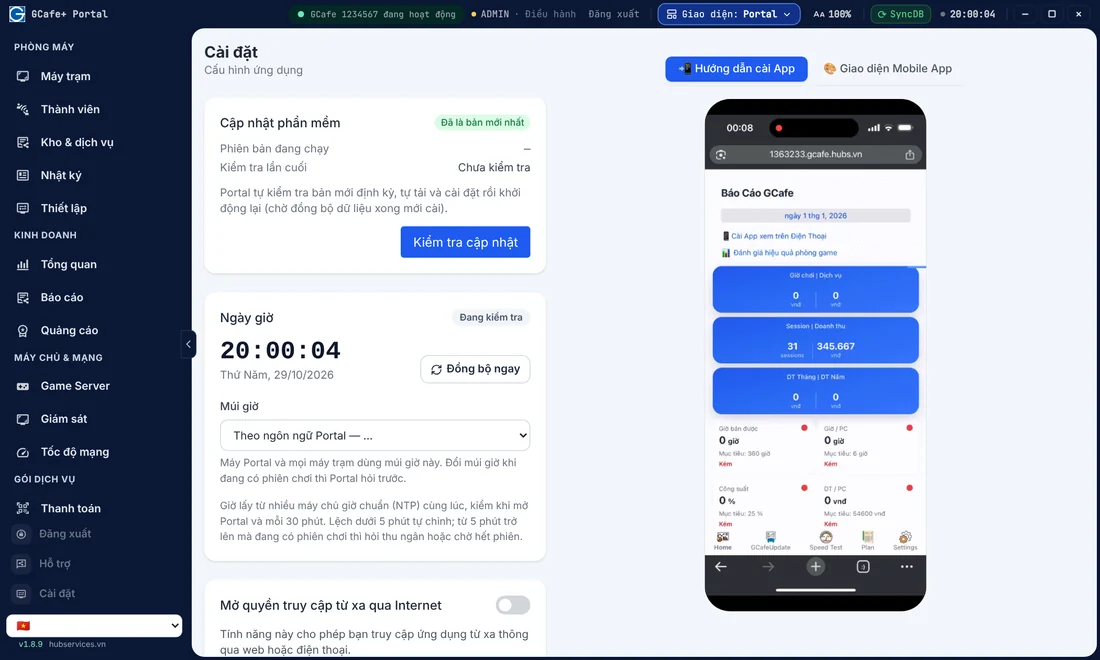
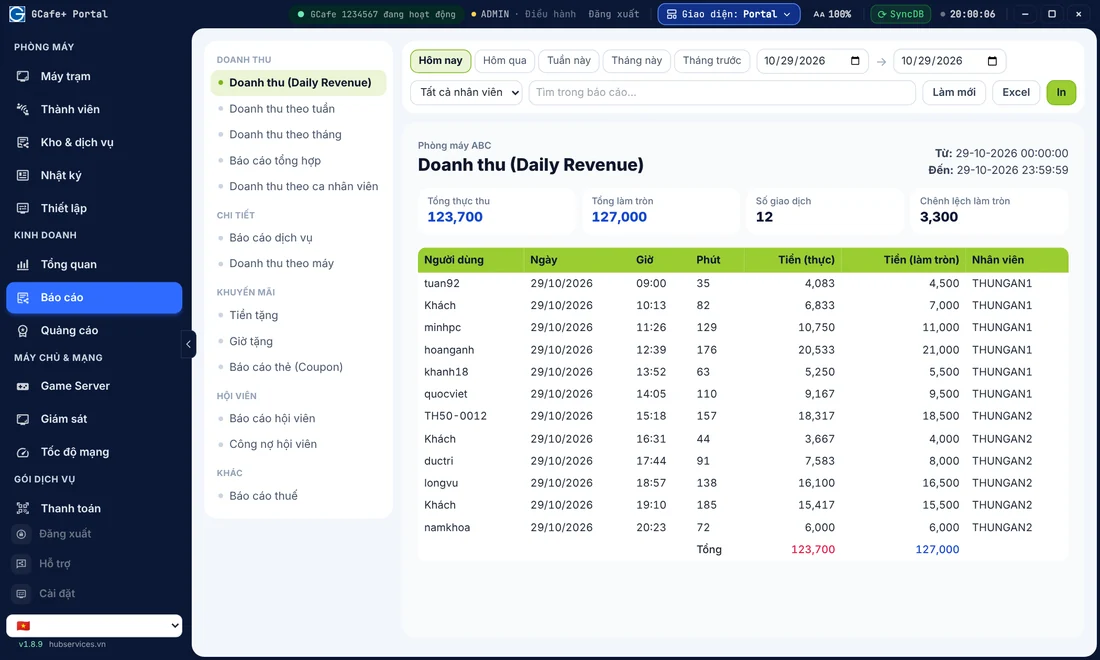
- Free software (no limit on the number of PCs): You can use these completely free: GCafe Boot (diskless bootrom management software), GCafe+ Billing (free internet cafe billing software with Membership), GCafe Portal (remote revenue management, with tax reports for internet cafe household businesses in the S1a-HKD form under Circular 152/2025/TT-BTC) and GameMenu on the workstation screen.
- Paid software (GCafe Update): If you want the server to download and update the game library automatically instead of updating by hand, subscribe to GCafe Update, our game update software for internet cafes. The current price is VND 900,000 / 6 months / 30 workstations (about VND 5,000 per PC per month). The free and paid GCafe packages differ only in this automatic game update feature.
5. Key tips to keep a diskless room running smoothly
A bootrom system takes a lot of work off the owner. But because every workstation depends on one server, follow these 4 technical rules to keep the cafe running well:
- Don't skimp on network cables and switches: A poor cable or an oxidized RJ45 connector can drop LAN speed from 1000Mbps to 100Mbps. That workstation then boots very slowly and freezes in games.
- Allocate Writeback drives sensibly on the server: When 30–50 workstations run at once, a large amount of temporary write data (Writeback) goes back to the server. Technicians should separate the game drive from the Writeback drive to avoid a bottleneck.
- Manage Super Image the right way: When you need to install new software on drive C for the whole cafe (or update a GameMenu installed on drive C), open Super Image on the master workstation, finish the update, then close it and save the disk image. Avoid keeping Super Image open for a long time on a PC with a player sitting at it.
- Choose a provider with on-site technical support: When the server has a problem, every PC has to wait. So software backed by local technicians who can respond fast is essential.
If your room still uses separate hard drives and you want to upgrade without a long interruption to business, see the safe path to switch to GCafe Boot (Vietnamese).
6. GCafe Boot for the modern gaming room
With more than 15 years alongside the internet cafe industry, serving more than 50,000 gaming rooms and more than 3 million player visits a day in Vietnam, Thailand, Cambodia and Indonesia, GCafe offers a connected set of solutions, from server infrastructure to revenue management.
When you install GCafe Boot together with the GCafe ecosystem, you get these conveniences:
- Works well with newer hardware and current Windows versions, with fast and stable workstation boot.
- Connects smoothly with GCafe+ Server / GCafe+ Client for billing, creating night combos, issuing promotional coupons and looking after members.
- Works with GCafe Update so your game library stays on the latest version without you staying up at night waiting for patches to download.
- GCafe technical agents cover all 34/34 provinces and cities (under the new administrative units), ready to help with installation and on-site troubleshooting.
Are you getting ready to open a new cafe, or do you want to tune your current diskless internet cafe system? Call our hotline 1900 1232 or leave your phone number on the Pricing & Contact page. A GCafe technician in your area will advise you on server configuration and software setup. Remote installation is currently free for customers. If you hire a technician to come on site, the fee is agreed between you and the technician.
