

Billiard management software helps club owners automate table timing, bill by time slot, manage food and drink sales and control stock. Instead of paper notebooks or mental math that is easy to get wrong, the software shows you the revenue of every shift and helps stop losses. It is especially useful for traditional billiard halls and for the cyber gaming + billiards venues that are now so common.
This article covers the features you must have when choosing software for a billiard club, how to judge which software fits, and how to manage everything in one system if you run an internet cafe combined with billiards.
Why billiard clubs should stop billing by hand
Many billiard halls with 5 to 15 tables still write the start time on paper or a whiteboard, then check the clock and work out the bill when the customer stops. This habit leaves 4 big gaps that cut your profit every month:
- Mistakes with odd minutes and rounding: A customer plays 1 hour 25 minutes. Staff add it up in their heads and get it wrong, or round down for regulars.
- Forgotten orders for drinks, cigarettes and food: At peak hours, customers keep ordering at several tables. Floor staff forget to tell the cashier to write it down.
- Losses when switching tables or merging bills: Customers often move from a standard table to a VIP table with a different rate, or two tables share one bill. Adding this up by hand gets messy fast.
- Time fraud when the owner is away: Staff turn on the light for a friend without logging it, or change the start time on paper and pocket the difference.
A billiard hall actually works much like an internet cafe billing software setup. At the core, you sell time on a service together with food and drinks. Once it is in software, every table opening, order and table change is logged under each staff account.
6 must-have features in billiard management software
When you look at software on the market, check these 6 core groups of features before you spend any money:
1. Automatic billing by time slot and table type
Each club usually has several table tiers: pool tables, Libre tables, 3-cushion Carom tables or VIP rooms. Rates also differ between morning, evening and weekends.
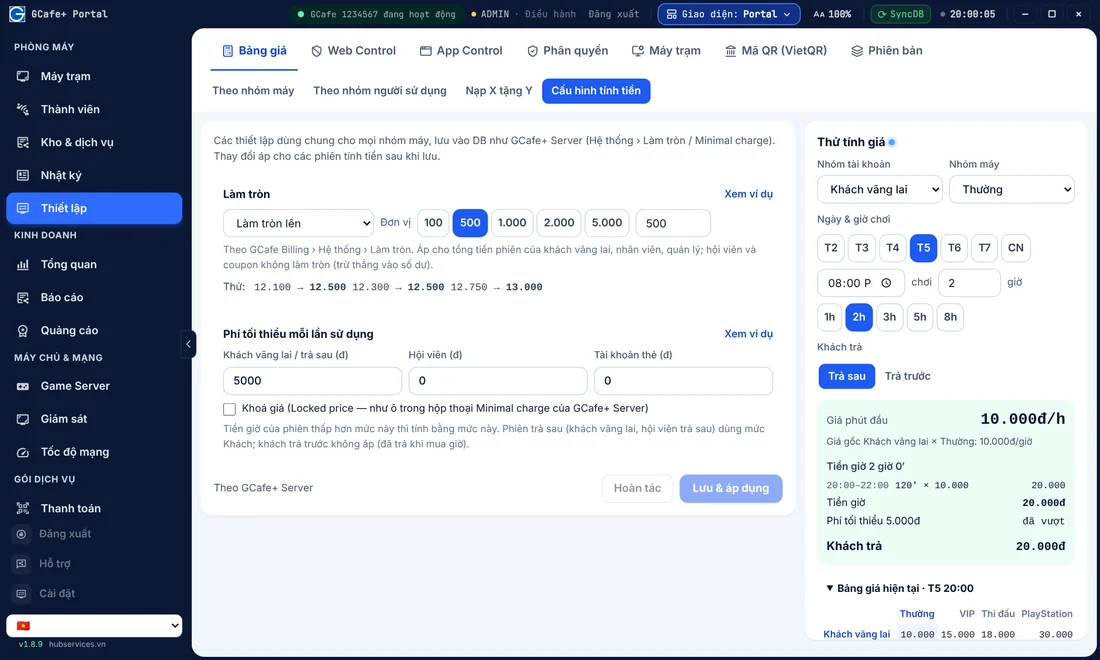
The software should let you set flexible prices for each table group and switch the rate automatically when a new time slot starts. For example, if a customer opens a table at 4:30 PM and plays until 7:30 PM, the software splits the afternoon and evening rates by itself. The cashier does not need to press anything again.
2. Table transfers, table merging and bill splitting
Billiard players often switch tables, for example from a standard table to a tournament table when one is free. Sometimes the loser pays for the drinks or the time of the next table. Good software handles a table transfer in a few clicks. It closes the minutes on the old table at the old rate, then keeps counting on the new table at the new rate.
3. Food and drink ordering (F&B) with automatic stock deduction
Soft drinks, beer, coffee, instant noodles, cigarettes and accessories (chalk, gloves) make up a big share of profit in billiard halls and internet cafes. When staff add an item to an open table, the software should add it straight to the table bill and deduct it from stock. At the end of the shift, you can check stock quickly.
4. Table light control (if needed)
To end the problem of customers playing while staff never start the timer on the computer, many owners connect the software to a power control unit. The table light only turns on when the cashier presses "Open table". When the cashier presses "Pay / Close table", the light turns off after a few minutes.
5. Member management and promotions
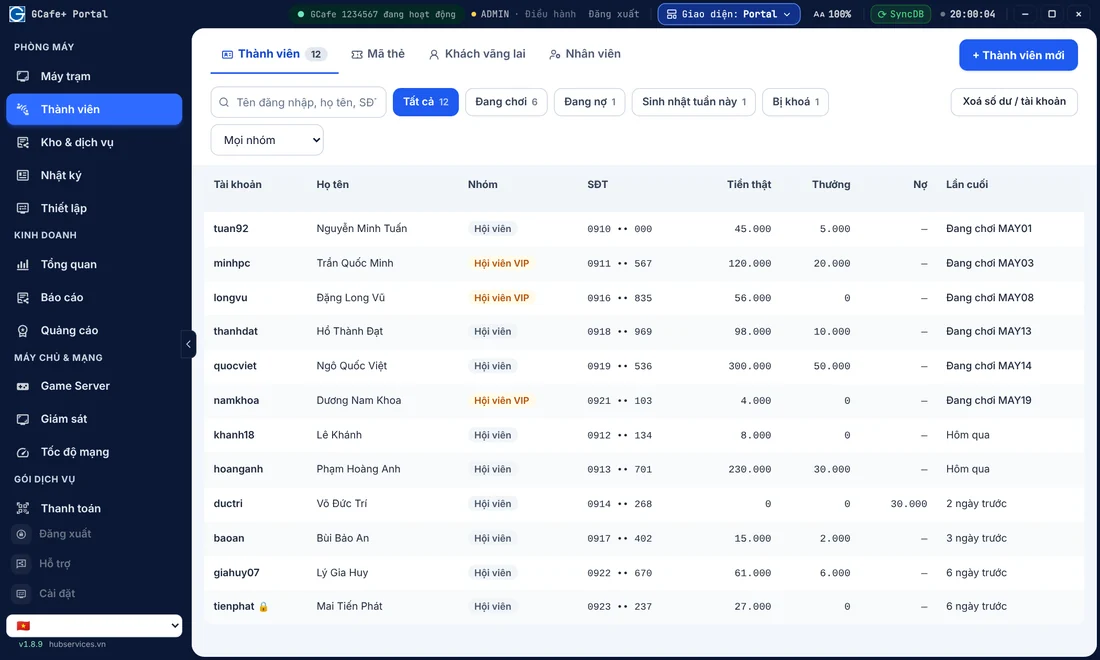
Just like internet cafe member management, modern billiard clubs keep regulars with membership cards. The software should store customer details, let members earn points to exchange for playing time, and give VIP members a percentage off the hourly rate. It should also let you give free time in off-peak slots.
6. Staff permissions and remote revenue reports
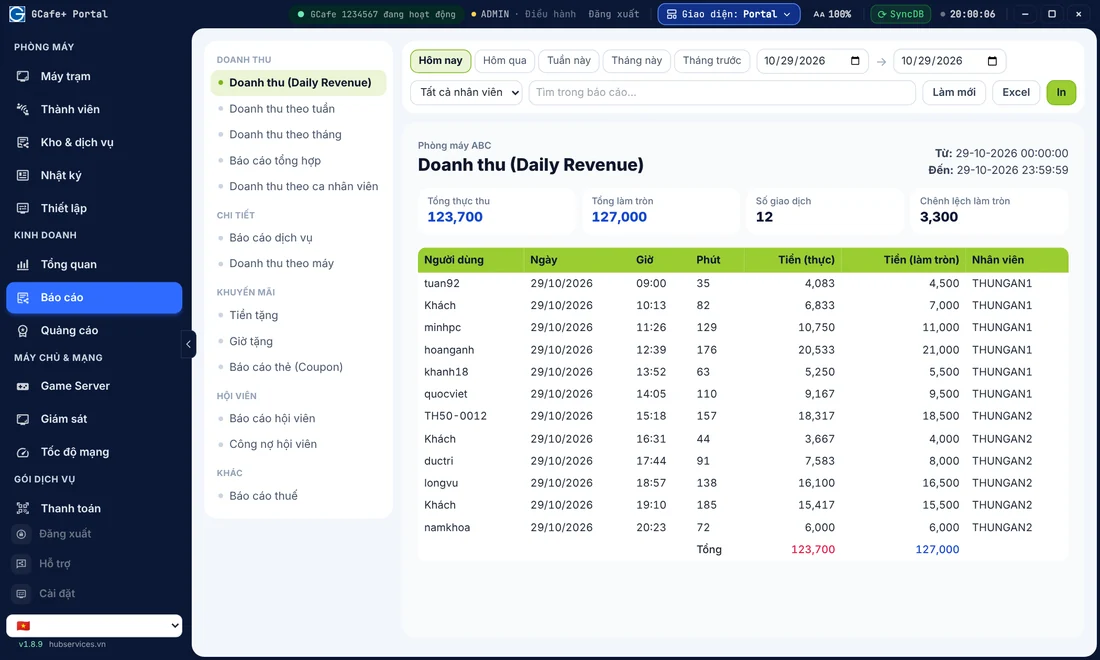
You cannot be at the venue 24/7. Modern management software needs an app or web interface so you can check from your phone how many tables are running now, how much revenue the current shift has made so far, and the history of cancelled items and edited bills by cashiers.
Needs comparison: how to choose software for your model
The criteria change with your size and plan: a plain billiard hall, or an entertainment complex of billiards + cyber gaming.
| Need | Small billiard hall (under 8 tables) | Professional billiard club (10+ tables) | Cyber gaming & billiards complex |
|---|---|---|---|
| Timing & time slots | Basic (1–2 price levels) | Flexible by peak hours, table type and holidays | Syncs both PC client time and table time |
| Light on/off control | Manual, by circuit breaker | Better with an automatic light switch | Combines client screen lock and table control |
| Service stock (F&B) | Basic sales records | Ingredient tracking, strict stock checks at shift handover | One shared food and drink stock for both the internet and billiards areas |
| Member care | Rarely used | Points by phone number, VIP discounts | Prepaid member accounts, night combos, top-up bonus promotions |
| Financial & tax reports | See total revenue at the end of the day | Detailed reports by shift, staff and gross profit | Revenue in one system, with support for exporting an internet cafe tax report for household businesses |
The cyber gaming + billiards trend: how to manage it with less effort
In Vietnam, many internet cafe owners have expanded their space to add 5 to 20 billiard tables. Others do the opposite: billiard club owners add a row of high-spec PCs. The "cyber & billiards" model keeps male customers well. After hours of CS2, League of Legends or FC Online, players can stand up and play a few rounds of billiards in the same space and use the same food and drink service.
When you run this combined model, the biggest question is: how do you avoid two cashier counters, and two separate stocks of soft drinks and instant noodles to count?
Tips for managing it all in one place
- Merge the F&B shift handover: Whatever software you use, set up a single stock at the bar. This stops staff from taking goods from the billiard area to cover the computer area. You can also read our 5-step internet cafe shift handover with no losses and apply it to your cashiers right away.
- Optimize time-slot pricing: Splitting billiard rates into off-peak (morning to noon) and peak (evening) works the same way as setting hourly prices by time slot in a computer room.
- Follow accounting rules: For large complexes run as household businesses, a clear revenue book matters more and more. In the GCafe ecosystem, internet cafe revenue management software GCafe Portal can export the S1a-HKD revenue book under Circular 152/2025/TT-BTC.
GCafe Billing and GCafe Portal already let you create a table map to bill billiard tables directly, with no client PC needed, in the same system as your computer room. They also support hardware connections that switch the billiard table lights on and off.
4 mistakes owners often make when choosing management software
- Choosing ordinary grocery or cafe sales software to manage billiards: Cafe POS software is strong at taking orders. It is not built to count time minute by minute, change the price automatically at a new time slot, or round to 10- or 15-minute blocks.
- A screen too complicated for cashiers: Staff at billiard halls and internet cafes work in shifts, and many are part-time students. If opening a table, transferring a table or ordering a drink takes too many steps, they will press the wrong button at peak hours.
- Not checking night-time technical support: Billiard halls and internet cafes are busiest from 7 PM until dawn. Prefer a software provider with a support hotline that works through the night and technicians in your area.
- Skipping staff permissions: If every cashier account can "Cancel bill" or "Edit start time" without leaving a warning history on the owner's phone, even the most expensive software will still let cash leak out.
A professional computer room solution from GCafe
If you run a computer room or plan to invest in a cyber gaming + billiards complex, the GCafe internet cafe software suite (a product of Hubservices Joint Stock Company) is a solid base. It has supported 50,000+ computer rooms over 15+ years.
The GCafe ecosystem gives owners clear advantages in cost and stability:
- Free core management software: The whole internet cafe software free suite is provided at no cost and with no limit on the number of PCs. It includes GCafe+ Billing (with Membership), GCafeBoot (diskless client solution), GCafe Portal and GameMenu.
- Remote management anytime, anywhere: With GCafe Portal, you can follow revenue reports, set up top-up X get Y promotions, run a lucky wheel, assign staff permissions and export the S1a-HKD revenue book right in your web browser.
- Technical support in all 34/34 provinces and cities: GCafe has agents in every province and city, plus a professional support hotline, to keep your computer room running smoothly.
For detailed advice on setting up billing and revenue management for your computer room or combined venue, call 1900 1232 or leave your phone number on the GCafe Contact & Pricing page. Our technical team will get back to you as quickly as possible.