
If you are searching for GCafe Pro Diskless, you probably run an internet cafe or look after a gaming room, and you want a way to manage diskless (bootrom) workstations with GCafe. In the official solution suite from Hubservices JSC, this software now goes by the brand name GCafe Boot. It is completely free, with no limit on the number of workstations.
This article explains how a diskless workstation system works in a real internet cafe, why this model can lower your investment cost, and how to combine it with the rest of the GCafe suite so the room is easier to run.
1. What is GCafe Pro Diskless? Its official name today
Over many years with more than 50,000 gaming rooms, owners and technicians have often used names like GCafe Pro Diskless, GCafe Diskless or BootRom GCafe for GCafe's bootrom solution.
The official brand name today is GCafe Boot (also written gcafeboot). It lets every workstation in your cafe boot the operating system and run games directly from a central server over the LAN. No hard drive (HDD or SSD) is needed in each client PC.
If the basic principle is new to you, read this detailed explainer: What is bootrom? What is a diskless server and how does GCafe Boot work? (in Vietnamese).
2. Why are modern gaming rooms moving to diskless workstations?
Picture a 40-PC internet cafe in Vietnam. With a separate drive in every PC, each time a popular game ships a patch of tens of GB, or you need to reinstall Windows after a virus, you have to work on all 40 machines by hand. Then there is the risk of failing drives and bad sectors that freeze a PC while a customer is in the middle of a fight.
With a diskless workstation setup using GCafe Boot, daily operation changes:
- Lower upfront investment: You do not need to buy 40 SSDs or HDDs for 40 workstations. That money can go into a stronger server (RAM, Enterprise/NVMe SSD) and graphics cards for the client PCs.
- A clean machine after one restart: Everything created during a customer's session (junk files, unknown software, changed system settings) disappears automatically when the workstation shuts down or restarts.
- Central management on a single Image: To tune Windows or install a system application, the technician unlocks the Image (Super Image) on one PC, updates it, then locks it again. All the other PCs get the new version right away. (See also: What is Super Image? How to update GameMenu installed on drive C correctly, in Vietnamese.)
- Less power use and wear: With no drive in the client PC, the case runs cooler and uses less power. You also avoid the cost of warranty claims on individual drives.
3. Comparison: traditional local-drive room vs. GCafe Boot
If you are researching GCafe Pro Diskless (GCafe Boot), this practical comparison shows the difference:
| Criteria | Room with a separate drive in each PC | Bootrom room using GCafe Boot |
|---|---|---|
| Hardware cost | You pay for a drive in every workstation | You invest in fast drives at the server only |
| Software license cost | Depends on the solution | Free, no limit on the number of PCs |
| OS installation and repair | You fix each PC when Windows breaks or a virus gets in | A restart clears errors; you only adjust one master Image |
| Game updates (with GCafe Update) | Uses bandwidth and download time on every PC | Download once on the server; all workstations can play right away |
| Long-term stability | Drives wear out over time and can cause lag | More even read/write speed thanks to RAM cache and the server SSD |
If your room still runs on traditional drives and you want to upgrade, read: Switching to bootrom: a safe path for rooms running local drives (in Vietnamese).
4. How does GCafe Boot fit into the GCafe software suite?
A smooth bootrom internet cafe does not depend on the software that loads the OS over the network alone. The real strength is how the parts of the GCafe internet cafe software suite from Hubservices work together.
Working with GCafe Update and GameMenu
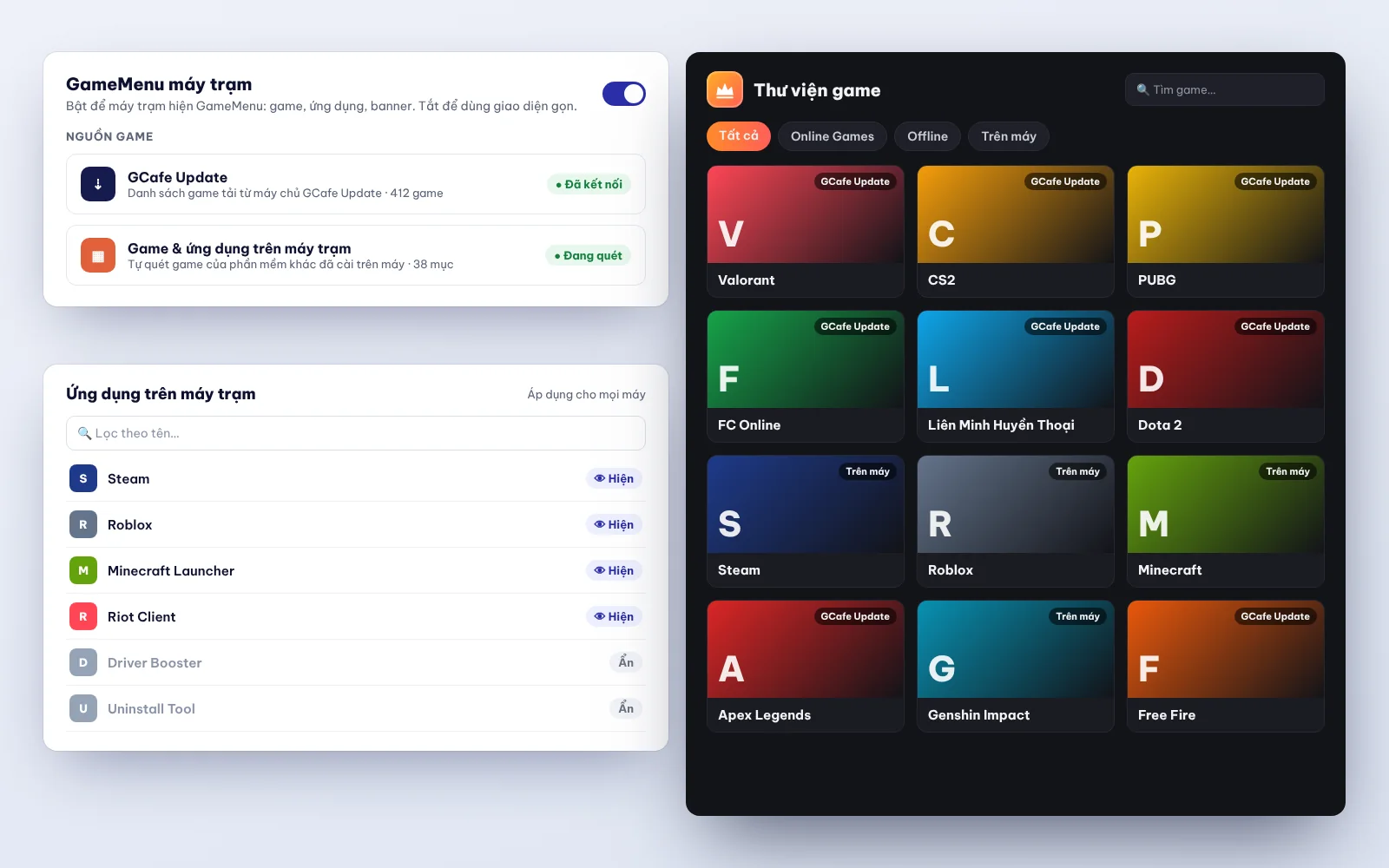
GCafe Boot handles booting Windows without a drive. GCafe Update (formerly called CafeServer) is the game server that stores your games and updates them automatically. When a new patch comes out, the server downloads it, and workstations read straight from the virtual game drive without waiting.
On the client screen, GameMenu shows a clear list of games, so players can find a game and start quickly.
Working with GCafe Billing and GCafe Portal
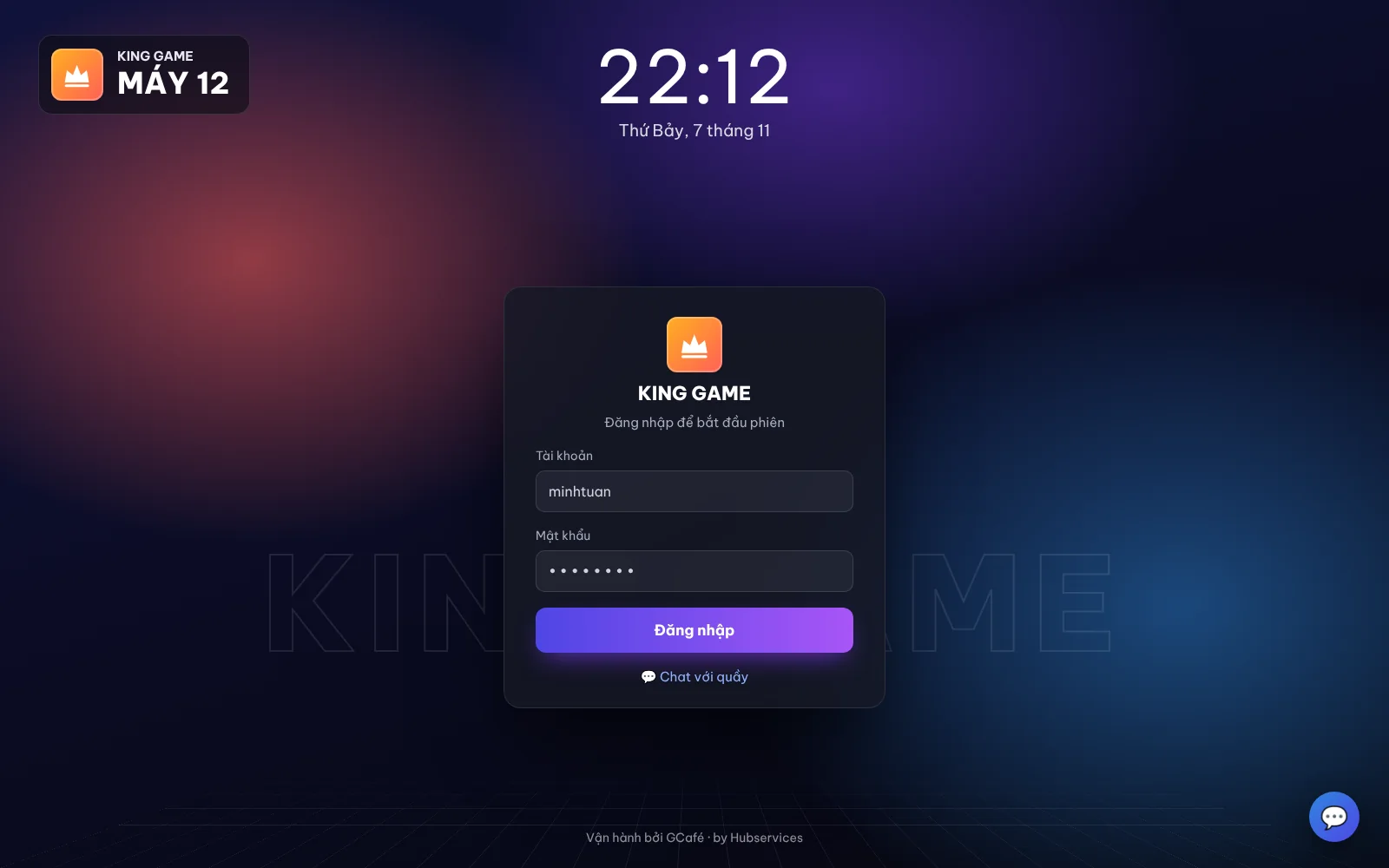
To manage play time, members and services, the cashier server runs GCafe+ Server and each workstation runs GCafe+ Client. Both are part of GCafe Billing, a free internet cafe billing software. When a customer sits down and unlocks the PC, the system bills time, shows the support chat window and manages member accounts smoothly on a diskless setup.
On GCafe Portal, owners can also check revenue remotely, set up a lucky wheel, set advertising banners (up to 5 slots plus a wallpaper) and export the S1a-HKD revenue ledger under Circular 152/2025/TT-BTC.
5. How much do GCafe Boot and the full GCafe suite cost?
Many owners who look into GCafe Pro Diskless worry about monthly running costs. Hubservices keeps its pricing simple:
- Completely free (no limit on the number of PCs): This includes GCafe Boot, GCafe+ Billing (with Membership), GCafe Portal and GameMenu.
- The only paid product: automatic game update software for internet cafes (GCafe Update). The free and paid plans differ only in automatic game updates. The current price of GCafe Update is VND 900,000 per 6 months per 30 workstations. See the pricing page for details.
Because the bootrom, billing and remote management software are all free, you carry less fixed monthly cost and still get a professional toolset. It has been used for more than 15 years in Vietnam, Thailand, Cambodia and Indonesia.
6. What do you need to prepare for a stable GCafe Boot setup?
For your GCafe diskless system to run smoothly, without lag or delay when the whole room powers on at peak hours, pay attention to three basics of your infrastructure:
- Server specs (bootrom server): You need enough RAM for the cache, and dedicated SSDs clearly split for the operating system, Image, game drive and writeback drive (temporary data written by workstations). Details here: Bootrom server for internet cafes: what to prepare for a GCafe Boot room (in Vietnamese).
- LAN: All data travels over network cables. Use Gigabit switches (or 2.5G/10G for the uplink from server to switch), proper cabling and carefully crimped connectors. See also: Bootrom LAN: what to prepare for diskless workstations (in Vietnamese).
- A technician who sets it up properly: How you assign cache and tune the Image from the start decides how smooth the room feels. GCafe has dealers in every province and city in Vietnam (all 34 under the new administrative units), ready to support your room on site.
Start upgrading your gaming room with GCafe Boot
Whether you know it as GCafe Pro Diskless or you are looking for a stable bootrom solution for your internet cafe, GCafe Boot helps you save on drive costs, protect your data and cut daily maintenance work.
If you are opening a new room or want to move your current PCs to a diskless model, call 1900 1232. You can also leave your phone number on the Contact & Pricing page. The GCafe technical team in your area will advise you and help with setup.
